Category Archives: Network & Internet

Ad Blockers, Browser Tools, Browsers, Download Managers, File Sharing/Peer to Peer, FTP Clients, Network Monitoring, Other, Remote Computing, Search/Lookup Tools, Terminal & Telnet Clients, Timers & Time Synch, Trace & Ping Tools

Total Software Deployment 2.0.2

Type: Shareware
Cost: $90
Size: 22.83 MB
Release date: Aug 25 2017
Platform: Win2000,WinXP,Win7 x32,Win7 x64,Windows 8,Windows 10,WinServer,WinOther,WinVista,WinVista x64
Publisher’s Site:  https://www.softinventive.com/
Publisher’s Product Page:  https://www.softinventive.com/total-software-deployment/
Country: United States of America

Total Software Deployment

Managed software deployment for corporate networks.
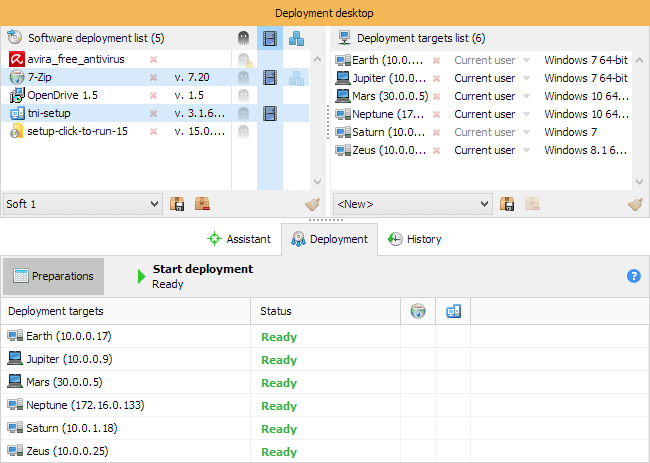
Total Software Deployment makes deploying software on any number of computers a blast. Software inventory management, automatic network scanning, and concurrent deployment of multiple types of installation packages make TSD a clear winner among remote deployment tools.
Unlike competition, this tool supports advanced concurrent deployment, allowing to install multiple packages on multiple PCs. You can specify how many computers and how many packages per computer can be installed at any moment. Once you made up your mind, you can start deploying in just one click.
Total Software Deployment enables organization-wide visibility across network computers, maintaining a comprehensive list of software installed on all computers in your corporate network.

Graphcat<

Vivaldi for MacOS 1.11

Type: Freeware
Cost: $0
Size: 39.76 MB
Release date: Aug 08 2017
Platform: Mac OS X
Publisher’s Site:  http://vivaldi.com
Publisher’s Product Page:  http://vivaldi.com
Country: Norway


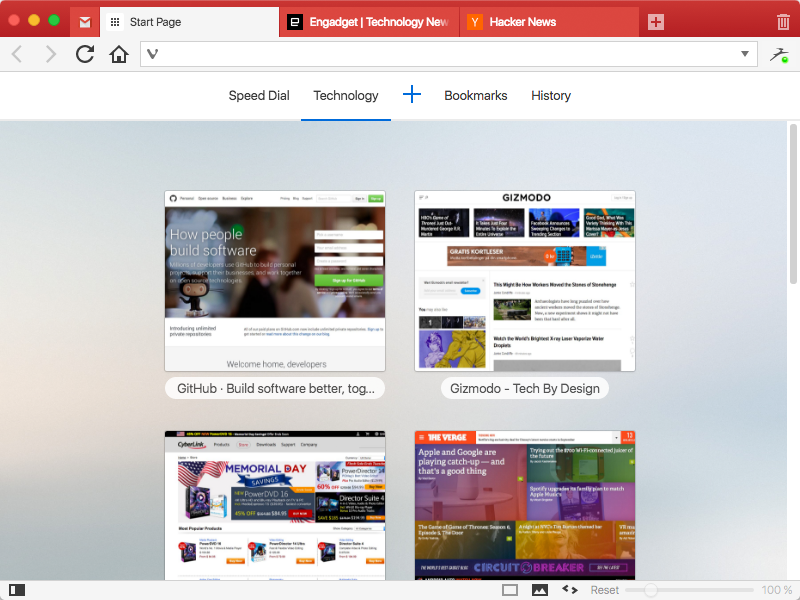
Vivaldi for MacOS

We spend more time in front of the browser than anything else we do.
Many of us spend hours each day. Thus this tool matters more than any other tool and you deserve a browser that is optimized for you. That is what Vivaldi is all about. It is made for YOU!
Steered by Jon von Tetzchner, co-founder of Opera Software offers a browser that lets you take control of your browsing experience. With all major browsers sharing a similar philosophy of offering minimal features, Vivaldi offers a breath of fresh air by offering tons of features that adapt to you. Vivaldi is fast, fun and feature rich.


Vivaldi offers a plethora of features which makes browsing more fun and productive:

Customization: You can decide to have your tabs at the top, bottom, left or right or also hide the tab bar and only show it when switching tabs.
Adapt pages to your needs: Zoom pages, turn or off images and change colors and the like through page actions. Control Vivaldi with the mouse, mouse gestures, keyboard, shortcuts and quick commands.
Settings for most everything: Themes,keyboard shortcuts and most all aspects of the program can be custom
Tab stacking and Tab tiling:Tabs can be stacked. Drag a tab onto another.This enables you to have a lot more tabs without visual clutter. With Tab tiling, the pages will be shown side by side or otherwise arranged. Great for those with big screens with high resolution.
Bookmarks: Access bookmarks in many ways. The simple, visual way is through speed dials, where you can have multiple speed dial groups and folders. You can also use the bookmarks panel, the bookmarks manager and the bookmarks bar.
Notes: Useful for remembering where you found that quote on the net. Just select the text and add it as a note. Both the text and a link to the page is added and you can add a screen shot as well.
Web panels: Add pages that you use often as web panels. Very useful for things like thesaurus, dictionaries, social networks, mail and the like.

Extreme Picture Finder 3.39

Type: Shareware
Cost: $29.95
Size: 4.04 MB
Release date: Sep 14 2017
Platform: Win2000,WinXP,Win7 x32,Win7 x64,Windows 8,Windows 10,WinServer,WinOther,WinVista,WinVista x64
Publisher’s Site:  http://www.exisoftware.com
Publisher’s Product Page:  http://www.webimagedownloader.com
Country: Ukraine


Extreme Picture Finder

Image downloader and web picture finder in one product. Automatically download all images from any website. Simply enter the website address, choose what files to download (images, music, videos or any other files) and the folder on your hard drive where to save them and let the program do the rest of the work for you! No more banners, annoying pop-ups or saving each file by hand!

Extreme Picture Finder will easily handle password-protected websites, forums or TGPs. Plus, it allows you to set file and image size limits, use URL filters to skip unwanted parts of the website, choose the way the saved files are named and use many other options to get exactly what you want as fast as possible.

If you don’t know where to start – the program offers a built-in database with thousands of website addresses sorted by category and the built-in picture finder, which allows you to search the web for pictures using keywords. Extreme Picture Finder offers several different search modes: only thumbnails, only full-size images, both thumbnails and full-size images. Plus it can download all "related" images – images located on the same page where the original full-size image was found.