Category Archives: Network & Internet

Ad Blockers, Browser Tools, Browsers, Download Managers, File Sharing/Peer to Peer, FTP Clients, Network Monitoring, Other, Remote Computing, Search/Lookup Tools, Terminal & Telnet Clients, Timers & Time Synch, Trace & Ping Tools

Slitheris Network Discovery 1.1.218

Type: Shareware
Cost: $195
Size: 5.51 MB
Release date: May 01 2017
Platform: Win2000,WinXP,Win7 x32,Win7 x64,Windows 8,Windows 10,WinServer,WinOther,WinVista,WinVista x64
Publisher’s Site:  http://www.komodolabs.com/
Publisher’s Product Page:  http://www.komodolabs.com
Country: United States of America

Slitheris Network Discovery

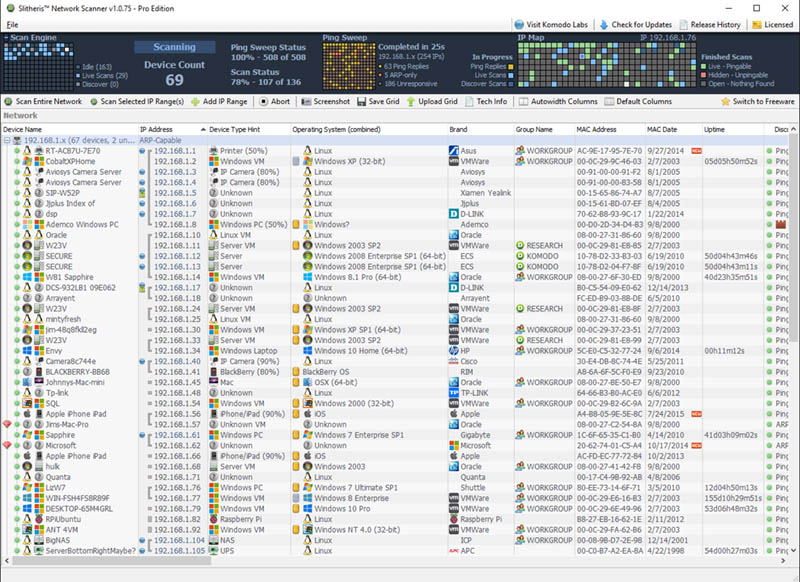
Slitheris Network Discovery is much more than a typical IP scanner, capable of scanning 100 network devices in about 5 minutes! Most network scanners detect the basics like the MAC Address, but leave the OS field empty and don’t even bother identifying device types. Our IP scanner uses standard multi-threaded ping sweeps to find pingable devices, and uses ARP pings and other advanced network discovery technology to detect unpingable hidden devices. Other state-of-the-art features include operating system detection of Windows, Linux, iOS, and Android using proprietary TCP/UDP OS fingerprinting. Slitheris includes experimental network device type detection to find servers, printers, switches, routers, iPhones, iPads and more using heuristic analysis and device type fingerprinting. Network device names are pulled from up to 10 different possible locations on each device, assisting in detecting network device types. It even detects true case-sensitive PC names for Windows computers and servers. Slitheris Network Scanner comes in both freeware and Pro versions to suit the needs of all small, medium and enterprise organizations. Even home users will find Slitheris Network Scanner extremely useful on their own home networks.

Graphcat<

Terminal Service Plus 10.30

Type: Demo
Cost: $75
Size: 89.39 MB
Release date: May 01 2017
Platform: Win2000,WinXP,Win7 x32,Win7 x64,Windows 8,Windows 10,WinServer,WinOther,WinVista,WinVista x64
Publisher’s Site:  http://www.terminalserviceplus.com/
Publisher’s Product Page:  http://www.terminalserviceplus.com/
Country: France


Terminal Service Plus

TSplus is the most simple and affordable alternative to Citrix for Remote Desktop Connections, Application Publishing, Client Generation and much more. Connect to your Remote Desktop with any Windows system, from any device and with any browser. TSplus is the fast and easy way to instantly delivers existing Windows applications to your remote users anywhere. TSplus is the best Remote Desktop solution. In a snap, TSplus will enhance your Windows system: Web Portal, HTML5 and RemoteApp client, Seamless application publishing, Universal Printer, Load balancing, Failover, Application Control and much more benefits are provided into this all-in-one solution. Based on a unique HTML5 technology, TSplus Mobile Web is the reliable, scalable and cost effective solution to web enable any Windows application. TSplus is installed in few minutes and it does not require any complex configuration nor technical knowledge. AdminTool, the TSplus’ intuitive management tool, offers full A-to-Z administration functionality to get your Web Application Portal going in no time. It oversees the full range of TSplus features in minutes with easy, hands-on control and tight security. With HTML5, Mobile users can start applications or a Remote Desktop session from any device (iPhone, IPAD, Galaxy, MAC…). TSplus new 10.10 Release includes great new features and enhancements to stay fully compatible with W10 new upgrade. Download it now for an optimal remote experience!

Vivaldi for MacOS 1.9

Type: Freeware
Cost: $0
Size: 39.76 MB
Release date: May 16 2017
Platform: Mac OS X
Publisher’s Site:  http://vivaldi.com
Publisher’s Product Page:  http://vivaldi.com
Country: Norway


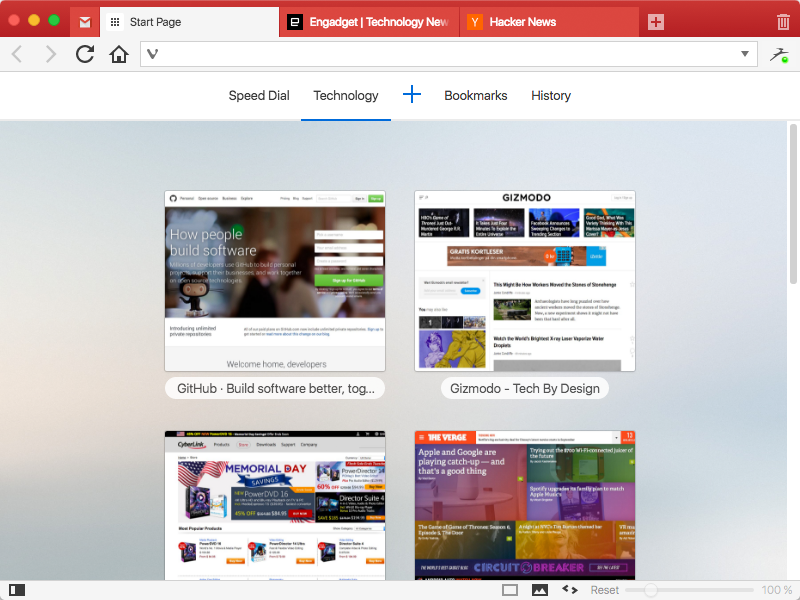
Vivaldi for MacOS

We spend more time in front of the browser than anything else we do.
Many of us spend hours each day. Thus this tool matters more than any other tool and you deserve a browser that is optimized for you. That is what Vivaldi is all about. It is made for YOU!
Steered by Jon von Tetzchner, co-founder of Opera Software offers a browser that lets you take control of your browsing experience. With all major browsers sharing a similar philosophy of offering minimal features, Vivaldi offers a breath of fresh air by offering tons of features that adapt to you. Vivaldi is fast, fun and feature rich.


Vivaldi offers a plethora of features which makes browsing more fun and productive:

Customization: You can decide to have your tabs at the top, bottom, left or right or also hide the tab bar and only show it when switching tabs.
Adapt pages to your needs: Zoom pages, turn or off images and change colors and the like through page actions. Control Vivaldi with the mouse, mouse gestures, keyboard, shortcuts and quick commands.
Settings for most everything: Themes,keyboard shortcuts and most all aspects of the program can be custom
Tab stacking and Tab tiling:Tabs can be stacked. Drag a tab onto another.This enables you to have a lot more tabs without visual clutter. With Tab tiling, the pages will be shown side by side or otherwise arranged. Great for those with big screens with high resolution.
Bookmarks: Access bookmarks in many ways. The simple, visual way is through speed dials, where you can have multiple speed dial groups and folders. You can also use the bookmarks panel, the bookmarks manager and the bookmarks bar.
Notes: Useful for remembering where you found that quote on the net. Just select the text and add it as a note. Both the text and a link to the page is added and you can add a screen shot as well.
Web panels: Add pages that you use often as web panels. Very useful for things like thesaurus, dictionaries, social networks, mail and the like.