Category Archives: Network & Internet

Ad Blockers, Browser Tools, Browsers, Download Managers, File Sharing/Peer to Peer, FTP Clients, Network Monitoring, Other, Remote Computing, Search/Lookup Tools, Terminal & Telnet Clients, Timers & Time Synch, Trace & Ping Tools

Domain Checker 2.1

Type: Shareware
Cost: $9.99
Size: 1.44 MB
Release date: Feb 14 2017
Platform: Win2000,WinXP,Win7 x32,Win7 x64,Windows 8,Windows 10,WinServer,WinOther,WinVista,WinVista x64
Publisher’s Site:  https://vovsoft.com
Publisher’s Product Page:  https://vovsoft.com/software/domain-checker/
Country: Turkey

Domain Checker

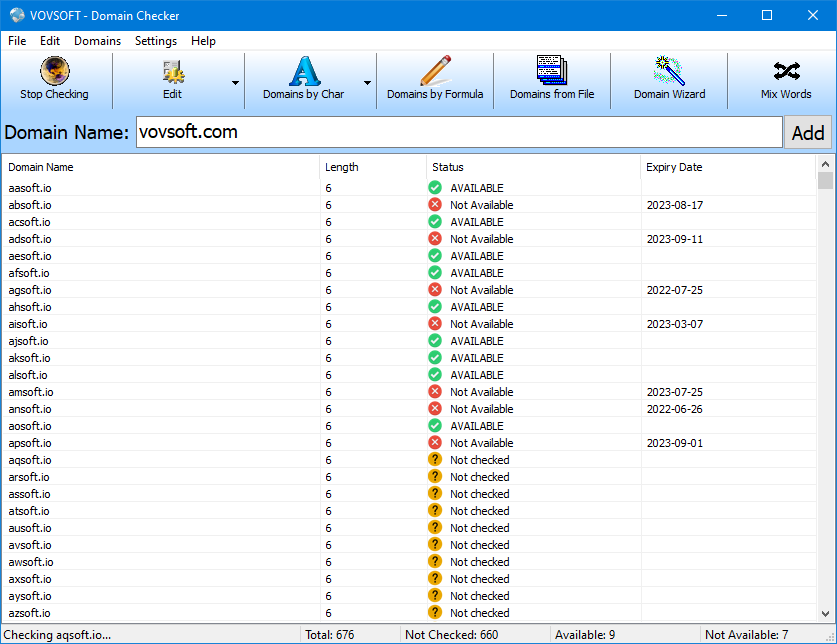
Domain Checker is a domain name availability-check (whois) tool. You can verify multiple domain names at once. This version supports 80 top level domains such as COM, NET and ORG. Some of the features: 2-char, 3-char, 4-char and multi-char domain check. Domain wizard (related words). Importing text file’s words as domain names. Generating domain names by user-defined formulas. Full list of supported TLDs: ac, ag, am, asia, at, au, be, bg, biz, ca, ch, ci, cl, cn, com, cz, de, dk, ee, fr, gd, gg, gi, hk, hn, ie, il, in, info, int, io, ir, is, it, je, jobs, jp, kr, kz, la, li, lt, lu, lv, ly, ma, mobi, net, nl, no, nu, org, pm, pro, re, ru, sc, sg, sh, si, st, tc, tf, tk, tm, com.tr, net.tr, org.tr, gov.tr, travel, tw, ug, us, uz, vc, vg, wf, ws, yt

Graphcat<

NEWT Professional Network Inventory 2.5.317

Type: Shareware
Cost: $195
Size: 4.52 MB
Release date: Feb 15 2017
Platform: Win2000,WinXP,Win7 x32,Win7 x64,Windows 8,Windows 10,WinServer,WinOther,WinVista,WinVista x64
Publisher’s Site:  http://www.komodolabs.com/
Publisher’s Product Page:  http://www.komodolabs.com
Country: United States of America


NEWT Professional Network Inventory

Inventory and discover all computers using NEWT Professional network inventory. Gather important hardware and software information without ever having to visit a remote machine. NEWT uses advanced audit methods to retrieve the data you need into an easy-to-read spreadsheet-like view. Export all data to an MS Access database to generate detailed queries. Scannable information includes CPU (type, speed, cores, etc.) CPU temperature, operating system, Windows product keys, IP address, network adapter, serial number, asset tag, video adapter, audio card, computer monitor info (serial number, size in inches, type, etc.), hard drives (size, types such as IDE, SATA, serial number, SMART health status, manufacturer, power on hours, power cycles, etc.), logical & network drives (drive letter, type, free space, partition size, etc.), network share info, memory slots info (including manufacturer, speed and type), hot fix info, installed applications (software name, publisher, version, product keys, install path, etc.), printers, Windows services, fonts, environment variables, system slots, virus definitions, startup programs, and many others. Export data to CSV, HTML, Text files or a fully relational MS Access database.

Vivaldi for MacOS 1.7

Type: Freeware
Cost: $0
Size: 58.46 MB
Release date: Feb 08 2017
Platform: Mac OS X
Publisher’s Site:  http://vivaldi.com
Publisher’s Product Page:  http://vivaldi.com
Country: Norway


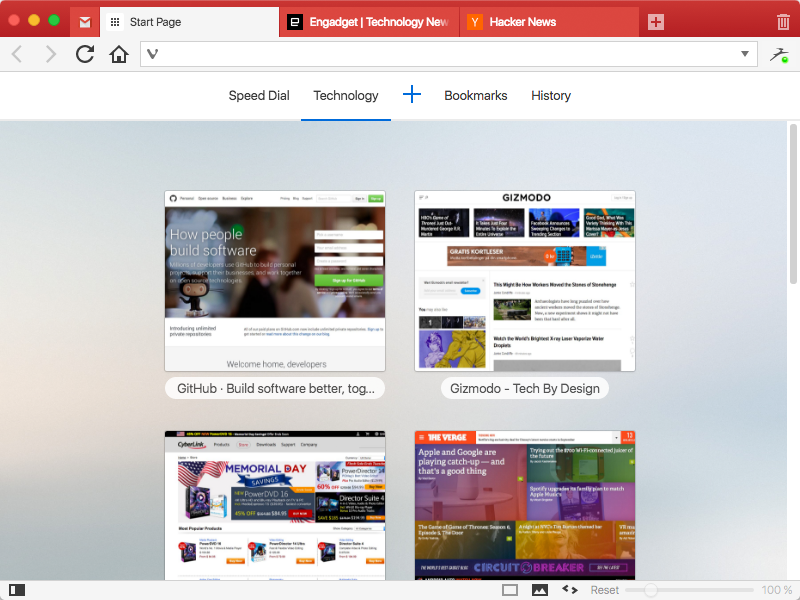
Vivaldi for MacOS

We spend more time in front of the browser than anything else we do.
Many of us spend hours each day. Thus this tool matters more than any other tool and you deserve a browser that is optimized for you. That is what Vivaldi is all about. It is made for YOU!
Steered by Jon von Tetzchner, co-founder of Opera Software offers a browser that lets you take control of your browsing experience. With all major browsers sharing a similar philosophy of offering minimal features, Vivaldi offers a breath of fresh air by offering tons of features that adapt to you. Vivaldi is fast, fun and feature rich.


Vivaldi offers a plethora of features which makes browsing more fun and productive:

Customization: You can decide to have your tabs at the top, bottom, left or right or also hide the tab bar and only show it when switching tabs.
Adapt pages to your needs: Zoom pages, turn or off images and change colors and the like through page actions. Control Vivaldi with the mouse, mouse gestures, keyboard, shortcuts and quick commands.
Settings for most everything: Themes,keyboard shortcuts and most all aspects of the program can be custom
Tab stacking and Tab tiling:Tabs can be stacked. Drag a tab onto another.This enables you to have a lot more tabs without visual clutter. With Tab tiling, the pages will be shown side by side or otherwise arranged. Great for those with big screens with high resolution.
Bookmarks: Access bookmarks in many ways. The simple, visual way is through speed dials, where you can have multiple speed dial groups and folders. You can also use the bookmarks panel, the bookmarks manager and the bookmarks bar.
Notes: Useful for remembering where you found that quote on the net. Just select the text and add it as a note. Both the text and a link to the page is added and you can add a screen shot as well.
Web panels: Add pages that you use often as web panels. Very useful for things like thesaurus, dictionaries, social networks, mail and the like.