Category Archives: Network & Internet

Ad Blockers, Browser Tools, Browsers, Download Managers, File Sharing/Peer to Peer, FTP Clients, Network Monitoring, Other, Remote Computing, Search/Lookup Tools, Terminal & Telnet Clients, Timers & Time Synch, Trace & Ping Tools

Extreme Picture Finder 3.33

Type: Shareware
Cost: $29.95
Size: 3.67 MB
Release date: Feb 23 2017
Platform: Win2000,WinXP,Win7 x32,Win7 x64,Windows 8,Windows 10,WinServer,WinOther,WinVista,WinVista x64
Publisher’s Site:  http://www.exisoftware.com
Publisher’s Product Page:  http://www.webimagedownloader.com
Country: Ukraine


Extreme Picture Finder

Image downloader and web picture finder in one product. Automatically download all images from any website. Simply enter the website address, choose what files to download (images, music, videos or any other files) and the folder on your hard drive where to save them and let the program do the rest of the work for you! No more banners, annoying pop-ups or saving each file by hand!


Extreme Picture Finder will easily handle password-protected websites, forums or TGPs. Plus, it allows you to set file and image size limits, use URL filters to skip unwanted parts of the website, choose the way the saved files are named and use many other options to get exactly what you want as fast as possible.

If you don’t know where to start – the program offers a built-in database with thousands of website addresses sorted by category and the built-in picture finder, which allows you to search the web for pictures using keywords. Extreme Picture Finder offers several different search modes: only thumbnails, only full-size images, both thumbnails and full-size images. Plus it can download all "related" images – images located on the same page where the original full-size image was found.

Graphcat<

Collect URL 1.0

Type: Shareware
Cost: $9.99
Size: 1.36 MB
Release date: Feb 18 2017
Platform: Win2000,WinXP,Win7 x32,Win7 x64,Windows 8,Windows 10,WinServer,WinOther,WinVista,WinVista x64
Publisher’s Site:  https://vovsoft.com
Publisher’s Product Page:  https://vovsoft.com/software/collect-url/
Country: Turkey


Collect URL

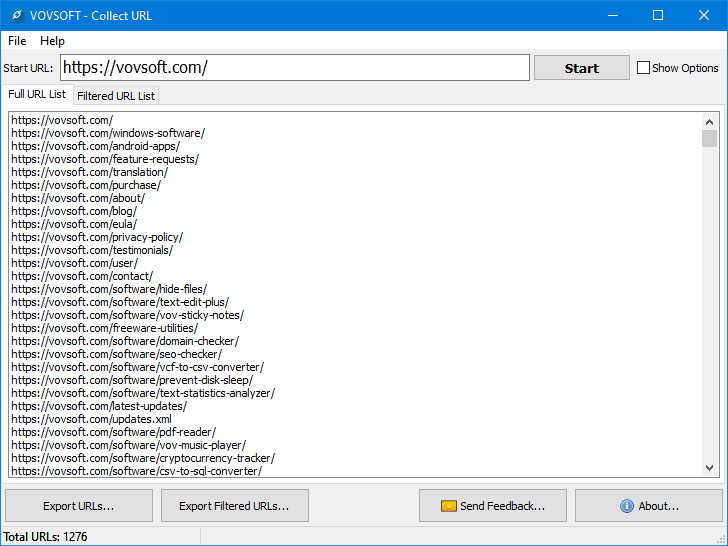
Collect URL scans internet like a search engine bot. Starting from the user entered URL, it lists all the links on the URL. Then it recursively scans all the links in the list. User can limit Collect URL to collect single domain only. File extension ignore list is editable. Connection and response timeout values are editable. Also user can change user agent value for HTTP and HTTPS connections. Collect URL is developed by VOVSOFT.

Total Network Inventory 3.4.1

Type: Shareware
Cost: $90.00
Size: 29.52 MB
Release date: Dec 19 2016
Platform: Win2000,WinXP,Win7 x32,Win7 x64,Windows 8,Windows 10,WinServer,WinOther,WinVista,WinVista x64
Publisher’s Site:  https://www.softinventive.com/
Publisher’s Product Page:  https://www.softinventive.com/products/total-network-inventory/
Country: United States of America


Total Network Inventory

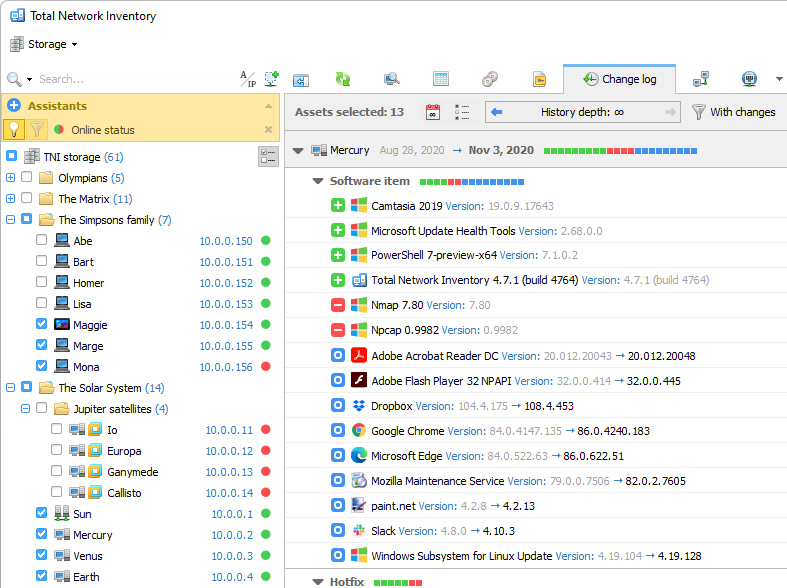
Build an inventory of your entire network without leaving a chair! Total Network Inventory will scan your entire network, query all servers, workstations and appliances discovered, and record important information about every piece of hardware found on your network. Make a perfect, effortless, hassle-free inventory. The network inventory builder is able to query all network devices no matter how large or diverse your network is! Do you know the number of workstations still running Windows 95 or missing the latest updates? Total Network Inventory obtains essential information about each and every computer on your network in real-time including information on all service packs and hotfixes applied. The network inventory builder will store and organize information, providing you with a comprehensive report on a chosen subject in just a few clicks. With Total Network Inventory, all information about your network equipment is right at your fingertips! Have a budget to spend on hardware upgrades? With Total Network Inventory, it’s easy to figure out the oldest computers on your network. Just run Total Network Inventory, let it scan your network, and click to generate a comprehensive network inventory report detailing components used in each and every PC on the LAN. Click once more, and you’ll see the oldest PCs appear on top of the list. It’s just that simple! Total Network Inventory can scan your entire network remotely, without you having to leave a chair or installing anything onto the PCs being scanned. Using Total Network Inventory is safe and secure; no data will ever leave corporate premises. Thanks to the step-by-step Scan Wizards, scanning your entire LAN to make a network inventory is as easy as clicking "Next". Detailed reports are easy to produce and a breathe to read, providing important information about your network inventory presented in a simple way.