Category Archives: Network & Internet

Ad Blockers, Browser Tools, Browsers, Download Managers, File Sharing/Peer to Peer, FTP Clients, Network Monitoring, Other, Remote Computing, Search/Lookup Tools, Terminal & Telnet Clients, Timers & Time Synch, Trace & Ping Tools

Total Network Inventory 3.1.6

Type: Shareware
Cost: $90.00
Size: 27.57 MB
Release date: May 15 2015
Platform: WinXP,WinVista,WinVista x64,Win7 x32,Win7 x64,Win2000,WinServer,Win98,WinOther
Publisher’s Site:  http://www.softinventive.com/
Publisher’s Product Page:  http://www.softinventive.com/products/total-network-inventory/
Country: United States of America

Total Network Inventory

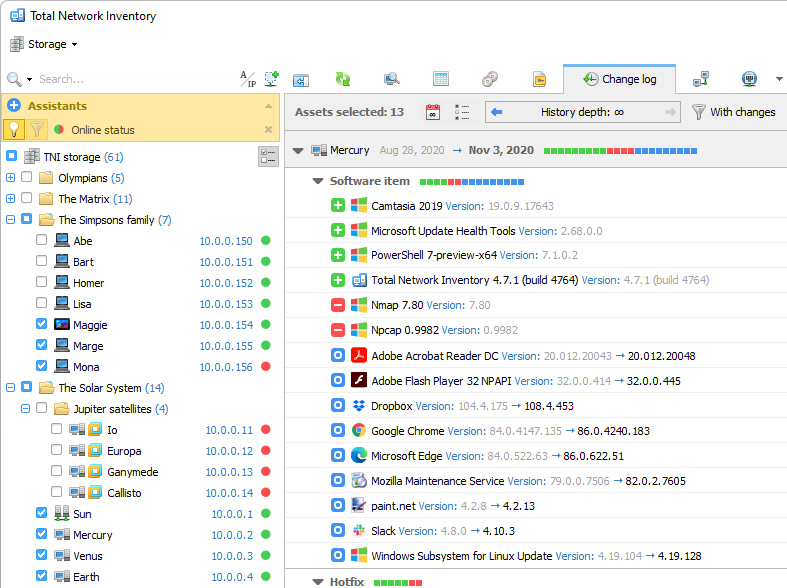
Build an inventory of your entire network without leaving a chair! Total Network Inventory will scan your entire network, query all servers, workstations and appliances discovered, and record important information about every piece of hardware found on your network. Make a perfect, effortless, hassle-free inventory. The network inventory builder is able to query all network devices no matter how large or diverse your network is! Do you know the number of workstations still running Windows 95 or missing the latest updates? Total Network Inventory obtains essential information about each and every computer on your network in real-time including information on all service packs and hotfixes applied. The network inventory builder will store and organize information, providing you with a comprehensive report on a chosen subject in just a few clicks. With Total Network Inventory, all information about your network equipment is right at your fingertips! Have a budget to spend on hardware upgrades? With Total Network Inventory, it’s easy to figure out the oldest computers on your network. Just run Total Network Inventory, let it scan your network, and click to generate a comprehensive network inventory report detailing components used in each and every PC on the LAN. Click once more, and you’ll see the oldest PCs appear on top of the list. It’s just that simple! Total Network Inventory can scan your entire network remotely, without you having to leave a chair or installing anything onto the PCs being scanned. Using Total Network Inventory is safe and secure; no data will ever leave corporate premises. Thanks to the step-by-step Scan Wizards, scanning your entire LAN to make a network inventory is as easy as clicking "Next". Detailed reports are easy to produce and a breathe to read, providing important information about your network inventory presented in a simple way.

Graphcat<

Antamedia HotSpot Software 4.5.0

Type: Shareware
Cost: $199
Size: 91.67 MB
Release date: May 04 2015
Platform: Win2000,WinXP,Win7 x32,Win7 x64,Windows 8,WinServer,WinOther,WinVista,WinVista x64
Publisher’s Site:  http://www.antamedia.com
Publisher’s Product Page:  http://www.antamedia.com/hotspot/
Country: Serbia


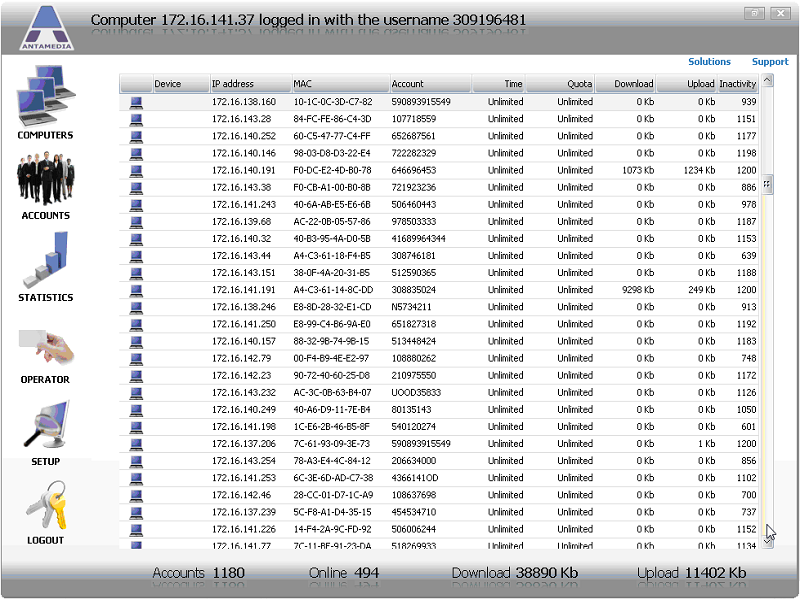
Antamedia HotSpot Software

HotSpot Software is a software for WiFi billing, which helps you control and bill your customers for the Internet usage. The software is suitable for all purposes where customers should be redirected to the login page to sign in or pay for the Internet access. Upon the successful login, customer will see remaining time and bandwidth, browse the Internet until account expires, and refill the account when needed.


Our HotSpot solution works with any active and passive network hardware. You are not required to buy specific access point models and in many cases not even required to reconfigure your network. The HotSpot acts as a gateway – it will accept traffic to one network card ( WIFI ), analyze it, and if customer is allowed to browse, it will pass traffic to second network card connected to Internet using preferred line (ADSL, Cable, WiFi…). It is suitable for ISPs, Hotspots, Airports, Hotels, Internet and Cyber cafes. Automate your hotspot by accepting credit card payments with PayPal or one of the 70 supported payment gateways.

Ping Monitor 6.8

Type: Freeware
Cost: $0
Size: 395.00 kB
Release date: Nov 26 2014
Platform: Win7 x32,Win7 x64,WinVista,WinVista x64
Publisher’s Site:  http://www.myfavoritegadgets.info/index.html
Publisher’s Product Page:  http://www.myfavoritegadgets.info/monitors/PingMonitor/pingmonitor.html
Country: Ukraine


Ping Monitor

Is my website up or down, is it responsive or is it taking to long to load? Those are questions that every webmaster needs to ask from time to time. The best way to find out is to use monitoring tools that connect to the website, server, domain or IP address regularly. You find lots of great applications, both on the web and as desktop applications, to monitor website
Ping Monitor is a desktop gadget for Windows that can monitor up to five local or remote servers. As the name suggests, it pings the servers in intervals specified by the user of the application.
All information are presented then as a graph and in averages on the Windows desktop.
Up to five different URLs or IP addresses can be added to the gadget. Ping Monitor supports both IPv4 and IPv6 addresses. Enter an IP address or domain name in the first field, and an alias that is used to identify it in the second. The alias is shown on the main interface which is better than displaying IP addresses for instance. Still, you can select to use the domain name or IP address as the alias as well.
You can change the size of the gadget. You can also make changes to colors and the graphs under the other tabs in the configuration.
The gadget displays the maximum, average and current ping time as well as the number of errors while pining the server or IP address.
The graph visualizes those findings. You can ping a server manually with a click on the update icon next to the server?s alias.
Ping Monitor is a handy gadget for Windows users who want to use the ping command to monitor websites or servers. The ping command is not as sophisticated as other server monitoring means, for instance by performing checks if a database is running on a server.