Category Archives: Network & Internet

Ad Blockers, Browser Tools, Browsers, Download Managers, File Sharing/Peer to Peer, FTP Clients, Network Monitoring, Other, Remote Computing, Search/Lookup Tools, Terminal & Telnet Clients, Timers & Time Synch, Trace & Ping Tools

Total Network Inventory 4.0.0

Type: Shareware
Cost: $90.00
Size: 27.09 MB
Release date: Dec 27 2018
Platform: Win2000,WinXP,Win7 x32,Win7 x64,Windows 8,Windows 10,WinServer,WinOther,WinVista,WinVista x64
Publisher’s Site:  https://www.softinventive.com/
Publisher’s Product Page:  https://www.softinventive.com/products/total-network-inventory/
Country: United States of America

Total Network Inventory

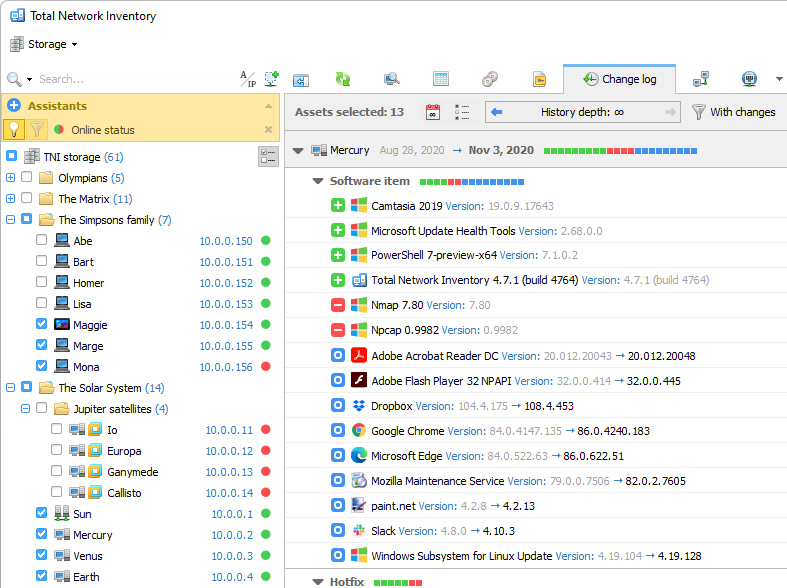
Build an inventory of your entire network without leaving a chair! Total Network Inventory will scan your entire network, query all servers, workstations and appliances discovered, and record important information about every piece of hardware found on your network. Make a perfect, effortless, hassle-free inventory. The network inventory builder is able to query all network devices no matter how large or diverse your network is! Do you know the number of workstations still running Windows 95 or missing the latest updates? Total Network Inventory obtains essential information about each and every computer on your network in real-time including information on all service packs and hotfixes applied. The network inventory builder will store and organize information, providing you with a comprehensive report on a chosen subject in just a few clicks. With Total Network Inventory, all information about your network equipment is right at your fingertips! Have a budget to spend on hardware upgrades? With Total Network Inventory, it’s easy to figure out the oldest computers on your network. Just run Total Network Inventory, let it scan your network, and click to generate a comprehensive network inventory report detailing components used in each and every PC on the LAN. Click once more, and you’ll see the oldest PCs appear on top of the list. It’s just that simple! Total Network Inventory can scan your entire network remotely, without you having to leave a chair or installing anything onto the PCs being scanned. Using Total Network Inventory is safe and secure; no data will ever leave corporate premises. Thanks to the step-by-step Scan Wizards, scanning your entire LAN to make a network inventory is as easy as clicking "Next". Detailed reports are easy to produce and a breathe to read, providing important information about your network inventory presented in a simple way.

Graphcat<

Vivaldi for Windows 32 2.3

Type: Freeware
Cost: $0
Size: 52.90 MB
Release date: Feb 06 2019
Platform: Win2000,WinXP,Win7 x32,Win7 x64,Windows 8,Windows 10,WinServer,WinOther,WinVista,WinVista x64
Publisher’s Site:  http://vivaldi.com
Publisher’s Product Page:  http://vivaldi.com
Country: Norway


Vivaldi for Windows 32

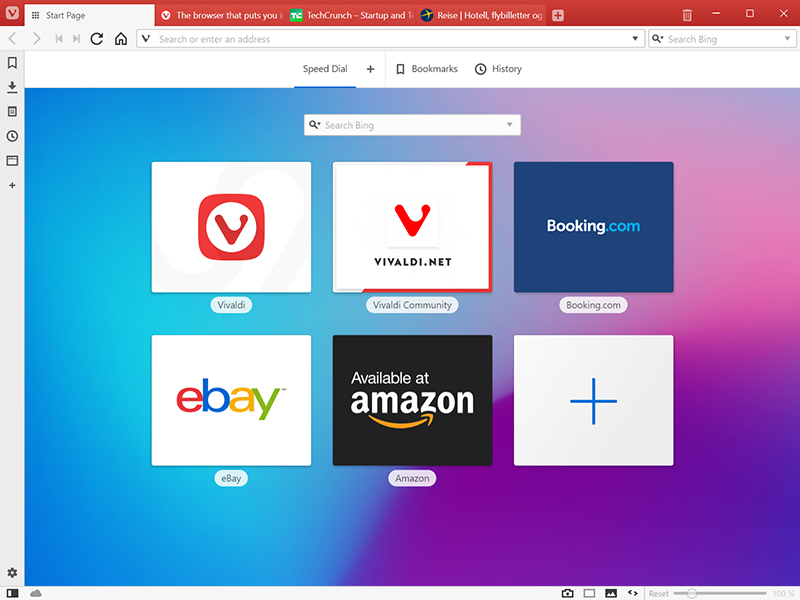
A browser is used by everyone, everywhere making it the most important tool on your computer. It used to just be a way to show static pages, now its a portal to the way we live, learn, work and play. Vivaldi helps you do more of everything you love faster, easier, and safer. Steered by Jon von Tetzchner (co-founder of Opera browser), Vivaldi is driven by the real needs of users today and ensures that they have the best tool to browse and do the job. The vision of Vivaldi is simple users should be in control of how the browser looks, feels and works. Vivaldi offers more features than any other modern browser and does not track its users


Users can truly create a browser that reflects their interests, passions, and personality right from the start. Users can tailor the browser to their needs by modifying not only how the browser looks, but the layout of its elements. There is no limit to the customization on offer here. Some of the highlight features include:

Powerful Tab Management – Ability to group(stack) and auto-stack, rename, tile (split-screen view of tabs), search in addition to pin, drag, hibernate and mute tabs.
Smarter Browsing – Side Panel with easy access to bookmarks, downloads, a tree-style access to tabs, notes, browsing history and websites of users’ choice.
Raise the Productivity Bar – Built-in functionality such as the screenshot Capture tool, Notes and Image Properties.
Effortless Navigation – Keyboard Shortcuts and Mouse Gestures for quick browser commands and powerful History overview that lets users explore their browsing patterns, backed by statistics and visual clues.
Unique and Customizable Interface – Change the browser’s look with Themes, Speed Dials, Adjustable Zoom levels, Clutter-free Reader View with endless options in Vivaldi’s Settings.
Privacy is paramount – Encrypted data Syncing across computers including Bookmarks and Speed-Dials, saved passwords and autofill information, History, extensions and uniquely, Notes.

NEWT Professional Network Inventory 2.5.351

Type: Shareware
Cost: $195
Size: 4.54 MB
Release date: Mar 04 2019
Platform: Win2000,WinXP,Win7 x32,Win7 x64,Windows 8,Windows 10,WinServer,WinOther,WinVista,WinVista x64
Publisher’s Site:  https://www.komodolabs.com/
Publisher’s Product Page:  http://www.komodolabs.com
Country: United States of America


NEWT Professional Network Inventory

Inventory and discover all computers using NEWT Professional network inventory. Gather important hardware and software information without ever having to visit a remote machine. NEWT uses advanced audit methods to retrieve the data you need into an easy-to-read spreadsheet-like view. Export all data to an MS Access database to generate detailed queries. Scannable information includes CPU (type, speed, cores, etc.) CPU temperature, operating system, Windows product keys, IP address, network adapter, serial number, asset tag, video adapter, audio card, computer monitor info (serial number, size in inches, type, etc.), hard drives (size, types such as IDE, SATA, serial number, SMART health status, manufacturer, power on hours, power cycles, etc.), logical & network drives (drive letter, type, free space, partition size, etc.), network share info, memory slots info (including manufacturer, speed and type), hot fix info, installed applications (software name, publisher, version, product keys, install path, etc.), printers, Windows services, fonts, environment variables, system slots, virus definitions, startup programs, and many others. Export data to CSV, HTML, Text files or a fully relational MS Access database.