Category Archives: Security & Privacy

Access Control, Anti-Spam & Anti-Spy Tools, Anti-Virus Tools, Covert Surveillance, Encryption Tools, Other, Password Managers

GlassWire Free Firewall 1.2.118

Type: Freeware
Cost: $0
Size: 29.23 MB
Release date: Sep 05 2017
Platform: Win2000,WinXP,Win7 x32,Win7 x64,Windows 8,Windows 10,WinServer,WinOther,WinVista,WinVista x64
Publisher’s Site:  https://www.glasswire.com
Publisher’s Product Page:  https://www.glasswire.com
Country: United States of America

GlassWire Free Firewall

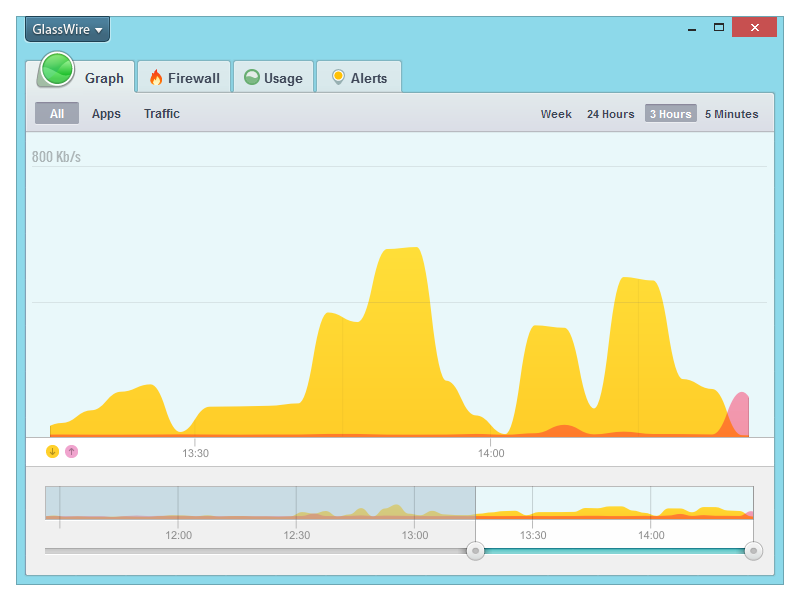
GlassWire’s free firewall software helps protect your privacy & security by monitoring your network activity for suspicious activity. You’ll be shocked by how many applications on your computer are sending your private data over the Internet without you knowing. Once suspicious activity is detected you can block the potential threat with GlassWire’s built in firewall management tool. GlassWire visualizes all your network activity on an easy to use graph. Click anywhere on the graph to see what applications and hosts are accessing the network from your computer. Our software automatically resolves host names so it’s easy to see who or what your computer is communicating with over the Internet.Go to the Firewall tab to see what applications have accessed the Internet and block any that are suspicious, violating your privacy, or wasting your bandwidth. GlassWire uses Windows built in firewall so no instability is introduced into your system by third party firewall drivers. Download GlassWire now to start adding extra protection and privacy to your computer, plus potentially save money by avoiding bandwidth fees.

Graphcat<

Icecream Password Manager 1.15

Type: Freeware
Cost: $0
Size: 12.71 MB
Release date: Aug 24 2017
Platform: Win2000,WinXP,Win7 x32,Win7 x64,Windows 8,Windows 10,WinServer,WinOther,WinVista,WinVista x64
Publisher’s Site:  http://icecreamapps.com/
Publisher’s Product Page:  https://icecreamapps.com/Password-Manager/
Country: Cyprus


Icecream Password Manager

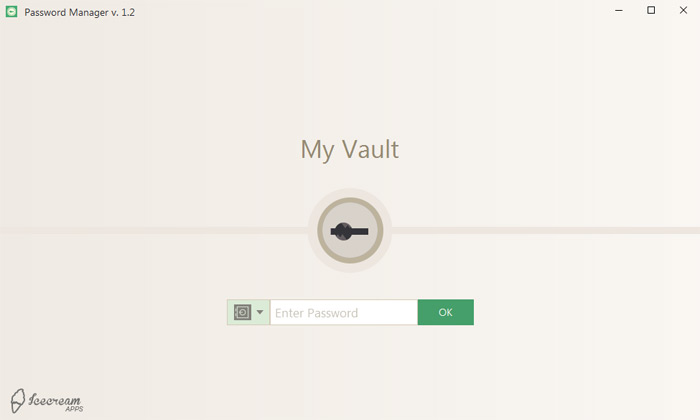
Icecream Password Manager is a free software to manage your passwords, credit cards, identities, software licenses, secure notes, driver licenses, passports, bank account and FTP accounts for free. The program securely protects your data with AES-256 leading encryption so there is absolutely no need to worry about the privacy of the created items. The users only need to remember a single master password to access all the saved in Icecream Password Manager profiles and items.


Users can enable the synchronization of the vaults created with this password manager via Dropbox to keep the working progress of the program on all the connected devices. The program supports the creation of multiple vaults for separate users. Autolock of the program within a certain period of time and the feature to clean clipboard automatically within a set period of time that the users can set in the program’s Settings helps to lock and protect the sensitive information automatically. The feature to create automatic backups is helpful in order not to lose any important information. The backup regularity, the number of the backups to be kept and the path to keep the backups can be manually set in the Settings panel of Icecream Password Manager.

This password manages support the addition of the attachments of various formats to the items created in the program. The support of browser plugins is a great way to get instant access to all the stored data right from the selected browser. The built-in password generator will be useful for the creation of new logins and profiles. Automatic form filler (you can both fill or fill and submit forms) of the browser plugins will help to fast login online.

Fingerprint Scanner Driver 3.12

Type: Freeware
Cost: $0
Size: 51.77 MB
Release date: Dec 31 2012
Platform: Win2000,WinXP,Win7 x32,Win7 x64,Windows 8,Windows 10,WinServer,WinOther,WinVista,WinVista x64
Publisher’s Site:  https://www.bayometric.com/
Publisher’s Product Page:  https://www.bayometric.com/nitgen-fingerprint-scanner-driver/
Country: United States of America


Fingerprint Scanner Driver

In order to use biometric devices in your application, you need driver for your scanners. Fingerprint scanner driver allows biometric devices to communicate with your computer. Software developers can use this driver in their application along with a fingerprint SDK (software development kit).

These scanners support various third party fingerprint software applications. The driver needs to be manually installed on your computer. Biometric devices are USB based and can get connected through a USB port of your computer. These devices help you capture fingerprint images and save it on your computer.

While you install the driver, the fingerprint image capture software also gets installed on your computer and is readily available for you to use. The fingerprint capture software allows you to store fingerprint images on your computer as BMP (bitmap image file) image files.

You can download the fingerprint scanner driver (EasyInstallation v3.12) Windows 32 bit & 64 bit from: https://www.bayometric.com/fingerprint-sensor-driver/

For installation guideline please visit: https://www.bayometric.com/nitgen-fingerprint-scanner-driver/