Category Archives: Security & Privacy

Access Control, Anti-Spam & Anti-Spy Tools, Anti-Virus Tools, Covert Surveillance, Encryption Tools, Other, Password Managers

Encryptomatic OpenPGP for MS Outlook 1.8.7

Type: Shareware
Cost: $29.99
Size: 19.76 MB
Release date: Nov 10 2016
Platform: Win2000,WinXP,Win7 x32,Win7 x64,Windows 8,Windows 10,WinServer,WinOther,WinVista,WinVista x64
Publisher’s Site:  https://www.encryptomatic.com
Publisher’s Product Page:  https://www.encryptomatic.com/openpgp/
Country: United States of America

Encryptomatic OpenPGP for MS Outlook

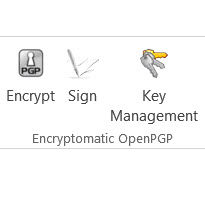
An Open PGP add-in for Microsoft Office Outlook that is simple to install and easy to use. Integrates with the Outlook toolbar. Generate a key pair, or import your existing key. Configure sending rules. Upload or retrieve keys from open key servers. Compatible with Enigmail and PGP. Email and telephone support available from the humans at Encryptomatic LLC. Free for personal, journalist and activist users, and affordable for everyone else. Try it today!

Graphcat<

Tenorshare ReiBoot for Mac 6.1.0.0

Type: Freeware
Cost: $0
Size: 2.96 MB
Release date: Nov 08 2016
Platform: Mac OS X
Publisher’s Site:  http://www.tenorshare.com
Publisher’s Product Page:  http://www.tenorshare.com/products/reiboot-mac.html
Country: United States of America


Tenorshare ReiBoot for Mac

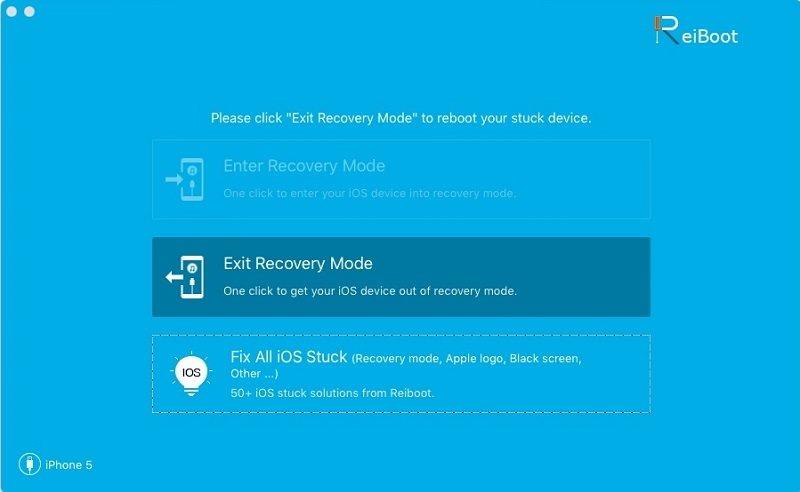
Tenorshare ReiBoot for Mac is the totally free Mac iPhone reboot software. It fixes iPhone, iPad and iPod Touch stuck in Recovery Mode after iOS 10 upgrade, restore, jailbreak, etc. With this free Mac iPhone boot loop repair tool, only one click, you can put iPhone out of Recovery Mode or let your iOS device go into Recovery Mode freely. This tool is risk free! No need to worry about data loss or damage.


Key Features of Tenorshare ReiBoot for Mac
1. Completely free.
2. One Single click to enter or exit Recovery Mode, no need to operate your iOS device.
3. It will not clear data and do any harm to your device. Unlike Apple iTunes, which forces you to restore your device and delete all data.
4. Work for all iOS devices. Such as iPhone 7/7 Plus/6s/6/6 Plus/5S/5C/5/4S/4/3GS, iPad Air/mini/4/3/2, iPod Touch 4g/5g, etc.
5. Compatible quite well on Mac OS X 10.9 Mavericks, 10.8 Mountain lion, 10.7, 10.6, etc.
6. Supports iOS 9.2/9.1/9/8/7/6/5, etc.

Network Password Manager 4.9.1

Type: Shareware
Cost: $249
Size: 2.44 MB
Release date: Nov 29 2016
Platform: Win2000,WinXP,Win7 x32,Win7 x64,Windows 8,Windows 10,WinServer,WinOther,WinVista,WinVista x64
Publisher’s Site:  http://usefulsoft.com
Publisher’s Product Page:  http://usefulsoft.com/network-password-manager
Country: United States of America


Network Password Manager

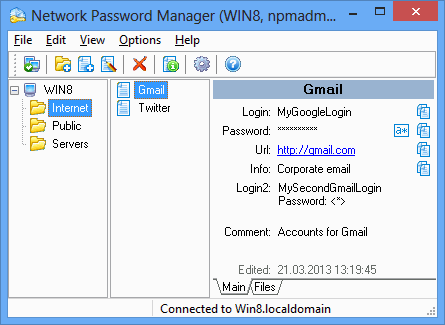
Network Password Manager is a multi-functional program for storage, management and protection of valuable information containing passwords. Unlike similar desktop programs, it supports the multi-user mode. It also provides a common information environment and can create centralized data backup.

Network Password Manager guarantees the most reliable protection: all your vital data will be secured safely using 256-bit AES encryption. Network Password Manager also supports standard Windows user groups, so you can easily set access rights for any user. It has a built-in customizable password generator. A hot key feature is included in this application to automate the inserting of logins and passwords.

More than just passwords and logins can be kept. The program can also store additional information, such as URLs, comments, files, custom fields, etc. Installing and tuning up this program is easy and understandable for everyone. The administration process is simple. Network Password Manager comes with a user-friendly interface that is both flexible and easy to use.