Type: Freeware
Cost: $0
Size: 341.33 MB
Release date: May 02 2019
Platform: Win2000,WinXP,Win7 x32,Win7 x64,Windows 8,Windows 10,WinServer,WinOther,WinVista,WinVista x64
Publisher’s Site: http://www.xeplayer.com
Publisher’s Product Page: http://www.xeplayer.com
Country: Canada
Cost: $0
Size: 341.33 MB
Release date: May 02 2019
Platform: Win2000,WinXP,Win7 x32,Win7 x64,Windows 8,Windows 10,WinServer,WinOther,WinVista,WinVista x64
Publisher’s Site: http://www.xeplayer.com
Publisher’s Product Page: http://www.xeplayer.com
Country: Canada
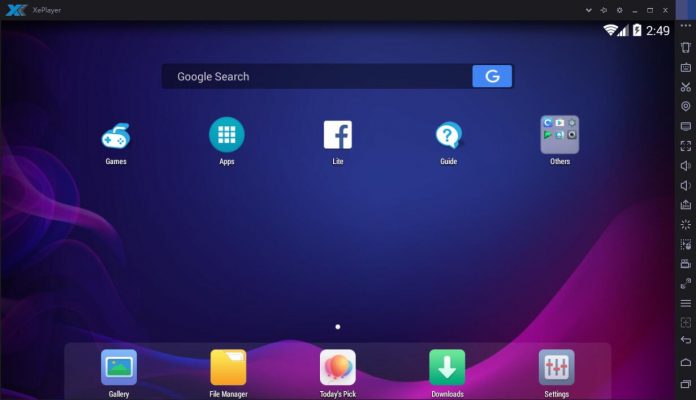

XePlayer is a best and free Android Emulator for pc that enables all Android games and apps to run smoothly in Windows systems. It built on x86 Architecture, support advanced features like OpenGL & hardware acceleration, run faster, more stability and compatibility than other Android Emulators. XePlayer Android Emulator for pc support video recording, gamepad & keyboard, and internal integrated Google Play store to compatible with all apps, more than 99% apps & games Running perfect on XePlayer.XePlayer Android Emulator is downloadable for Windows 7,8,10,xp and Laptop.Download XePlayer Android Emulator on PC and Start to playing games / apps now!
Salient Features of XePlayer:XePlayer is very quick and the emulator never freezes.You can see the highest performance with Xeplayer emulator.This Xeplayer is designed based on Android 4.4.2 Kernel and it is compatible with X86 and AMD.The response speed of Xeplayer android emulator is really quick and very stable.You can see Best Game Experience with Xeplayer. This is really a great android emulator to play all kinds of games on this emulator.You can see File Manager, Facebook Lite, Camera apps are already installed.Shaking features is also available in this emulator.Google Play Store and Browser is also available on Xeplayer emulator.Download Xeplayer Android Emulator For PC now!
Salient Features of XePlayer:XePlayer is very quick and the emulator never freezes.You can see the highest performance with Xeplayer emulator.This Xeplayer is designed based on Android 4.4.2 Kernel and it is compatible with X86 and AMD.The response speed of Xeplayer android emulator is really quick and very stable.You can see Best Game Experience with Xeplayer. This is really a great android emulator to play all kinds of games on this emulator.You can see File Manager, Facebook Lite, Camera apps are already installed.Shaking features is also available in this emulator.Google Play Store and Browser is also available on Xeplayer emulator.Download Xeplayer Android Emulator For PC now!
 <
<