Category Archives: System Utilities

Automation Tools, Backup & Restore, Benchmarking, Clipboard Tools, File & Disk Management, File Compression, Launchers & Task Managers, Other, Printer, Registry Tools, Shell Tools, System Maintenance, Text/Document Editors

WinNc 9.0

Type: Shareware
Cost: $33.15
Size: 9.53 MB
Release date: Aug 23 2019
Platform: Win2000,WinXP,Win7 x32,Win7 x64,Windows 8,Windows 10,WinServer,WinOther,WinVista,WinVista x64
Publisher’s Site:  https://ontwerpbureaudunes.nl
Publisher’s Product Page:  https://www.winnc.com/
Country: Netherlands

WinNc

Norton Commander Filemanager


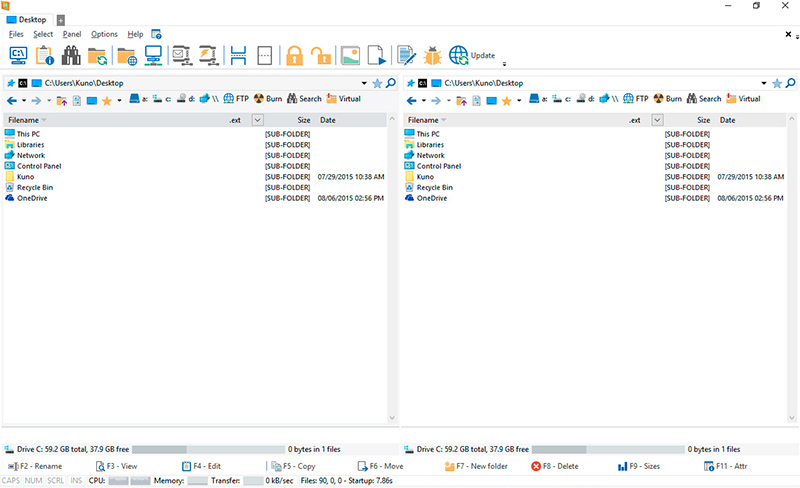
WinNc is a tabbed file manager especially developed for Windows 10. It also works on the older versions of Windows. This NC clone file manager is inspired on the dual panel concept of the old file manager Norton Commander. It has shortcuts to all the Windows special folders and the multiple tabbed interface allows you to organize your data by projects.

Projects can include files and folders from all over the disks that relate to the project tab and are stored virtually in the project folder as a link. With a new Windows 10 interface WinNc can do all the basic tasks you expect from a modern file manager like copy, move, delete, compress, uncompress and create links. WinNc uses logical colors for the file actions so you can quickly see if a file is being copied (green), being moved (orange) or being packed (yellow).

WinNc allows you to perform multiple tasks by setting the maximum parallel tasks to more than one task in the configuration panel. Otherwise WinNc will wait to start the new action until the previous action has finished. WinNc also converts audio, burns files on dvd and cd, creates and reads iso files, sets file attributes and you are able to keep you files synchronized using an internal sync module. From existing zip files it allows the creation of self extracting .exe files. It has a built in slideshow viewer, an audio preview player and a video player for quickly browsing and skipping through your media.

WinNc is available in the following languages:
English, German, Dutch, French, Spanish. (More languages available in beta version)

Graphcat<

MailsDaddy MBOX to PST Converter 6.0

Type: Shareware
Cost: $39
Size: 5.51 MB
Release date: Jan 28 2019
Platform: Win2000,WinXP,Win7 x32,Win7 x64,Windows 8,Windows 10,WinServer,WinOther,WinVista,WinVista x64
Publisher’s Site:  https://www.mailsdaddy.com/
Publisher’s Product Page:  https://www.mailsdaddy.com/mbox-to-pst-converter/
Country: India


MailsDaddy MBOX to PST Converter

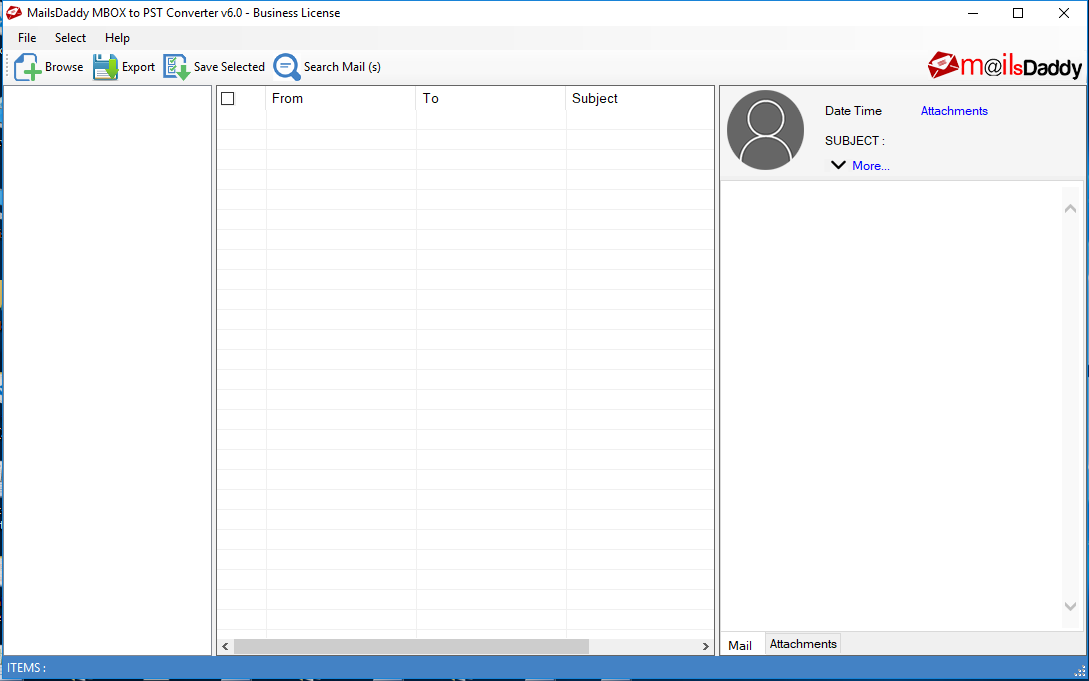
MBOX format is stored in many email client mailbox such as Apple Mail, Entourage, Eudora, SeaMonkey, Netscape, The Bat, Claws Mail etc., so it is a very common and widely used email format. When transferring MBOX data to a particular email client like MS Outlook, users have a hard time. Since, MS Outlook doesn’t provide any way to import MBOX file. MailsDaddy MBOX to PST converter is well programmed and GUI based application that allows you to convert single or multiple MBOX data into Outlook PST format. The tool built in many advance and smart features by the professionals. MBOX converter provides three different option to browse Apple Mailbox, Thunderbird mailbox & MBOX file. Especially, MAC Mail users can load the same folder structure by enabling the Apple Mail option and after the conversion, PST data will be also found in the same structure. A special mail has been filtered to search by its subject, To, From and date wise. Not only that, you can also convert these filtered MBOX mails into PST or other given formats. After loaded MBOX files and folders its join the left pane and preview in the right side pane, while the middle pane receives the number of emails. User can run the solution on all Window operating system and perform the conversion process from MBOX to Outlook 2019, 2016 2013 & other earlier versions.

Notable Features of MBOX to PST Converter
#. Quick install & run on Window OS
#. No technical knowledge required with this User-friendly interface
#. Export single or separate PST file format for all MBOX data.
#. Use date range to export data between two different dates
#. Migrate MBOX to Office 365 and Exchange On-premise with complete information.
#. Supports 25+ email clients MBOX/MBS/MBX data format.
#. Find valuable email using search criteria
#. Support all Window and Outlook versions

AnyMP4 iPhone Transfer Pro 9.1.8

Type: Shareware
Cost: $33.75
Size: 66.91 MB
Release date: Aug 27 2019
Platform: Win2000,WinXP,Win7 x32,Win7 x64,Windows 8,Windows 10,WinServer,WinOther,WinVista,WinVista x64
Publisher’s Site:  https://www.anymp4.com/
Publisher’s Product Page:  https://www.anymp4.com/iphone-transfer/
Country: China


AnyMP4  iPhone Transfer Pro

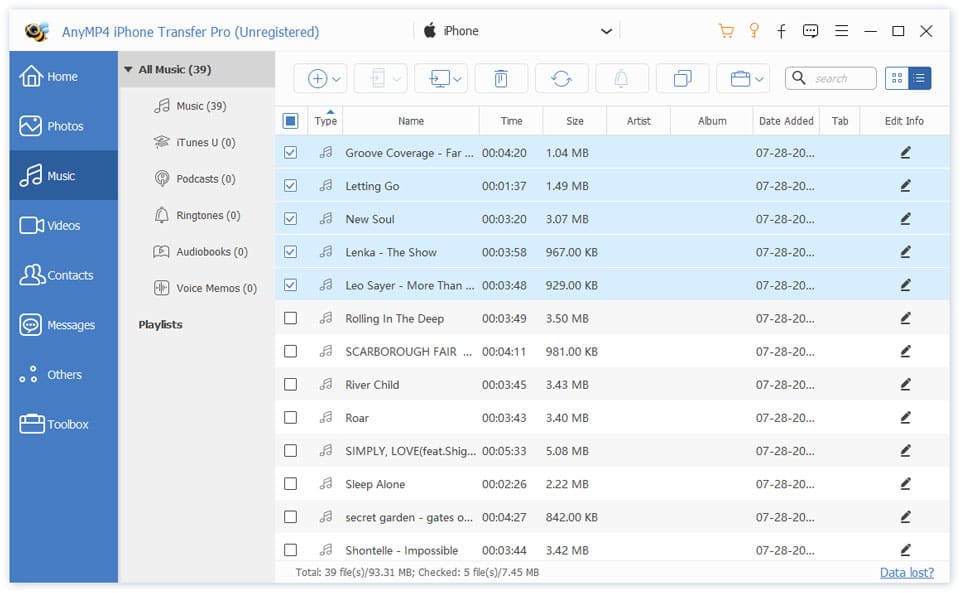
AnyMP4 iPhone Transfer Pro is professional iPhone transfer software. It enables you to transfer contacts, photos and videos with just several clicks. It could transfer contacts, photos and videos between computer and iPhone. In addition, you can transfer files from your smashed iPhone or old iPhone to new iPhone. It has the advantage of transferring files to iPhone without data loss compared with iTunes. It supports the latest iPhone XS/XS Max/XR/X/8, iPad Pro, iPod touch/nano, etc.

Key Features:

1. Transfer data between iPhone/iPad/iPod and PC
AnyMP4 iPhone Transfer Pro can transfer data such as music, movies, contacts, ePub, PDF, TV shows, music videos, podcasts, playlists, photo albums, etc. You can back up your important file to your computer at your disposal. At the same time, you are able to import videos, images, music to iPhone, iPad or iPod.

2. Transfer files between iOS devices
AnyMP4 iPhone Transfer Pro can transfer videos, songs, photos, eBooks, contacts, playlists, and albums between two iOS devices such as transfer iPhone contacts to new iPhone, transfer music from iPod to iPhone, or transfer iPad videos to iPhone. It can support the latest devices such as iPhone XS/XS Max/XR/X/8, iPad Pro, iPod touch/nano, etc.

3. Backup iPhone contacts and messages on PC
AnyMP4 iPhone Transfer Pro can help you to manage your contacts, you are allowed to add new contacts, edit the information, change photos, divide into groups, add new groups and export in various file formats. If you want to export iPhone messages to your PC for print or backup, it can export them as excel, text or html file.