Category Archives: System Utilities

Automation Tools, Backup & Restore, Benchmarking, Clipboard Tools, File & Disk Management, File Compression, Launchers & Task Managers, Other, Printer, Registry Tools, Shell Tools, System Maintenance, Text/Document Editors

SysInfoTools NSF Merge Tool 1

Type: Shareware
Cost: $169
Size: 14.84 MB
Release date: Feb 02 2018
Platform: Win2000,WinXP,Win7 x32,Win7 x64,Windows 8,Windows 10,WinServer,WinOther,WinVista,WinVista x64
Publisher’s Site:  http://www.sysinfotools.com
Publisher’s Product Page:  http://www.sysinfotools.com/recovery/merge-nsf-files.php
Country: United States of America

SysInfoTools NSF Merge Tool

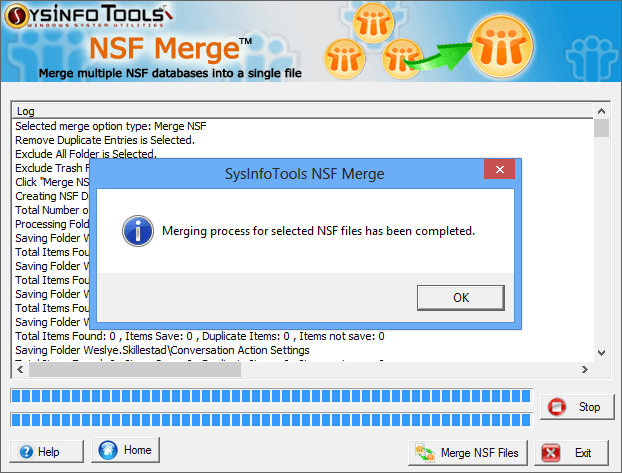
SysInfoTools Software presents an award-winning solution for combining or merging NSF files into a single file in a very quick and safe mode. Advanced NSF Merge tool can easily convert your multiple NSF database files into a single file within a few mouse clicks. It does not cause any changes or damage to the original files, hence all the selected NSF files are remained intact or untouched after merging process. This tool provides multiple options for merging selected NSF files: "Join NSF" to join NSF database files by creating new folder for each selected NSF database file, "Merge NSF" to merge all folders of selected NSF database files in a new NSF database file; and "Merge Contact (only)" to merge only contacts of selected NSF database files into a new NSF database file. This tool also allows you to remove duplicate items from new NSF database file, as well as exclude "All Documents" and "Trash" folders. The tool is available with free demo version that will help you evaluate the tool before buying its full (licensed) version. Demo version of this tool will allow to you merge first 25 email items of each selected NSF files.

Graphcat<

Softaken OLM to PST Converter 1.0

Type: Shareware
Cost: $29
Size: 39.35 MB
Release date: Sep 17 2018
Platform: Win2000,WinXP,Win7 x32,Win7 x64,Windows 8,Windows 10,WinServer,WinOther,WinVista,WinVista x64
Publisher’s Site:  http://www.softaken.com/
Publisher’s Product Page:  http://www.softaken.com/olm-to-pst-converter
Country: United States of America


Softaken OLM to PST Converter

If your goal is to convert OLM to PST with less hassle, download Softaken OLM to PST Converter to experience the best conversion results. The straightforward app takes no time to install and is easy to run. The demo version of the app is an exact copy of the license version of OLM to PST Converter. You can install the free trial version of the app at first to learn the app functions practically and then buy its license. The sophisticated application transfer Outlook for Mac to Outlook for Windows. Whole data is extracted including emails, contacts, and calendars. Each extracted folder doesn’t lose a hierarchical structure. The advanced app preserves non-English characters or double-byte characters like Japanese and Chinese. All attachments are preserved. The simple app shows a preview of the selected OLM files. Users can view the root folder and other sub-folders of the selected OLM files clearly. You have options to choose output. Create either one file of PST or separate folders for each file. The output location is decided by users only. Thus, it gives the desired results every time.
The single panel application transfers emails, contacts, appointments, drafts, sent items and the whole data of OLM to PST. The transferred file can be accessed on MS Outlook 2003, 2007, 2010, 2013 and the latest 2016. The utility scans and exports OLM files of any size. It scans and transfers both new and archived OLM files. The only thing you need to take care of is the file quality. It should not be corrupted and inaccessible. OLM to PST Converter has been designed to scan and transfer only healthy OLM files. The free technical support we offer to every buyer. They can connect with us at any time. The surprising thing about the app is that ones you have bought its license, use it as much as you can. It has an unlimited validity period.

DataNumen Word Repair 2.8

Type: Demo
Cost: $89.95
Size: 3.02 MB
Release date: Jul 16 2018
Platform: Win2000,WinXP,Win7 x32,Win7 x64,Windows 8,Windows 10,WinServer,WinOther,WinVista,WinVista x64
Publisher’s Site:  https://www.datanumen.com
Publisher’s Product Page:  https://www.datanumen.com/word-repair/
Country: Hong Kong


DataNumen Word Repair

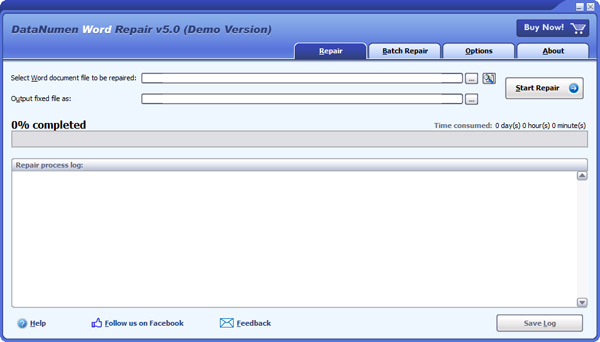
DataNumen Word Repair is a powerful Word document recovery tool. It uses advanced technologies to scan the corrupt or damaged Word documents (doc and docx files) and recover your data in them as much as possible, so to minimize the loss in file corruption.


Main features:
1.Support to repair Microsoft Word 6.0, 95, 97, 2000, XP, 2003, 2007, 2010, 2013, 2016 and Word for Office 365 documents.
2.Support to recover text, images and formatting in Word documents.
3.Support to recover tables.
4.Support to recover bulleted or numbered lists.
5.Support to recover formatting and hyperlinks.
6.Support to fix Word doc files on corrupted medias, such as floppy disks, Zip disks, CDROMs, etc.
7.Support to repair a batch of Word doc and docx files.
8.Support to find and select the Word documents to be repaired on the local computer.
9.Support integration with Windows Explorer, so you can fix a doc and docx file with the context menu of Windows Explorer easily.
10.Support drag & drop operation.
11.Support command line parameters.