Category Archives: System Utilities

Automation Tools, Backup & Restore, Benchmarking, Clipboard Tools, File & Disk Management, File Compression, Launchers & Task Managers, Other, Printer, Registry Tools, Shell Tools, System Maintenance, Text/Document Editors

Print Conductor 6.0

Type: Freeware
Cost: $0
Size: 62.78 MB
Release date: Jan 29 2018
Platform: Win2000,WinXP,Win7 x32,Win7 x64,Windows 8,Windows 10,WinServer,WinOther,WinVista,WinVista x64
Publisher’s Site:  https://www.fcoder.com/
Publisher’s Product Page:  https://www.print-conductor.com/
Country: Latvia

Print Conductor

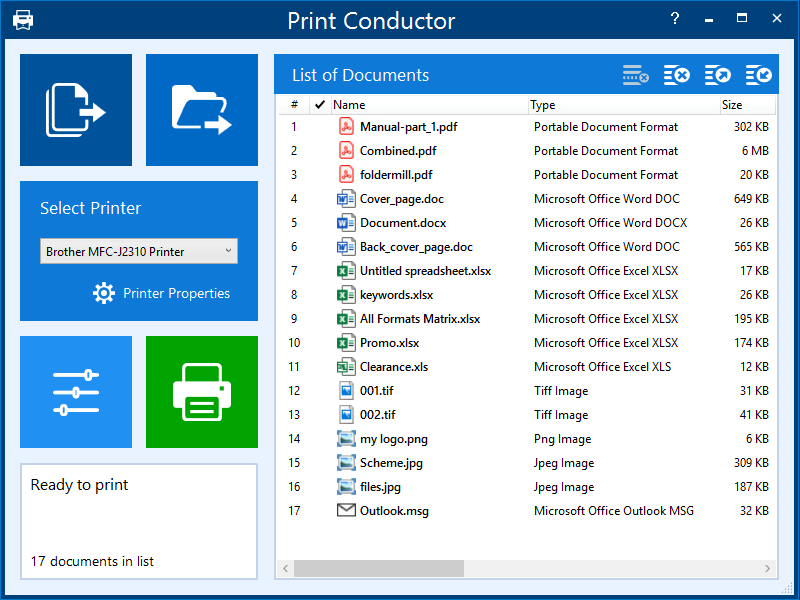
Print Conductor is a batch printing software. If you regularly have to open and print multiple files, this elegant tool can be a real time-saver.


Manually printing several files is tedious work – it generally requires opening and printing each file separately in the applications used to create them. Once you tell it which files to print, Print Conductor automates the rest of the process.

Print Conductor is easy to use. Just add files to be printed to the list and click on ‘Start Printing’ button.

All popular file formats are supported: PDF files, plain texts, Microsoft Office and OpenOffice documents and presentations, RTF, HTML, MHT, XML files, AutoCAD, Solidworks and Inventor drawings, Visio charts, Photoshop PSD, JPG, TIFF, PNG, PCX, DCX, BMP and JBIG images, WMF and EMF metafiles.

Print Conductor can batch print large quantities of documents on any type of printer: desktop printers, network printers or virtual printers. If you choose to use Universal Document Converter to print in Print Conductor, you can convert a list of documents, presentations, worksheets and drawings to a variety of other formats: PDF, TIFF, JPEG, PNG, GIF, PCX, DCX, or BMP.

What’s new in version 6.0:
– Ability to add crop marks on PDF, image files, Word, Excel documents
– Ability to validate digital signatures when printing PDF files
– Ability to pause the batch printing process at any certain point and then resume it
– Ability to instantly get error reports on documents which failed to print
– Ability to enter password for password-protected PDF, DOC or DOCX documents in the interface
– Ability to set paper format for Report and Cover pages
– Localization to the Dutch and Chinese languages
– Improved PDF printing engine
– Fixed fast-detecting of page numbers of PDF files
– Fixed issues with printing Microsoft Visio files
– Fixed issues with printing Microsoft Word files
– Fixed line number display in the List of Documents

Graphcat<

TeraByte Drive Image Backup and Restore 3.17

Type: Shareware
Cost: $38.94
Size: 117.16 MB
Release date: Apr 11 2018
Platform: Win2000,WinXP,Win7 x32,Win7 x64,Windows 8,Windows 10,WinServer,WinOther,WinVista,WinVista x64
Publisher’s Site:  http://www.terabyteunlimited.com
Publisher’s Product Page:  http://www.terabyteunlimited.com/image-for-windows.htm
Country: United States of America


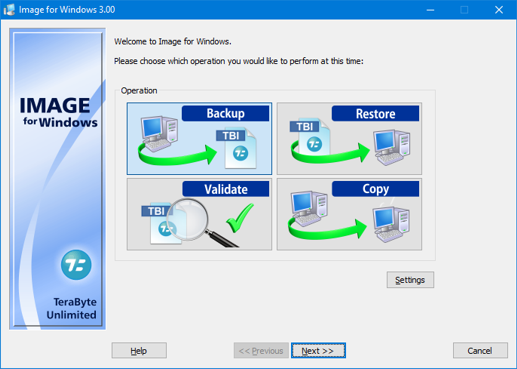
TeraByte Drive Image Backup and Restore

TeraByte Drive Image Backup and Restore Suite is an affordable and reliable drive image backup and restore software package that is used for backing up all of your hard drive data to other media or external drives (such as eSATA, USB or 1394) and allows you to easily perform a bare-metal restore for efficient disaster recovery. It can also be used for disk to disk cloning and includes scheduling, encryption, and much more.

The key components of the suite are Image for Windows, Image for DOS, Image for Linux and the TeraByte OS Deployment Tool Suite. In particular the OS Deployment Tool can be used to script your image deployment to support different hardware (hardware independent restore).

OST Viewer 18.0

Type: Freeware
Cost: $0
Size: 8.84 MB
Release date: Mar 22 2018
Platform: Win2000,WinXP,Win7 x32,Win7 x64,Windows 8,Windows 10,WinServer,WinOther,WinVista,WinVista x64
Publisher’s Site:  https://www.arysontechnologies.com/
Publisher’s Product Page:  https://www.arysontechnologies.com/ost-viewer.html
Country: United States of America


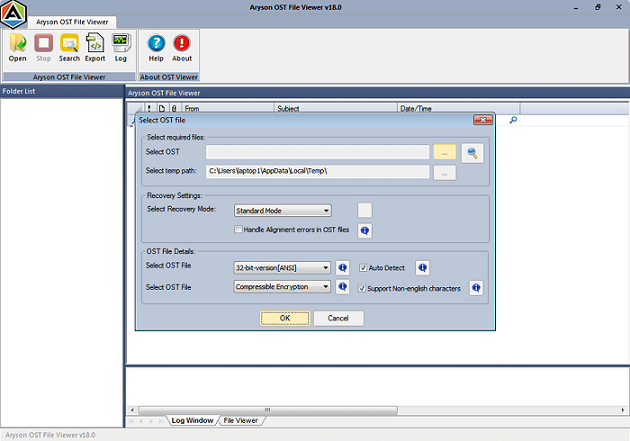
OST Viewer

OST Viewer is one such an ideal OST File Viewer solution that open your data from corrupt OST file with attachments on all Windows Platforms. Aryson OST Viewer has excellent features that allows to save your emails from OST file into HTML and TXT file format. This software allows to preview your data from OST file after scanning process then export your data into other format like HTML or Log file. OST Viewer software has very simple or friendly graphical user interface therefore easy to use for users. It has advance features like Standard, Advance and Deep scanning mode therefore easily scans highly corrupted OST file and preview your data with their attributes. OST Viewer tool supports to open ANSI and UNICODE of Outlook OST file without any data loss. It is an unpaid solution, users can download and open OST file without any loss after that export or save data into HTML or TXT file format. This software supports all OST file and open them into entire Windows Platforms without Outlook & Exchange Server application.