Category Archives: System Utilities

Automation Tools, Backup & Restore, Benchmarking, Clipboard Tools, File & Disk Management, File Compression, Launchers & Task Managers, Other, Printer, Registry Tools, Shell Tools, System Maintenance, Text/Document Editors

Program Picker 1.0.12

Type: Shareware
Cost: $8.99
Size: 2.36 MB
Release date: Sep 29 2017
Platform: Win2000,WinXP,Win7 x32,Win7 x64,Windows 8,Windows 10,WinServer,WinOther,WinVista,WinVista x64
Publisher’s Site:  https://www.bondinterface.com
Publisher’s Product Page:  https://www.bondinterface.com
Country: United Kingdom

Program Picker

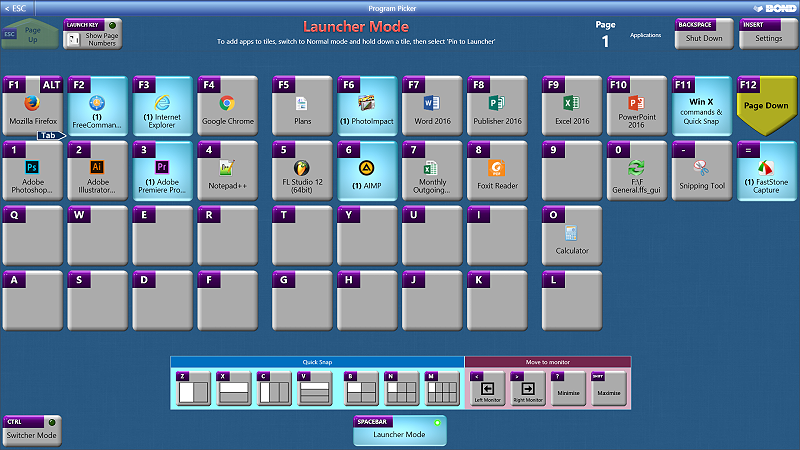
Advanced task switching and program launching for power users – use two consecutive keys to launch and switch to up to 40 different applications and/or files, then use the same two keys to switch to the running applications.
Store up to 8,000 files and programs on Program Picker tiles – access any of the first 1,600 with just four consecutive keypresses.
Quick Snap window resizer – Easily resize program windows to halves, thirds, quarters, sixths or eighths of your screen, using consecutive keypresses.
Switcher Mode – hold CTRL to switch between up to four applications – use with CTRL-X, CTRL-C, CTRL-V (cut, copy, paste), CTRL-S (save) and CTRL-R (refresh) for one of the fastest methods of editing websites, and copying/pasting data between programs.
Power User (Win X) commands.
System Shut Down Window.
Tablet Mode for touchscreens.
Compatible with Windows 7, Windows 8/8.1 and Windows 10.
90 day free trial!

Graphcat<

Kaspersky Software Updater 2.0.0.623

Type: Freeware
Cost: $0
Size: 2.31 MB
Release date: Dec 04 2016
Platform: Win2000,WinXP,Win7 x32,Win7 x64,Windows 8,Windows 10,WinServer,WinOther,WinVista,WinVista x64
Publisher’s Site:  http://www.kaspersky.com/?cid=acq_pad
Publisher’s Product Page:  http://www.kaspersky.com/free-software-updater?cid=acq-pad
Country: United States of America


Kaspersky Software Updater

With so much software running on your PC, it can be difficult to keep track of which applications are out-of-date and could be affecting your security. That’s why our FREE Kaspersky Software Updater automatically scans your PC software, gives you an easy-to-read report about which applications are out-of-date and then lets you select which updates you want to install.


* Checks your PC to make sure your software is up-to-date.

Kaspersky Software Updater automatically scans your PC and tells you which applications need to be updated.

* Gives you a choice of scanning modes.

Quick Scan checks software thats critical to your PCs security. Full Scan checks an extended list of applications.

* Lets you choose which updates you apply.

After a scan, just look through the list* of out-of-date programs & choose which ones you want to update. With a few clicks, your PC software can be up-to-date to help keep your PC running smoothly & securely.

Full list of software supported is available at http://support.kaspersky.com/11827?cid=acq-pad

RPM Remote Print Manager Elite 64 Bit 6.1.0.456

Type: Shareware
Cost: $750
Size: 55.09 MB
Release date: Aug 18 2016
Platform: Win2000,WinXP,Win7 x32,Win7 x64,Windows 8,Windows 10,WinServer,WinOther,WinVista,WinVista x64
Publisher’s Site:  http://www.brooksnet.com/
Publisher’s Product Page:  https://www.brooksnet.com/content/virtual-print-server
Country: United States of America


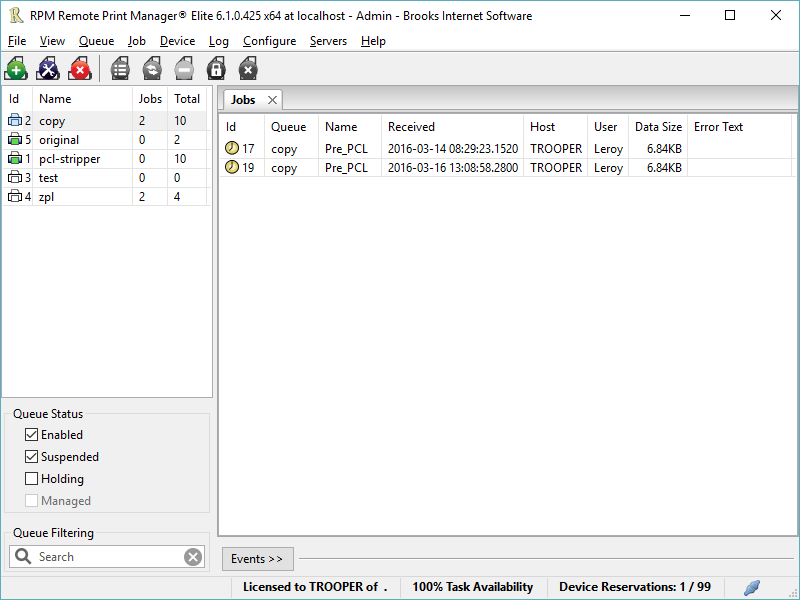
RPM Remote Print Manager Elite 64 Bit

Printing should be one click away. but there are so many problems which make printing difficult if not impossible. RPM Remote Print Manager (RPM) has grown through the years from all the print problems our customers have brought to us. We are here to help you solve your printing problems.

RPM is our virtual printer product. Our customers have been using RPM for 20 years!
RPM as virtual printer

RPM does what you expect a virtual PDF printer to do, and more:

convert incoming print jobs to other formats, such as PDF, TIFF and PCL
save multiple documents into a single document
print the same job to multiple printers
in one pass, send to a printer and save to disk
print the same job multiple times, using separate paper trays

RPM as print server

RPM is implemented as a Windows print server. Its core capabilities include:

managing your print workflow
send print jobs to any Windows printer
send print jobs to any printer on your network using core Windows print protocols, or LPR, or direct with port 9100
archive print jobs to local folders, shared folders, or anywhere via FTP
run any local application on your print job
send your print job via email as an attachment or in the message body

RPM also provides extensive data editing, manipulation and translation.

Windows version support

RPM 6.1 supports these versions of Windows: Vista, 7, Server 2008 (including R2), Windows 8 and 8.1, Server 2012 (including R2), and Windows 10. Support for Windows XP and Server 2003 has been dropped, so we no longer test new RPM versions on these older versions of Windows.