Category Archives: System Utilities

Automation Tools, Backup & Restore, Benchmarking, Clipboard Tools, File & Disk Management, File Compression, Launchers & Task Managers, Other, Printer, Registry Tools, Shell Tools, System Maintenance, Text/Document Editors

Acronis Backup for Virtual Host 12.5

Type: Shareware
Cost: $599
Size: 9.32 MB
Release date: Aug 05 2017
Platform: Win2000,WinXP,Win7 x32,Win7 x64,Windows 8,Windows 10,WinServer,WinOther,WinVista,WinVista x64
Publisher’s Site:  http://www.acronis.com
Publisher’s Product Page:  http://www.acronis.com/business/backup/virtual-machine/
Country: United States of America

Acronis Backup for Virtual Host

Protect your VMs with Acronis Backup 12 – the world’s fastest, easiest virtual backup!


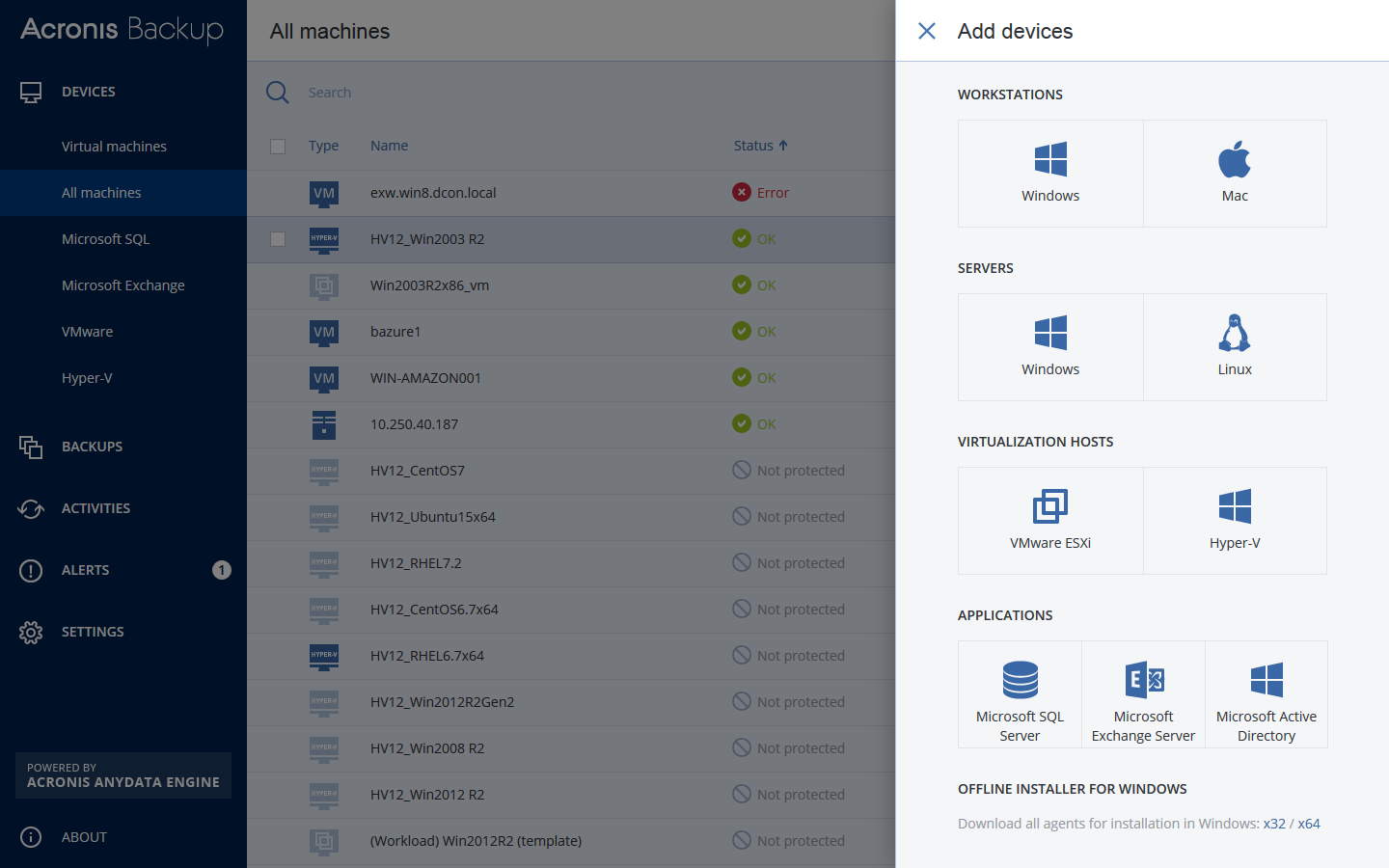
– NEW! Protect VMware ESXi & Microsoft Hyper-V – both on premise & remotely
– NEW! Achieve RTOs of 15 seconds or less with exclusive Acronis Instant Restore
– NEW! Back up all VMs/hosts via 1 unified web console accessible from any device
– NEW! Capture an entire host (including application data) with powerful 1-click imaging
– NEW! Back up unlimited VMs per host without any extra costs
– Restore anything in record time – files, application data, VMs, hosts, more!
– Restore to new, dissimilar hardware without complications
– Enjoy built-in replication & WAN optimization, failover, sandboxing & failback
– Enjoy unlimited P2V/V2V migrations (even from a different hypervisor)
– Disaster-proof your VMs with easy auto-backup to the ultra-secure Acronis Cloud

How does Acronis Backup 12 compare to Veeam? Network Testing Labs performed an independent review of both products, and determined that Acronis Backup 12 is:
– Over 60% faster
– Works better with more system types & environments
– Easier to use, more intuitive & more responsive
– Simpler licensing (per host, not socket) & significantly more affordable

Graphcat<

Clipboard History Pro 3.40

Type: Shareware
Cost: $24.95
Size: 3.60 MB
Release date: Aug 03 2017
Platform: Win2000,WinXP,Win7 x32,Win7 x64,Windows 8,Windows 10,WinServer,WinOther,WinVista,WinVista x64
Publisher’s Site:  https://www.outertech.com
Publisher’s Product Page:  http://www.outertech.com/en/clipboard-manager
Country: Germany


Clipboard History Pro

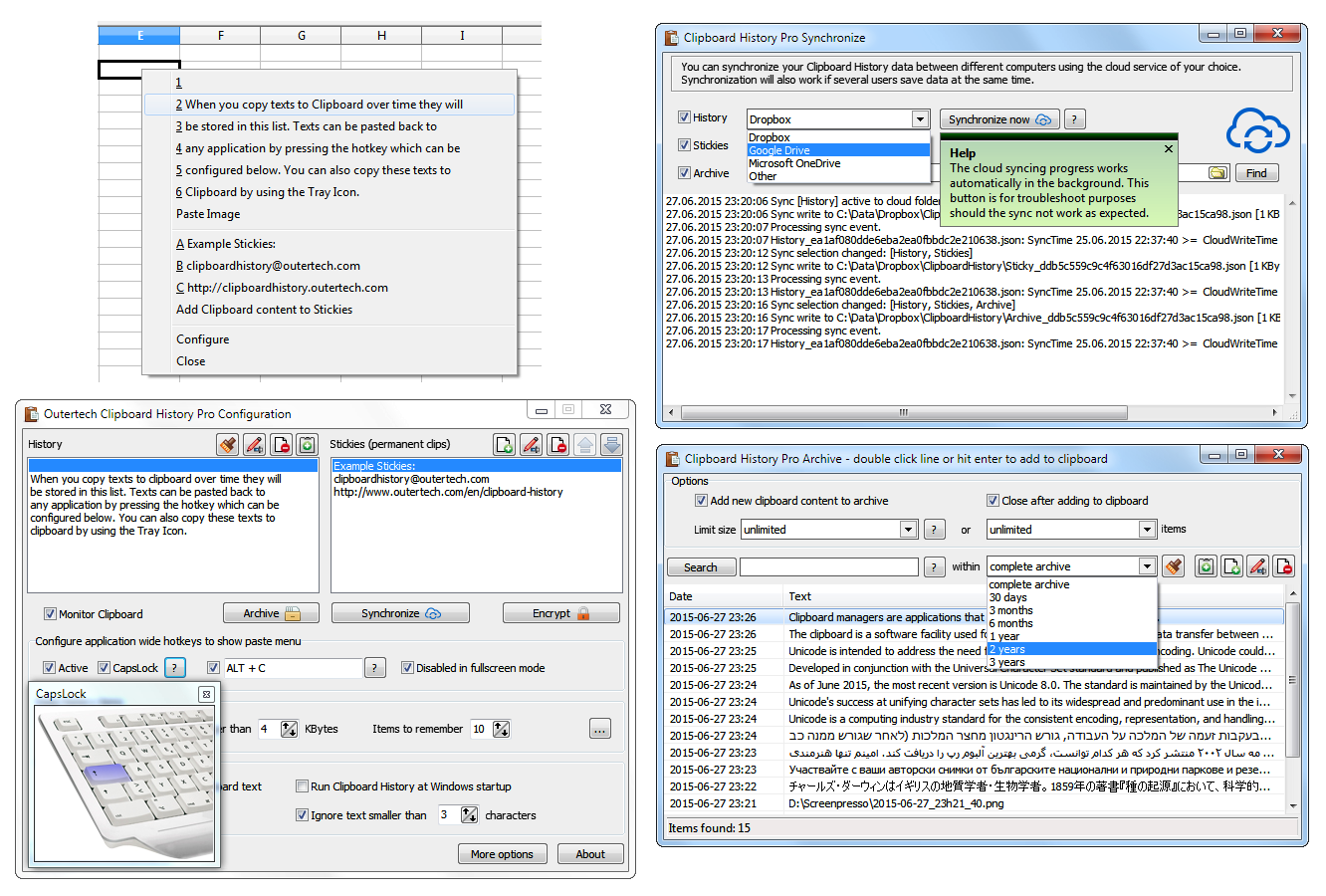
Clipboard History Pro is a Windows clipboard manager featuring optional cloud synchronization and AES encryption. With Clipboard History Pro users can keep a repository of text items that they have copied to the clipboard before. Additionally, frequently used word phrases and snippets called stickies can be added to the global paste menu. Pressing a configurable hotkey, a tray icon, or the usually idle and useless CAPS LOCK key will bring up a paste menu of last clipboard items and saved text snippets. When using the hotkey or the CAPS LOCK key the clipboard history paste menu will be available in every Windows application.

With Clipboard History Pro it’s easy to set up clipboard content synchronization between multiple computers in less than a minute. The software has built-in support for Dropbox, Google Drive, OneDrive, and others. The synchronization process will also work perfectly in multi-user environments, even if several users add text to the clipboard at the same second. Best of all, Clipboard History Pro safeguards data using AES encryption.

At the heart of Clipboard History is a handy archive feature. Every text ever copied to the clipboard can be stored away for future use. A powerful JSON database guarantees a high level of security and performance. Clipboard History has been vested with more than 1 million data records in the text archive. The archive can be searched by text and date. Search keywords can be combined and even excluded with the ‘-‘ sign. A search for foo -bar will find all archive items that contain the text foo, but don’t contain the text bar.

OST Recovery Software 17.0

Type: Shareware
Cost: $49
Size: 2.56 MB
Release date: Sep 26 2017
Platform: Win2000,WinXP,Win7 x32,Win7 x64,Windows 8,Windows 10,WinServer,WinOther,WinVista,WinVista x64
Publisher’s Site:  http://www.arysontechnologies.com/
Publisher’s Product Page:  http://www.arysontechnologies.com/ost-recovery.html
Country: United States of America


OST Recovery Software

If you want to restore emails from an OST files without any data loss, try OST Recovery Software of Aryson Technologies. This software design based on high algorithm and user friendly interface therefore easy to use. After long research of Aryson team lunch OST Recovery Software that helps in recovery of emails from unreadable or corrupted OST files and successfully export them into readable Outlook PST file format. It has most exclusive features which is following- 1. It supports all versions of MS Outlook including 2016 and other older version. 2. This software export emails from recovered OST files into different file format like PST, EML, MSG & MBOX. 3. Software supports to export emails from an OST file into Windows Live Mail (EML). 4. It also export emails into Apple Mac Mail MBOX files. 5. It supports to export OST mailbox into MBOX therefore more than 15 email clients export OST file into own mailbox like Apple Mac, Mozilla, Opera etc. 6. It also restore emails from protected OST files. 7. It offers demo version of the software that supports to export all items from OST files. If you want to export whole mailbox items from an OST file into different file format like EML, MSG, MBOX, PST etc then buy online this software at lower cost.