Category Archives: System Utilities

Automation Tools, Backup & Restore, Benchmarking, Clipboard Tools, File & Disk Management, File Compression, Launchers & Task Managers, Other, Printer, Registry Tools, Shell Tools, System Maintenance, Text/Document Editors

RPM Remote Print Manager Select 64 Bit 6.1.0.439

Type: Shareware
Cost: $324
Size: 43.73 MB
Release date: Aug 10 2016
Platform: Win2000,WinXP,Win7 x32,Win7 x64,Windows 8,Windows 10,WinServer,WinOther,WinVista,WinVista x64
Publisher’s Site:  http://www.brooksnet.com/
Publisher’s Product Page:  http://www.brooksnet.com/lpd/compare-rpm-6-elite-and-select.html
Country: United States of America
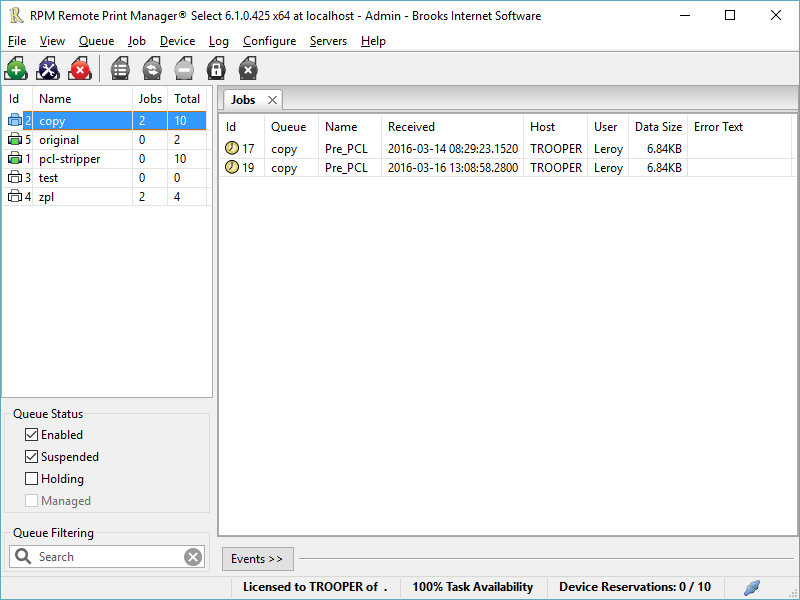

RPM Remote Print Manager Select 64 Bit

Printing should be one click away. but there are so many problems which make printing difficult if not impossible. RPM Remote Print Manager (RPM) has grown through the years from all the print problems our customers have brought to us. We are here to help you solve your printing problems.


RPM is our virtual printer product. Our customers have been using RPM for 20 years!
RPM as virtual printer

RPM does what you expect a virtual PDF printer to do, and more:

convert incoming print jobs to other formats, such as PDF, TIFF and PCL
save multiple documents into a single document
print the same job to multiple printers
in one pass, send to a printer and save to disk
print the same job multiple times, using separate paper trays

RPM as print server

RPM is implemented as a Windows print server. Its core capabilities include:

managing your print workflow
send print jobs to any Windows printer
send print jobs to any printer on your network using core Windows print protocols, or LPR, or direct with port 9100
archive print jobs to local folders, shared folders, or anywhere via FTP
run any local application on your print job
send your print job via email as an attachment or in the message body

RPM also provides extensive data editing, manipulation and translation.

Windows version support

RPM 6.1 supports these versions of Windows: Vista, 7, Server 2008 (including R2), Windows 8 and 8.1, Server 2012 (including R2), and Windows 10. Support for Windows XP and Server 2003 has been dropped, so we no longer test new RPM versions on these older versions of Windows.

Graphcat<

QILING Disk Master Professional 4.1.6

Type: Shareware
Cost: $39
Size: 15.41 MB
Release date: Mar 05 2017
Platform: Win2000,WinXP,Win7 x32,Win7 x64,Windows 8,Windows 10,WinServer,WinOther,WinVista,WinVista x64
Publisher’s Site:  http://www.qilingtech.com
Publisher’s Product Page:  http://www.idiskhome.com/main/product_pro.shtml
Country: China


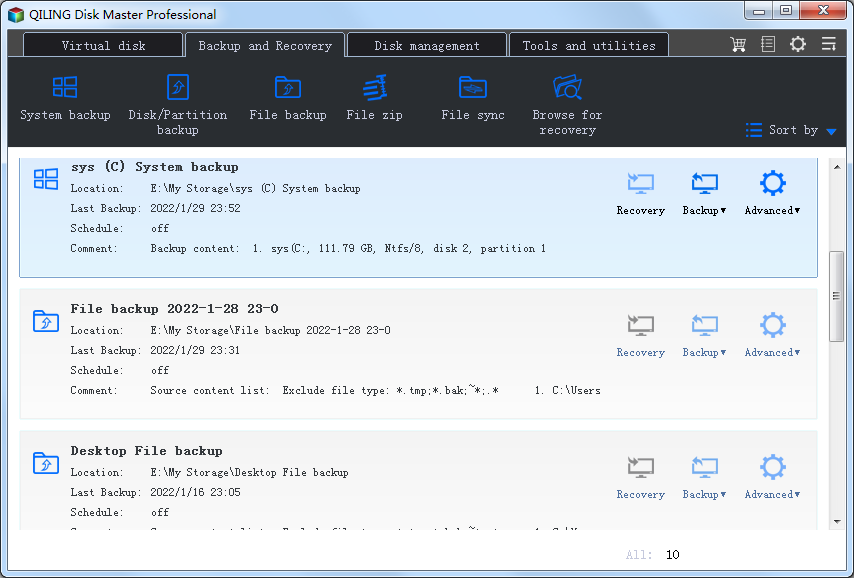
QILING Disk Master Professional

QILING Disk Master Professional is not only a easy-to-use, fast backup and recovery software solution, but also a ramdisk and partition manager software. It aiming to protect your data and improve the performance of your computer. With it, your system, files, folders, videos, music will be in a safe condition within minutes without the help of an IT specialist. It supports system/disk/partition/files/folders backup, restore and clone as well as provides fix boot, wipe data, file shredder, Migrate OS, schedule, incremental, differential backups, backing up to NAS and shared network folder, dynamic disk volumes backup, GPT disk backup, backing and restoring system drive based on UEFI boot, creating Windows PE bootable disk, partition alignment to optimize SSD during restoring or cloning operation, backing up or restoring files from a network to another, editing task options and the directory of backup images, backup logs management, etc. The features of ramdisk can improve overall system performance, one click set the temporary path to ramdisk. QILING Disk Master Professional can checks the hard disk health status and display Temperature of hard disk and view hard disk detailed information. QILING Disk Master Professional can also help you to manage partition, it recover lost or deleted partitions, and test disk sector’s surface.

RPM Remote Print Manager Elite 32 Bit 6.1.0.439

Type: Shareware
Cost: $750
Size: 48.47 MB
Release date: Aug 10 2016
Platform: Win2000,WinXP,Win7 x32,Win7 x64,Windows 8,Windows 10,WinServer,WinOther,WinVista,WinVista x64
Publisher’s Site:  http://www.brooksnet.com/
Publisher’s Product Page:  http://www.brooksnet.com/lpd/compare-rpm-6-elite-and-select.html
Country: United States of America


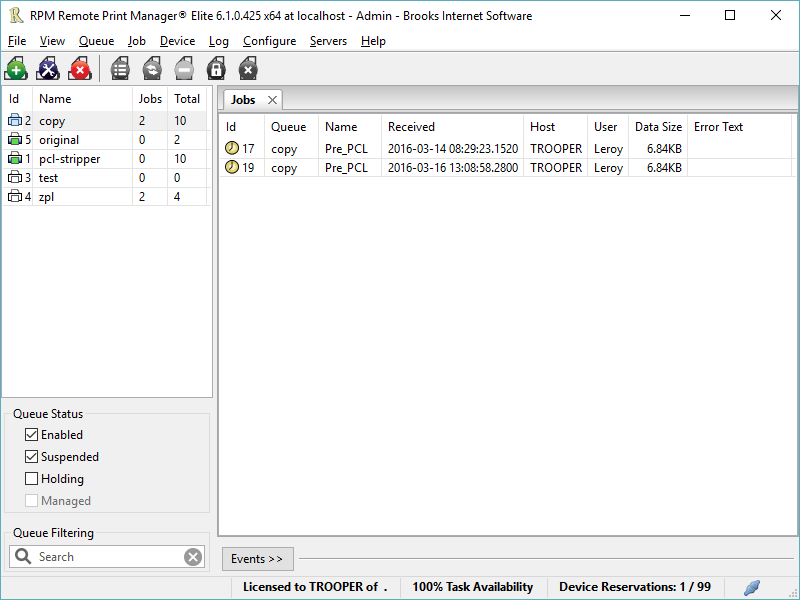
RPM Remote Print Manager Elite 32 Bit

Printing should be one click away. but there are so many problems which make printing difficult if not impossible. RPM Remote Print Manager (RPM) has grown through the years from all the print problems our customers have brought to us. We are here to help you solve your printing problems.

RPM is our virtual printer product. Our customers have been using RPM for 20 years!
RPM as virtual printer

RPM does what you expect a virtual PDF printer to do, and more:

convert incoming print jobs to other formats, such as PDF, TIFF and PCL
save multiple documents into a single document
print the same job to multiple printers
in one pass, send to a printer and save to disk
print the same job multiple times, using separate paper trays

RPM as print server

RPM is implemented as a Windows print server. Its core capabilities include:

managing your print workflow
send print jobs to any Windows printer
send print jobs to any printer on your network using core Windows print protocols, or LPR, or direct with port 9100
archive print jobs to local folders, shared folders, or anywhere via FTP
run any local application on your print job
send your print job via email as an attachment or in the message body

RPM also provides extensive data editing, manipulation and translation.

Windows version support

RPM 6.1 supports these versions of Windows: Vista, 7, Server 2008 (including R2), Windows 8 and 8.1, Server 2012 (including R2), and Windows 10. Support for Windows XP and Server 2003 has been dropped, so we no longer test new RPM versions on these older versions of Windows.