Category Archives: System Utilities

Automation Tools, Backup & Restore, Benchmarking, Clipboard Tools, File & Disk Management, File Compression, Launchers & Task Managers, Other, Printer, Registry Tools, Shell Tools, System Maintenance, Text/Document Editors

RPM Remote Print Manager Elite 64 Bit 6.1.0.436

Type: Shareware
Cost: $750
Size: 56.21 MB
Release date: Jun 16 2016
Platform: Win2000,WinXP,Win7 x32,Win7 x64,Windows 8,Windows 10,WinServer,WinOther,WinVista,WinVista x64
Publisher’s Site:  http://www.brooksnet.com/
Publisher’s Product Page:  http://www.brooksnet.com/lpd/compare-rpm-6-elite-and-select.html
Country: United States of America
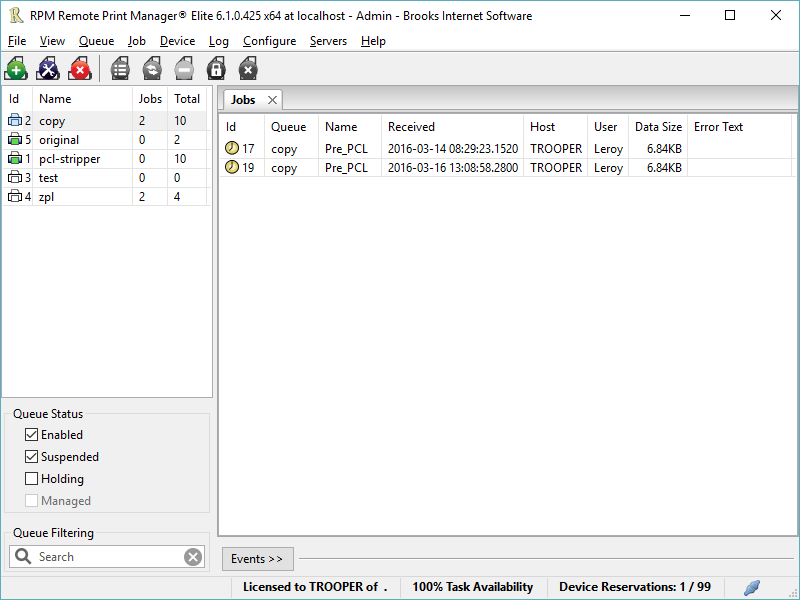

RPM Remote Print Manager Elite 64 Bit

Printing should be one click away. but there are so many problems which make printing difficult if not impossible. RPM Remote Print Manager (RPM) has grown through the years from all the print problems our customers have brought to us. We are here to help you solve your printing problems.


RPM is our virtual printer product. Our customers have been using RPM for 20 years!
RPM as virtual printer

RPM does what you expect a virtual PDF printer to do, and more:

convert incoming print jobs to other formats, such as PDF, TIFF and PCL
save multiple documents into a single document
print the same job to multiple printers
in one pass, send to a printer and save to disk
print the same job multiple times, using separate paper trays

RPM as print server

RPM is implemented as a Windows print server. Its core capabilities include:

managing your print workflow
send print jobs to any Windows printer
send print jobs to any printer on your network using core Windows print protocols, or LPR, or direct with port 9100
archive print jobs to local folders, shared folders, or anywhere via FTP
run any local application on your print job
send your print job via email as an attachment or in the message body

RPM also provides extensive data editing, manipulation and translation.

Windows version support

RPM 6.0 supports these versions of Windows: Windows 2003, XP, Windows 7 and 2008, Windows 8, Windows Server 2012 and Server 2012 R2. We have used RPM on Windows 10 but have not stress tested it yet.

Graphcat<

Ultimate Settings Panel Lite 4.2

Type: Freeware
Cost: $0
Size: 253.00 kB
Release date: Jun 12 2016
Platform: Win2000,WinXP,Win7 x32,Win7 x64,Windows 8,Windows 10,WinServer,WinOther,WinVista,WinVista x64
Publisher’s Site:  http://blog.techygeekshome.info
Publisher’s Product Page:  http://www.ultimatesettingspanel.co.uk
Country: United Kingdom


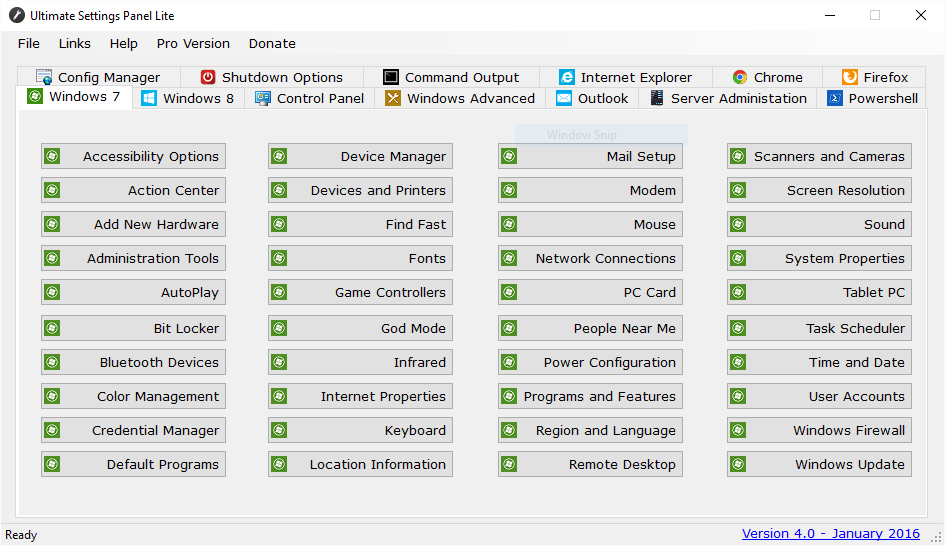
Ultimate Settings Panel Lite

An all in one settings utility for a multitude of configuration options in Windows, Office and Server based systems. This is the free Lite version, but a more enhanced Pro version is also available by clicking ‘Pro Version’ on the utility menu bar. This release now has 13 different configuration tabs and a total of 238 configuration items spanning across all versions of Windows, Powershell, Outlook, Server Administration and Server based systems.

Ultimate Settings Panel Lite is a tab based utility giving you the option of selecting from a wide range of different configuration options. So all you have to do is select a tab and click the button for the configuration item that you wish to use. This program also includes Windows God Mode built into it for extra configuration items. This release is compatible with Windows 10.

ORPALIS PDF OCR 1.1.1

Type: Freeware
Cost: $0
Size: 28.88 MB
Release date: Jun 16 2016
Platform: Win2000,WinXP,Win7 x32,Win7 x64,Windows 8,Windows 10,WinServer,WinOther,WinVista,WinVista x64
Publisher’s Site:  http://www.orpalis.com/
Publisher’s Product Page:  http://www.orpalis.com/labs/pdfocr/
Country: France


ORPALIS PDF OCR

ORPALIS PDF OCR software free edition is a very fast PDF to PDF-OCR converter. It offers a productive way to to transform scanned PDF documents to text searchable PDF by running optical character recognition (OCR).

ORPALIS PDF OCR free edition includes a high quality OCR engine built by recognized industry experts. It converts PDF into PDF/OCR single or multi-page documents with great speed and accuracy.
The latest technologies are used to to obtain a high performance layout analysis that allows character recognition regardless of the page orientation.
In the free edition the languages supported by the OCR engine are English, French, Spanish, German and Italian.

The intuitive and productive user interface makes the software user-friendly and time-saving.
The languages available for the interface are English and French.

To convert PDF into PDF/OCR it is really simple, only a few steps are required. First the source file (input) needs to be identified. Then the destination of the processed file (output) is specified. The last step is to select the language for the OCR conversion.
Optional parameters settings are available for the input mode that can be either a file or a folder. A convenient drag and drop option is also supported. Folders as well as sub-folders can be processed. The number of pages processed by the engine is displayed in real-time. For each document full log information is provided, as well as warnings and errors if any.
A pop-up window for automatic update notifications can be enabled or disabled.