
Category Archives: System Utilities

Automation Tools, Backup & Restore, Benchmarking, Clipboard Tools, File & Disk Management, File Compression, Launchers & Task Managers, Other, Printer, Registry Tools, Shell Tools, System Maintenance, Text/Document Editors

RPM Remote Print Manager Elite 32 Bit 6.1.0.425

Type: Shareware
Cost: $750
Size: 50.56 MB
Release date: Mar 18 2016
Platform: Win2000,WinXP,Win7 x32,Win7 x64,Windows 8,Windows 10,WinServer,WinOther,WinVista,WinVista x64
Publisher’s Site:  http://www.brooksnet.com/
Publisher’s Product Page:  http://www.brooksnet.com/lpd/compare-rpm-6-elite-and-select.html
Country: United States of America
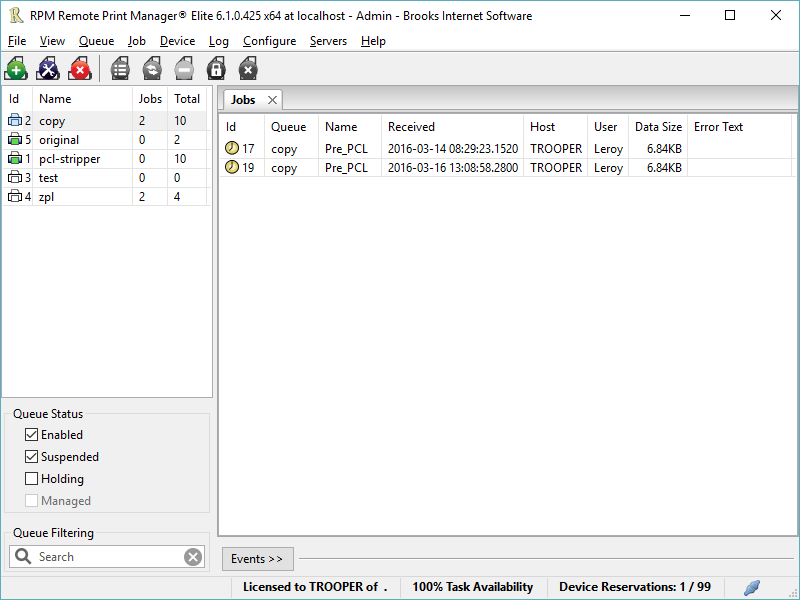

RPM Remote Print Manager Elite 32 Bit

Printing should be one click away. but there are so many problems which make printing difficult if not impossible. RPM Remote Print Manager (RPM) has grown through the years from all the print problems our customers have brought to us. We are here to help you solve your printing problems.


RPM is our virtual printer product. Our customers have been using RPM for 20 years!
RPM as virtual printer

RPM does what you expect a virtual PDF printer to do, and more:

convert incoming print jobs to other formats, such as PDF, TIFF and PCL
save multiple documents into a single document
print the same job to multiple printers
in one pass, send to a printer and save to disk
print the same job multiple times, using separate paper trays

RPM as print server

RPM is implemented as a Windows print server. Its core capabilities include:

managing your print workflow
send print jobs to any Windows printer
send print jobs to any printer on your network using core Windows print protocols, or LPR, or direct with port 9100
archive print jobs to local folders, shared folders, or anywhere via FTP
run any local application on your print job
send your print job via email as an attachment or in the message body

RPM also provides extensive data editing, manipulation and translation.

Windows version support

RPM 6.0 supports these versions of Windows: Windows 2003, XP, Windows 7 and 2008, Windows 8, Windows Server 2012 and Server 2012 R2. We have used RPM on Windows 10 but have not stress tested it yet.

Graphcat<

Drives Monitor 13.3

Type: Freeware
Cost: $0
Size: 792.00 kB
Release date: Jan 13 2016
Platform: Win2000,WinXP,Win7 x32,Win7 x64,Windows 8,Windows 10,WinServer,WinOther,WinVista,WinVista x64
Publisher’s Site:  http://www.myfavoritegadgets.info/
Publisher’s Product Page:  http://www.myfavoritegadgets.info/monitors/DrivesMonitor/drivesmonitor.html
Country: Ukraine


Drives Monitor

Utilizes Performance Monitor data to visualize physical or logical disk activity. For each physical/logical disk, % active time and bytes read and written per second is displayed. It does not require any 3rd party applications. Resazible. Save settings to file. (File will be created – Path: %APPDATA% Filename: gadgetname_Settings.ini). Two modes. Color changeable for all gadget’s elements, including background.
* Shows % active time and bytes read and written per physical/logical disk
* Logical partitions on the same disk are grouped
* Automatically reconfigures if disks are added or removed
* Allows for excluding certain drive letters or numbers

Nero TuneItUp Free 2.4.1.1045

Type: Freeware
Cost: $0
Size: 12.03 MB
Release date: Jan 20 2016
Platform: Win2000,WinXP,Win7 x32,Win7 x64,Windows 8,Windows 10,WinServer,WinOther,WinVista,WinVista x64
Publisher’s Site:  http://www.nero.com
Publisher’s Product Page:  http://www.nero.com/redir.php?id=12977
Country: Germany


Nero TuneItUp Free

Nero TuneItUp is an optimization, tuning and maintenance tool for Windows PCs which helps you analyze and fix common problems, and optimize system settings.

During startup Nero TuneItUp automatically analyzes all weak spots and problems in your system and lists them. The intuitive interface lets you fix problems while maintaining a clear overview.

The special High Speed Mode lets programs and games run much faster.

The free version lets you do the following:

(1) Delete Unnecessary Files
Temporary files created by programs are often not properly deleted. Completely deleting these files frees up disk space.
The affected folders are displayed in the Details section and can be cleaned separately.
(2) Delete Digital Footprints
Browsers save various types of files in the ‘Browser Cache’ to make surfing faster and easier. The problem is that these files are a threat to your PC security because they often contain personal data such as usernames and passwords. Deleting these digital footprints helps to protect your privacy while surfing the Internet.
This can also lead to increased browser performance and faster surfing when a large number of files is deleted during the cleaning process.
In the ‘Details’ section you can select the files that should be deleted.
(3) Clean Registry
The Windows registration database, a.k.a. the ‘Registry’, is the central configuration file for Windows. The cleaning function removes invalid entries and increases PC stability and performance.
(4) Uninstall Wizard
Unused programs take up space on your hard drive and can slow down your PC. This function removes these unused programs from your PC to help increase performance.
(5) Multimedia Data Manager
The largest multimedia files and folders are easily located and can be deleted to free storage space.