Category Archives: System Utilities

Automation Tools, Backup & Restore, Benchmarking, Clipboard Tools, File & Disk Management, File Compression, Launchers & Task Managers, Other, Printer, Registry Tools, Shell Tools, System Maintenance, Text/Document Editors

Envelomat 1.2.55

Type: Shareware
Cost: $18
Size: 9.42 MB
Release date: Jan 10 2015
Platform: WinXP,Win7 x32,Win7 x64,Windows 8,WinServer,WinVista,WinVista x64
Publisher’s Site:  http://www.utilstudio.com
Publisher’s Product Page:  http://www.utilstudio.com/en/envelomat
Country: Slovakia


Envelomat

Envelope printing software, including graphical envelope designer. Contains library of standard envelopes in international and USA address writing formats. Integrated envelope designer allows you to create your own desing of envelopes and archive it. Designer supports images like a logo of your company or allows you to set image as a background. Remote firebird transaction database. Import from XML,TXT,CSV,DBF,Firebird,Ms SQL, Access, Paradox,.. files or databases. Automatic paper size detection based on selected size of envelope. Address book with powerful filtering. Support for copy and paste of addresses. Windows 8 compatible.

Graphcat<

Macgo iPhone Explorer for Mac 1.0.3

Type: Freeware
Cost: $0
Size: 31.52 MB
Release date: Sep 19 2014
Platform: iPhone,iPod,iTouch,Mac OS X,iOS
Publisher’s Site:  http://www.macblurayplayer.com
Publisher’s Product Page:  http://www.macblurayplayer.com/iphone-explorer-mac.htm
Country: China


Macgo iPhone Explorer for Mac

Macgo Free iPhone Explorer for Mac is a free iOS file explore software, it is designed to access, explore and manage your iOS file system with or without jailbreaking. With the freeware, you can easily add and delete all types of file saved on your iOS devices. Moreover, it allows you to copy all types of files between your Mac and iOS devices, it’s also an easy and safe software to operate with.


1.Features Overview
Free access, explore and manage iOS devices
iPhone Explorer for Mac is a free and safe iPhone browser software which can give you a full command of file system on iPhone, iPad and iPod touch. It helps to easily access and manage multiple iOS files with or without jailbreaking the device. No matter it’s an iPhone 5s, iPad mini or iPod touch5, they are all instantly accessible with this freeware.

2.Enable to manage your files in iOS devices
The iPhone Explorer gives you the power to add or delete whatever files you need to modify, so you can make your own decisions about how to manage a file or a video as the way you want it to be.

3.Easy and safe to operate
With its cleaner interface, the iPhone Explorer is easy to handle for everyone; besides, the software knows better than you to identify what really matters for your devices and makes sure important files stay without being incorrectly deleted by you or other Explorers. In other words, your files are completely safe with it.

What’s new in version 1.0.3?
1-Fully compatible with iOS 8 and perfectly support OS X Yosemite Beta 10.10.
2-Solve the problem of collapse when users shut down the program.
3-The information of the devices can now be successfully saved in the program.

Macgo iPhone Cleaner for Mac 1.2.0

Type: Shareware
Cost: $19.97
Size: 32.66 MB
Release date: Nov 21 2014
Platform: iPhone,iPod,iTouch,Mac OS X,iOS
Publisher’s Site:  http://www.macblurayplayer.com
Publisher’s Product Page:  http://www.macblurayplayer.com/iphone-cleaner-mac.htm
Country: China


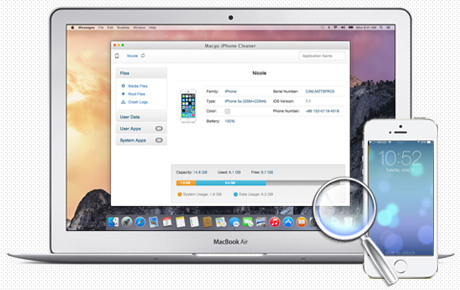
Macgo iPhone Cleaner for Mac

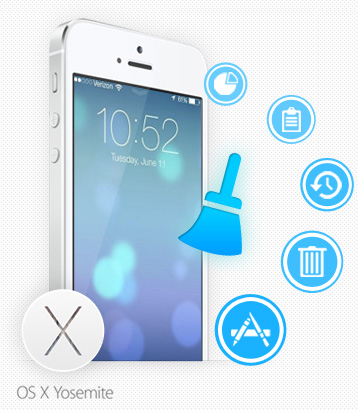
Macgo iPhone Cleaner for Mac is an excellent iOS cleaner tool run on Mac OS X. It can scan and strike out almost any kind of junk files on iPhone, iPad, iPod Touch to release the clumsy storage space. Whenever you found your iPhone running slow or running out of space, you can ask help from iPhone Cleaner for Mac. It give a effective solution to clean up your device and reclaim the lost space to speed up your iPhone and get more apps, music, movies, photos and fun in your life. Macgo iPhone Cleaner for Mac run on Mac OS X 10.8 or above and is compatible with iPhone, iPad, iPod touch(iOS 5, 6, 7). Note: Please note you must install the latest iTunes to enable cleaner to work.
What’s New?
Optimized the prompt window of connectivity problem under two kinds of situations:
1. User did not install iTunes- the program will display a popup window for reminding the user to install iTunes after connecting iPhone with PC.
2. There is something wrong with the installation of iTunes- when the program is launched, it will prompt the user to reinstall iTunes rather than suddenly crash.