4Easysoft Mac Screen Recorder

Product Page: https://www.4easysoft.com/
4easysoft-mac-screen-recorder.jpg

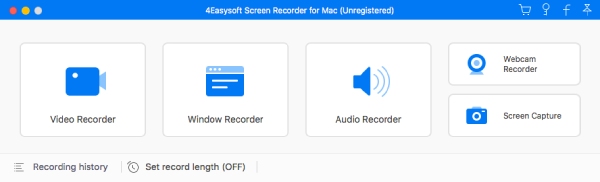
As a powerful recording program, 4Easysoft Screen Recorder for Mac enables you to capture video/audio played on your Mac, including video tutorials, gameplay and other screen activities. If you want to record a specific area of your screen, and record audio from internal/external speakers, 4Easysoft Screen Recorder for Mac could be a good choice. In addition, it owns cursor options for you to choose like highlight cursor or clicks or both of them. Key Functions: 1. Record screen, video and audio 4Easysoft Screen Recorder for Mac allows you to record videos like screen activities, gameplay, tutorials on your Mac, you can also choose to record the system audio or microphone voice as you like. Meanwhile, the recordings can be saved as MP4 or WMV for easy playback. 2. Customize recording size With 4Easysoft Screen Recorder for Mac, you are allow to choose a specific area, full screen or customized size to record your video. Besides, you are able to preview the recordings to decide whether to save/crop it or not. 3. Edit video/screenshot while recording Providing various editing features, 4Easysoft Screen Recorder for Mac can be a powerful tutorial program, you can add arrow, text, line, rectangle, ellipse while recording. Apart from that, 4Easysoft Screen Recorder for Mac enables you to take specific screenshot during the recording process, you can also edit your screenshot at anytime.


Graphcat<

Vivaldi for Windows 32 5.7

Product Page: http://vivaldi.com

win001.jpg

The Vivaldi browser does not track its users and offers more features than any other modern browser. Steered by Jon von Tetzchner (co-founder of Opera browser), Vivaldi is driven by the real needs of users today and ensures that they have the best tool to browse and do the job.

Users can tailor Vivaldi to suit their browsing needs with no limit to customization options. Vivaldi takes browsing to the next level with its numerous features that give users a more dynamic experience of the web. Vivaldi demonstrates that a browser can be the most useful tool to enhance time spent online and not just a means of accessing web pages.


Some of the highlight features that make Vivaldi a personal, do-it-your-way browser include:

Advanced tab management ability to group, tile, move and pin tabs.
Private and Secure Syncing across computers with end to end encrypted Synchronization.
Side Panel with easy access to bookmarks, downloads, tree-style tab manager, notes, browsing history and websites of users choice.
Built-in functionality such as the screenshot Capture tool, Notes and Image Properties.
Powerful History overview that lets users explore their browsing patterns.
Unique and customizable look and feel of the browser interface with custom Themes and more.
Keyboard Shortcuts and Mouse Gestures for quick browser commands.
Built in e-mail client and calendar.
Built in ad-blocker

For more details, visit https://vivaldi.com

Java PDF to Image 2023.4.4

Product Page: https://ironpdf.com/java/how-to/java-pdf-to-image-tutorial/

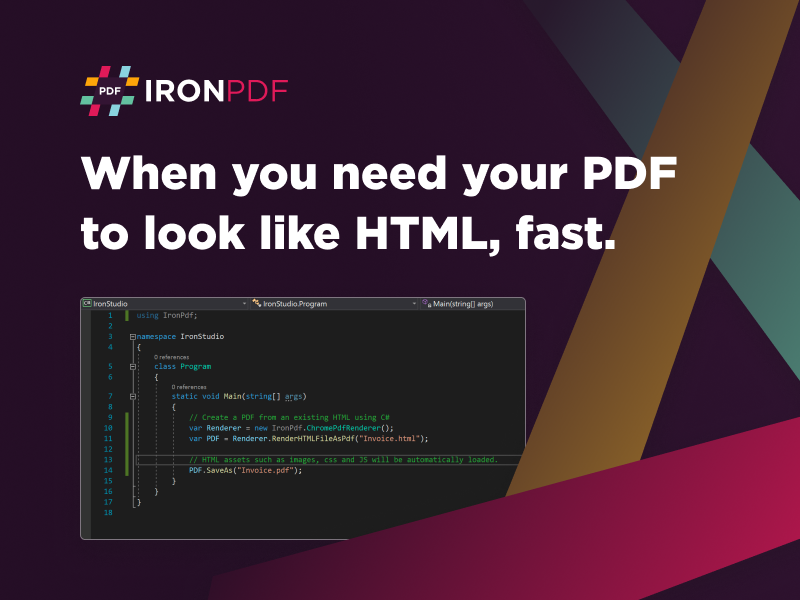
java-pdf-to-image-screenshot.png

The library offers several options for controlling the conversion process, such as specifying which pages to convert or exclude from the conversion, choosing the image format and resolution, and setting the image compression level. You can also add watermarks to the output images, providing an extra layer of protection against unauthorized use.

The Java PDF to Image library is an excellent tool for developers who need to convert PDF documents to image files quickly. It is easy to use and offers a range of features that give you full control over the output. Whether you need to convert a single page or an entire PDF document, this library can help you get the job done quickly and efficiently.

If you are interested in learning more about the Java PDF to Image library, visit https://ironpdf.com/java/how-to/java-pdf-to-image-tutorial/. There you will find detailed documentation and code examples that will help you get started with the library.