Aiseesoft MKV Converter for Mac

Product Page: https://www.aiseesoft.com/
screen.jpg

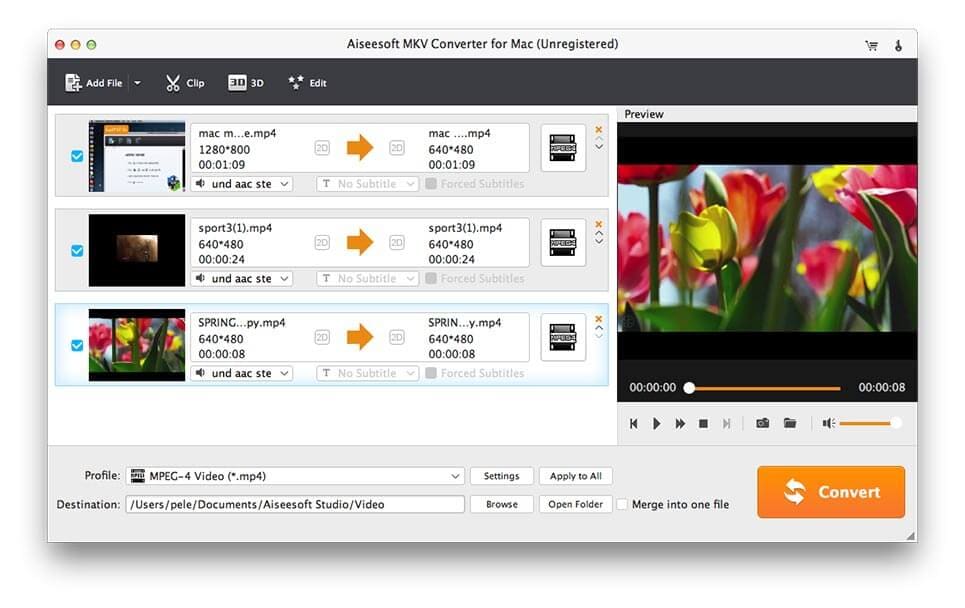
Do you have trouble in converting your media files? Do you want to add subtitle/audio track to your video files? Do you want to batch convert your video files? Aiseesoft MKV Converter for Mac is your top choice. Key functions: 1. Convert MKV files to other formats Aiseesoft MKV Converter for Mac allows you to convert any MKV files to any other video/audio formats on Mac, such as MP4, AVI, WMV, TS,FLV, MP3, AAC, FLAC, WMA, OGG, and more. After conversion, you could view these files on popular portable devices or media player software. 2. Convert other files to MKV formats If you want to convert common media files to MKV formats, please have a look at Aiseesoft MKV Converter for Mac. It could convert VOB, ISO file, MP4, FLV, AVI to MKV formats. In addition, it also could be used as a common video converter, you could convert all kinds of media files with it. 3. Powerful editing function Aiseesoft MKV Converter for Mac provides a powerful editing function for its users, with which, you could add subtitle/audio track/watermark to your files. You could also adjust brightness, hue, saturation, contrast and volume of your videos. Adjusting the aspect ratio of video, removing black bars from video, trimming your video could be realized with this powerful program, too. 4. Safe and fast conversion speed With built-in accelerator, Aiseesoft MKV Converter for Mac will bring you fast conversion speed and it supports batch conversion. After conversion, the quality of the output file is lossless. What is more, this media converter is safe to use so you dont need to worry about your privacy.


Graphcat<

4Easysoft iPhone Transfer

Product Page: https://www.4easysoft.com/

main-interface.jpg

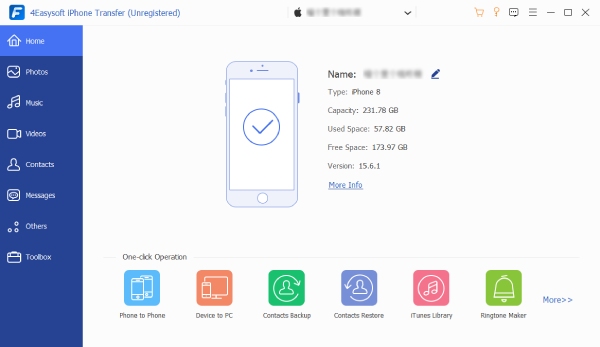
4Easysoft iPhone Transfer is a professional and powerful iOS data transfer and manager that can help iOS users transfer and manage iOS data with easy clicks. Whether you need to transfer data between iOS devices or between iOS and computer/iTunes, or manage contacts and the media files in your iOS devices, it can do you an easy favor. Lets check what 4Easysoft iPhone Transfer can do for you. 1.iOS data transfer 4Easysoft iPhone Transfer provides 3 modes to transfer files: iOS to iOS, iOS to computer and iOS to iTunes. Supported data types include messages, contacts, call history, notes, calendar, safari, audiobooks, photos, movies, ringtones, music, playlist, TV shows, WhatsApp/Line/Viber/Wechat/Messenger/Kik data, etc. 2.Photo Manager This iOS transfer tool can also work as a photo manager to let you create albums for your photos, preview and delete duplicate photos in batch, convert HEIC photos to JPG/PNG for more devices. 3.Contacts Assistant 4Easysoft iPhone Transfer allows you to edit and update contact information, add new contacts, delete unavailable/duplicate contacts, create contact groups etc. On computer easily. 4.Music Editor You can create music playlists for your favorite songs, convert audio format of your music collections, edit the album cover, artist, genre, and more, delete unwanted music in batch. 5.More tools in Toolbox The Toolbox of 4Easysoft iPhone Transfer lets you do more than your imagination. You can back up and restore contacts in one click, make ringtones with your favorite music, sync iOS device and iTunes library, convert HEIC photos to JPG/PNG, and more.

Split PDF C# 2023.4.4

Product Page: https://ironpdf.com/examples/split-pdf-pages-csharp/

split-pdf-csharp-screenshot.png

This C# PDF library offers a simple and efficient way to split PDF files into multiple smaller files. It offers an easy-to-use API that allows you to specify the pages to extract and save them as a new PDF file. This library offers a simple method for splitting PDF files by page range. This makes it possible to extract specific pages or sections of a PDF file with ease.

The C# PDF library also offers additional features that make the process of splitting PDF files even more efficient. It offers the ability to extract images and text from the PDF file, which can be useful for creating new documents or repurposing content. Additionally, it offers the option to add watermarks and other security features to the extracted pages.


With the use of this C# PDF library, you can save time and effort when it comes to splitting PDF files. Whether you need to extract specific pages or sections of a large PDF file or create new documents from the content, this library offers a simple and efficient solution. It is easy to integrate into your C# project, and the API is simple to use, making it easy for developers of all levels of experience to use. You can find more information and detailed documentation on how to use this library on https://ironpdf.com/examples/split-pdf-pages-csharp/.