OnBarcode2D Technical Group 2023.3.2

Product Page: https://ironsoftware.com/csharp/barcode/blog/compare-to-other-components/onbarcode-generator-alternatives/

onbarcode-screenshot.png

With the new OnBarcode2D Technical Group alternative from the expert development team at IronSoftware, you get a simplified utility for scanning, creating, and editing barcode and QR code technology. This brings a wealth of versatility to project build by allowing end users to digitize, organize, and track valuable information and inventory throughout any industry.

The OnBarcode generator alternative allows you to quickly scan source data in text, images, barcodes, QR codes, PDFs, and more. It automates and reduces the need for many expanded services by unifying them into easy-to-read resources, databases, shipping manifests, customer service features, inventory, and more.


All input data can be output into structured/unstructured data, plain text, or searchable PDF documents. You can learn more about these features at https://ironsoftware.com/csharp/barcode/blog/compare-to-other-components/onbarcode-generator-alternatives/ .

Given all the end-user efficiency you are creating, you would expect high upfront costs. On the contrary, the OnBarcode alternative is free to use while you are working through project development. There are no restrictive subscription fees, as you would find with Microsoft Azure OCR. Instead, you only pay for a license when you have reached full project deployment.

This also saves your team time because this enhancement has been verified by the team at IronSoftware. You won’t have to spend weeks trying to work through errors found in untested open-source solutions.

With support for over 125 international languages and an easy-to-manage format, the OnBarcode alternative from IronSoftware is a clear benefit to your project outcome. Download a copy of this new utility at https://www.nuget.org/packages/BarCode/ and give your end users a massive improvement in their barcode generation and use.

Graphcat<

Aiseesoft Free Video Converter

Product Page: https://www.aiseesoft.com/

interface-1.jpg

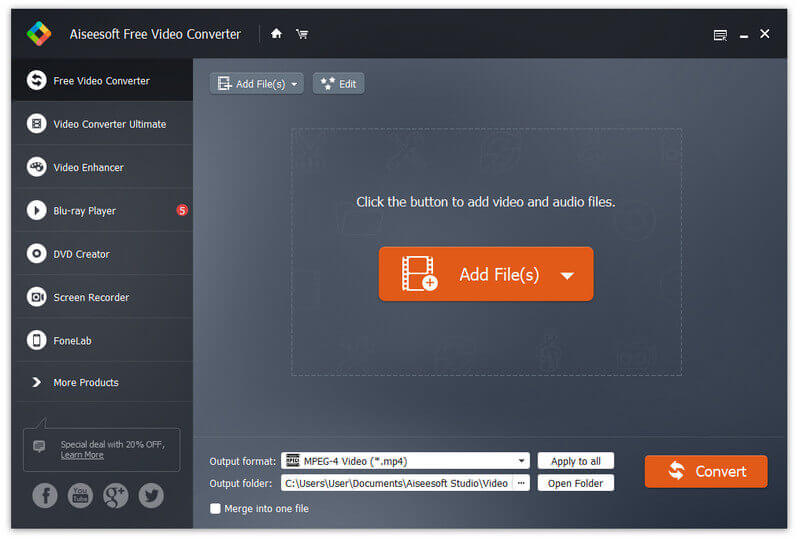
Aiseesoft Free Video Converter is totally free to use on Windows computer. One of its most important features is to convert any video from one format to another without quality loss. For instance, you can convert an AVI video to a video in .mp4 format with the help of this Free Video Converter. It supports 300+ video/audio formats, almost including all popular video and audio formats. Moreover, it is capable of editing video/audio as you wish. And it is a reliable video converter without ads, spyware and Malware. Key features: 1. Convert between 300+ formats for free Aiseesoft Free Video Converter enables you to convert various video formats like MP4, AVI, MOV, WMV, MKV, FLV and more with high video quality. 2. Convert video for different mobile devices This free video converter supports multiple digital devices like iPhone, iPad, iPod, Samsung, LG, Google device and more. 3. Edit video with opening and ending title You are able to edit videos with the theme you like, you can also add opening and ending title for your videos. Moreover, you can select or download the themes you want to use to make your video lovely and vivid. 4. Customize your video You can edit words with title, author, time, etc. to customize your own video before you share it online.

Apeaksoft Studio

Product Page: https://www.apeaksoft.com/

add-video-file.jpg

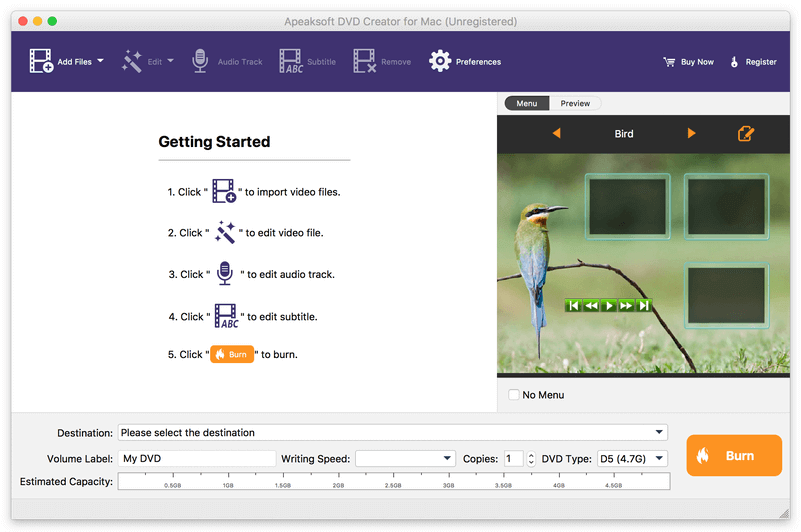
Apeaksoft DVD Creator for Mac can create DVD/Blu-ray disc/folder/ISO files with all kinds of popular videos. Moreover, it can help you add the audio track and subtitle. In addition, you can choose your preferred menu templates, frames and button styles and add the background music. Furthermore, you can trim the video length, crop the video frame and add watermark to the videos as you like. Key functions: 1. Create DVD/Blu-ray with any video formats Apeaksoft DVD Creator for Mac can help you burn DVD/Blu-ray disc/folder/ISO files with any video formats including MP4, AVI, WMV, MKV, MOV, M4V, MTS, etc. 2. Edit your DVD/Blu-ray It is able to help you edit the video effect, such as trimming the video length, cropping the video frame, adding watermark to the video, adjusting the video effect. 3. Customize the DVD/Blu-ray menu With this software, you can choose your favorite DVD/Blu-ray menu like frame/button/text style. Moreover, you can add background music, add background picture and browse opening film according to your needs. 4. Add audio track and subtitle This software allows you to add the audio track as you like. Meanwhile, your preferred subtitles can also be added to the videos and you can choose its language, change its position, and set the delay, font size, its name and colors. 5. Fast speed and high quality Apeaksoft DVD Creator for Mac can provide fast burning speed and high quality for you. You never need to wait for long time for the creation. Just a few minutes, you can enjoy your DVD/Blu-ray in your DVD/Blu-ray player.