Aiseesoft MXF Converter for Mac

Product Page: https://www.aiseesoft.com/mxf-converter-for-mac/

icon1.png

Aiseesoft MXF Converter for Mac helps Mac users a lot in converting MXF and HD video like TS, MTS, TP, M2TS, and TRP to all popular video(MPG, MPEG-1, MPEG-2, MPEG-4, DivX, FLV, TS, H.264, H.264/MPEG-4 AVC, XviD, AVI, MP4, M4V, MKV, MOV, 3GP, 3G2, MTV, DPG, VOB, DV, AMV, HD video) and audio(AAC, AC3, AIFF, AMR, FLAC, M4A, MKA, WAV, OGG, MP2, MP3, AU, WMA) formats on Mac for popular portable devices and video editing software. Besides, converting MXF files to MP4, MKV, TS, AVI, and FLV 3D video formats is also as easy as pie. Key Features: 1. Make MXF recordings playable on mainstream portable devices You are allowed to convert MXF recordings to other video format that can play well on any portable devices. 2. Transcode MXF file for editing on Video Editing Software This MXF Converter for Mac supports optimal profiles for certain editing software, like Apple ProRes, DVCPRO, HDV, Avid DNxHD, XDCAM, and Apple InterMediate Codec (AIC). With it, you can easily import the MXF file to iMovie, Final Cut Pro, Final Cut Express, Adobe Premiere, and Avid Media Compose, etc. for further editing without any limitations. 3. Support several 3D modes This software supports Anaglyph 3D, Side by Side (Half-Width) 3D, Side by Side (Full) 3D, Top and Bottom (Half-Height) 3D and Top and Bottom (Full) 3D. You can choose your desired output 3D mode according to the media players. Also you can adjust the visual depth of the 3D video. 4. Adjust the video effect on Mac This MXF Converter for Mac has the ability of adjusting video brightness, contrast, saturation, hue and volume. 5. Trim, crop, watermark, and merge your MXF file on Mac With it, you can trim the file length, crop the video frame to remove the unwanted edges, add watermark with text/image and define the text color, and merge several MXF files into one.


Graphcat<

PDF-XChange Editor 9.5.367.0

Product Page: http://www.tracker-software.com/product/pdf-xchange-editor

EditorV9.png

Full Page Text Content Editing, Extended OCR options, OCR, Google Drive, One Drive, Microsoft Office, SharePoint, Dropbox, Box.com Support, Spellchecker, Expanded XFA forms support, Listen/add audio comments, Add/Edit/Move Bookmarks, View embedded Multimedia support, Significantly improved rendering and page load speed, New Extended Digital Signature Support, PDF Security Support, Add Comments and Annotations, Add & apply Custom Stamps, Direct Content Editing (Paths & Images), Combine PDFs open/closed pdfs, Import Directly from XPS and other support formats, Bates Numbering, Send PDF files via email, Crop/Insert/Delete Pages, Scan Direct to PDF, Compatible with Windows XP and later, Plug-Ins for both MS IE or Firefox Browser’s, Fastest Document search, Convert PDF to Power Point, Portfolio Create and Support, 3D annotation, Plug-in, PDF Optimization, Full Java-script engine included, Plug-Ins for both MS IE or Firefox Browser’s included, Combine PDFs open/closed pdfs, Import Directly from XPS and other support formats

C# Convert PNG to PDF 2023.2.4

Product Page: https://ironpdf.com/blog/using-ironpdf/csharp-convert-png-to-pdf/

csharp-convert-png-to-pdf-screenshot.png

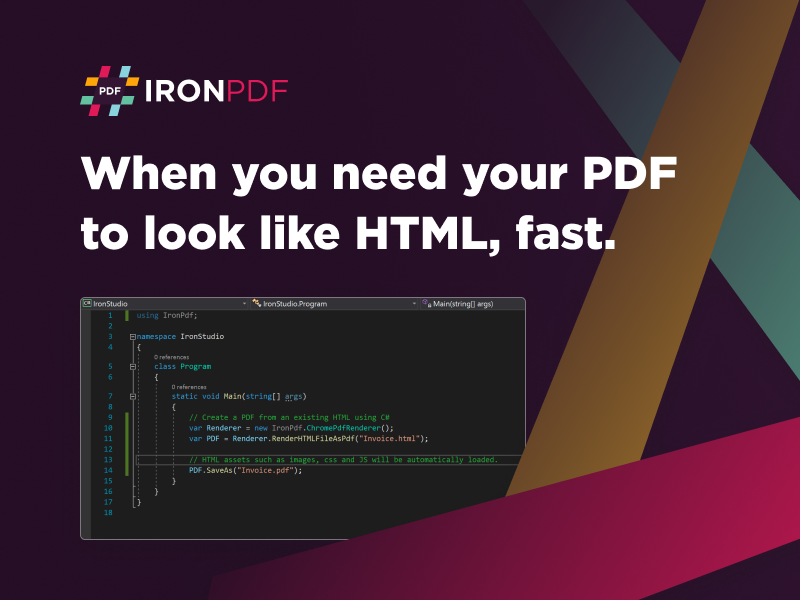
With so many digital and physical images spread around the average business ecosystem, it only makes sense to have a powerful solution to organizing and unifying these resources. With the new C# Convert PNG to PDF tool available from the expert team at IronSoftware, you get a simplified solution to integrating PDF capabilities into your next project. This tool fully supports .NET 5/6, Core, Standard, Framework, and Azure – giving you optimal functionality.

Besides robust image conversion features, C# Convert PNG to PDF uses Pixel Perfect Chromium Rendering, so every document created has the sharp crispness you would want for communication and storage. It allows your users to maintain their branding with custom headings, text, and image integration. You can even expand the conversion potential to other source data from MVC, ASPX, HTML, URLs, text, and more.


The goal should be to elevate the value and potential flexibility of your VB or C# project, and that is precisely what C# Convert PNG to PDF offers. It has all the security features you would want to maintain oversight or regulatory needs, like password protection, user permissions, digital signatures, and even metadata management if you want to search all your digital files down the road. Imagine how much more efficiently your users will make their file systems based on this one simple enhancement.

As C# Convert PNG to PDF is a free-to-use tool during development, you avoid the high upfront costs of other software solutions. There is no bloatware slowing down your project and no bugs to worry about from untested open-source solutions. IronSoftware smooths out the whole experience with exceptional supportive documentation available at https://ironpdf.com/blog/using-ironpdf/csharp-convert-png-to-pdf/ .

Bring the advantages of excellent PDF capabilities to your next project and give your users complete control over their PNG files with C# Convert PNG to PDF. Download a copy today at https://ironpdf.com .