goScreen 18.0.2.981

Product Page: https://www.goscreen.info
screen.jpg

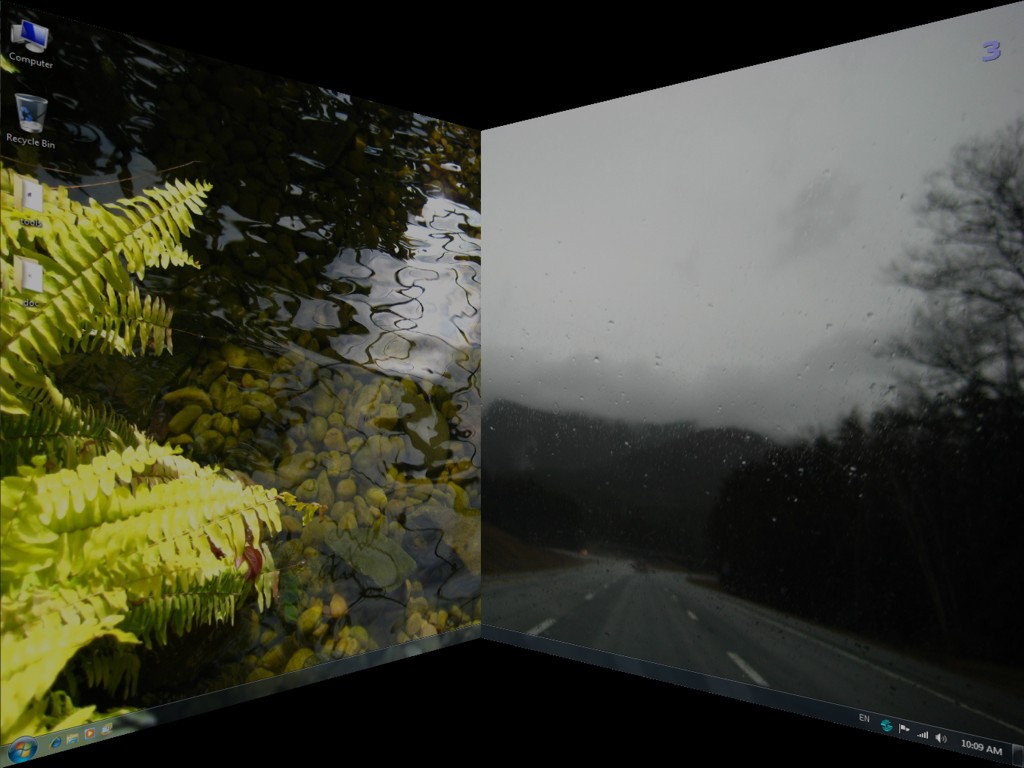
As monitor sizes, available RAM and operating system innovations all increase, it is likely that you are going to have more and more applications open on your desktop at the same time. GoScreen makes it possible to organize them the same way you organize files on hard disk – by placing application windows into different desktop folders, or screen pages. This way you could arrange windows by task thus cleaning the desktop. Switching between tasks would mean switching between different desktops.
GoScreen creates up to 80 virtual desktops (screen pages) on your single physical one. Only one screen page is visible at a time. When an application is started, it is placed on the current – “active” screen page. When you then go to another page, the application is left on the page where it was started – you can always find it there. It is possible to move applications between desktops, define application management rules, change attributes of each desktop separately, and so on.
Organize your work by creating multiple workspaces. Run each application, or group of applications on a separate screen. Never minimize any of the applications, never close any of them. When you switch screen pages, all running Windows programs just disappear from the screen and from the taskbar, but they are right there waiting when you switch back.


Graphcat<

WinNc 10.4.0.0

Product Page: https://www.winnc.com/

screenshot_winnc_800_600.jpg

Norton Commander Filemanager

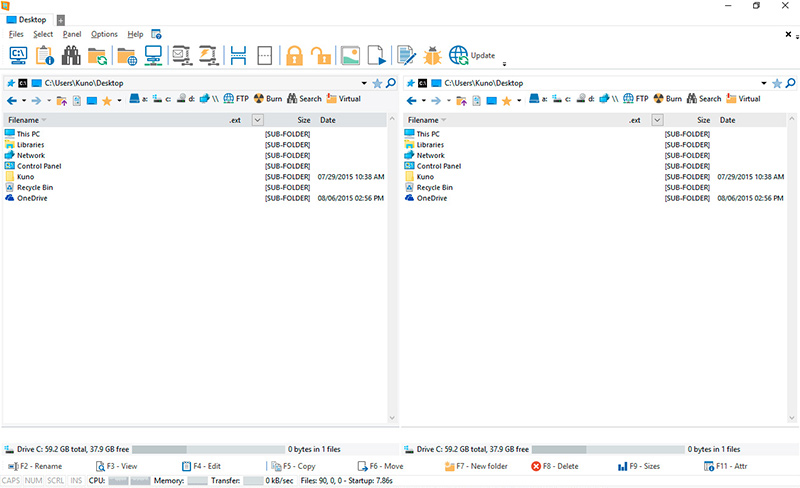
WinNc is a tabbed file manager especially developed for Windows 10 & 11. It also works on the older versions of Windows. This NC clone file manager is inspired on the dual panel concept of the old file manager Norton Commander. It has shortcuts to all the Windows special folders and the multiple tabbed interface allows you to organize your data by projects.


Projects can include files and folders from all over the disks that relate to the project tab and are stored virtually in the project folder as a link. With a new Windows 11 interface WinNc can do all the basic tasks you expect from a modern file manager like copy, move, delete, compress, uncompress and create links. WinNc uses logical colors for the file actions so you can quickly see if a file is being copied (green), being moved (orange) or being packed (yellow).

WinNc allows you to perform multiple tasks by setting the maximum parallel tasks to more than one task in the configuration panel. Otherwise WinNc will wait to start the new action until the previous action has finished. WinNc also converts audio, burns files on dvd and cd, creates and reads iso files, sets file attributes and you are able to keep you files synchronized using an internal sync module. From existing zip files it allows the creation of self extracting .exe files. It has a built in slideshow viewer, an audio preview player and a video player for quickly browsing and skipping through your media.

WinNc is available in the following languages:
English, German, Dutch, French, Spanish. (More languages available in beta version)

iText7 Alternative HTML to PDF 2023.1.11416

Product Page: https://ironpdf.com/blog/compare-to-other-components/itext7-csharp-html-to-pdf-alternatives/

itext7-html-to-pdf-screenshot.png

Take a moment and imagine all the various online communication required of any modern business. The receipts from ordering food online or the confirmation emails from your local gym after signing up for a New Year’s resolution all rely on PDF documentation. These companies need robust features and reliable services to ensure they can deliver what a customer needs.

With the new iText7 HTML to PDF alternative from IronSoftware, you get a well-rounded solution to integrating PDF features into your VB or C# project build. This is an easy-to-use, feature-rich enrichment with Pixel Perfect Chromium Rending, so every file you generate is full of the custom headers and visual features needed for an easy-to-digest document.

In addition, this iText 7 alternative fully supports .NET 5/6, Core, Standard, Framework, and Azure. It allows the quick and easy conversion of HTML, URLs, text, images, ASPX, and so much more. Learn more about the various features by visiting: https://ironpdf.com/blog/compare-to-other-components/itext7-csharp-html-to-pdf-alternatives/ .

With most companies requiring advanced security features, you’ll be able to impress your end users through this highly valuable tool. The iText 7 HTML to PDF alternative includes digital signatures, password protection, permissions, and even the ability to manage and edit metadata to effectively catalog newly digitized documents.

Instead of sinking endless funds into new software development, you can get started with this iText 7 HTML to PDF alternative at no upfront cost. The entire enhancement is available for free while you are working through the development phase. You only have to worry about a financial obligation when you have finally reached project deployment. That allows your team to save time and money dealing with buggy open-source solutions or expensive mainstream options.

Start now by visiting https://ironpdf.com/ and downloading the entire package today!