Aiseesoft Mac FoneTrans

Product Page: https://www.aiseesoft.com/mac-ios-transfer/

icon-321.png

Aiseesoft Mac FoneTrans is the first-granted iPhone Transfer software, which does well in file transfer between iOS devices and computer. It can transfer video, music, photo and many other multimedia files from computer to iOS devices. It also enables you to make iPhone ringtone and convert image format from HEIC to JPG/PNG and more. And now it enables you to rotate photos when previewing them. Key features: 1. Transfer file between iOS device and Mac Aiseesoft Mac FoneTrans can help you import video, music, photo, and other media files from computer to iPhone/iPad/iPod for enjoyment anywhere and anytime. It also allows you to export files from iOS devices to Mac for backup. 2. Share files between iPhone/iPod/iPad Apart from transferring files between computer and iOS devices, you are allowed to transfer files between any iOS devices for file sharing and the shareable files include music, movie, picture, TV show, Podcast, iTunes U, eBook, camera roll, ringtone, etc. 3. Back up iPhone SMS (MMS) and Contacts With Mac FoneTrans, you can copy SMS to Mac for backup and they can be saved in excel, text or html format. Users can also back up the important contacts to Mac in case of losing or damaging of their iDevices. 4. De-duplicate Function To avoid repeated contacts/music, you can delete repeated ones or merge different contacts of the same person. 5. Ringtone Maker and HEIC Converter You can make ringtones for your iOS device at ease with this iOS data transfer tool. You can also convert HEIC images to other common formats like JPG or PNG.


Graphcat<

Free Mac MKV Player

Product Page: https://www.aiseesoft.com/pads/free-mac-mkv-player.xml

screen.png

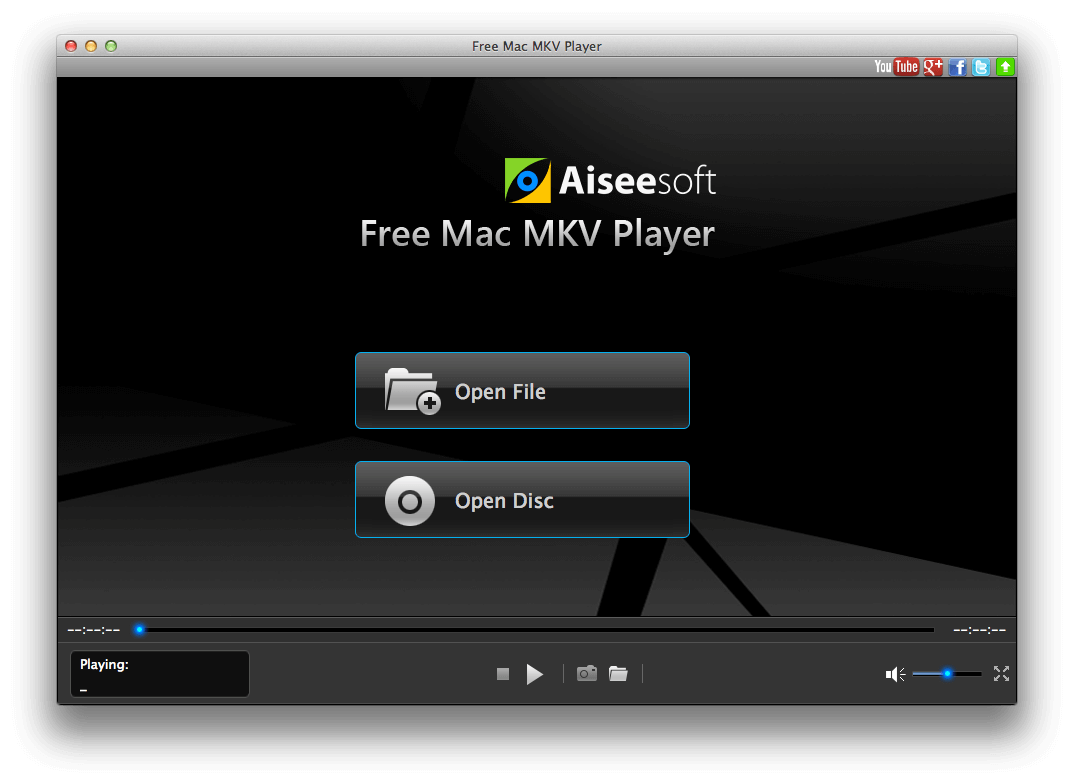
Are you looking for a best MKV player on Mac? Try this Aiseesoft Free MKV Player for Mac! With this free video player program, you can enjoy HD, 4K and 3D MKV files on Mac. Furthermore, most other video (MP4, MOV, WMV, AVI and so on) and audio formats (MOV, M4V, AVI, WMV, etc.) are supported. Key Functions: 1.Play MKV video on Mac. With this free MKV player, you can easily playback the HD, 4K and 3D MKV files on your macOS X (El Capitan included) without any trouble. 2.Play other video files. Apart from MKV video, the free player also supports playing many other video formats, including MP4, AVI, MOV, VOB, TS, FLV, WMV, MPG and more others. If you are looking for a player to play MKV and other video format files for free, just download the Aiseesoft Free MKV Player for Mac. It will give you best experience. 3.Free music player for Mac. It is also a better music player to play MP3, AAC, FLAC, WAV, OGG, etc. audio on macOS X. This powerful free software gives you experience of cinema since it supports DTS-HD and Dolby TrueHD audio technology. 4.Other edit features You can get different styles of videos made by yourself, since this software allows you to upgrade video effect such as adjusting the video Brightness, Contrast, Saturation, Hue and Gamma provided for Mac users. During the process of playing, you can also capture your favorite pictures and save them as JPEG, PNG or BMP formats.

TSplus Remote Work 16

Product Page: https://tsplus-remotework.com/

Remote-Work-Graph-800x600.png

Out of necessity, millions of workers have been dispersed from their classic central office surroundings. The cost and logistics of duplicating software licenses alone can be enormous.
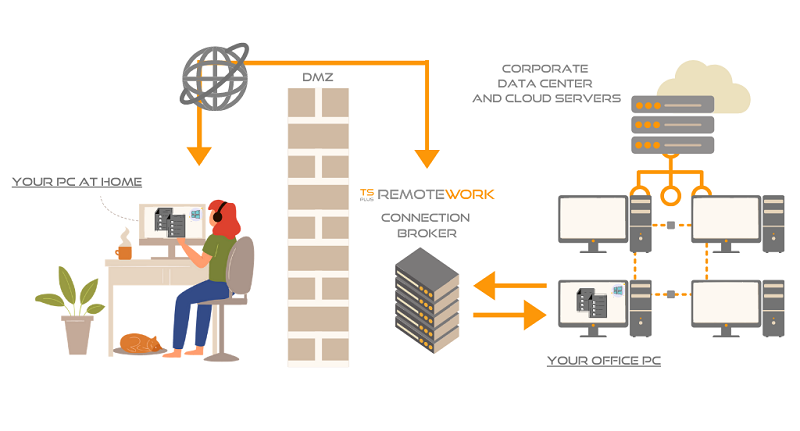
TSplus Remote Work provides users with secure remote connection to their office PC desktop for a seamless home office experience. It is an effortless and cost-saving solution for creating a complete work-from-home environment in no time!

– Cost and time saving:
Using Remote Work to access corporate desktop PCs can save organizations enough money in licensing costs to pay for itself on the first day of deployment. The Remote Work Admin Tool is fast to install and easy to configure and there are no Windows Server roles to install. A single server at the office running the software is enough to get started.


– Secure for your data:
It acts as a gateway, brokering connections between remote users and their office desktops.

– Multi-devices:
The gateway is also a web server, offering an easy to use, secure web portal to give users the ability to remotely access their office PCs via any device and any web browser!

– Familiar:
More than that, it connects them with the same session they would normally see whenthey are in the office. From License management to web portal customization, Remote Work keeps management simple for a successful and optimized transition to home office!

Download the first major version for a free 15-day trial.