4Easysoft Mac Video Converter

Product Page: https://www.4easysoft.com/mac-video-converter/
mac-video-converter-interface.jpg

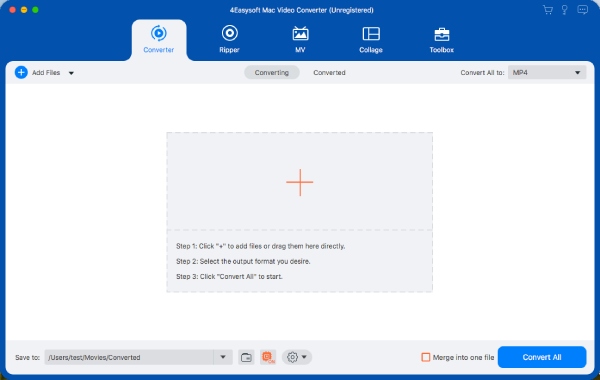
4Easysoft Mac Total Video Converter is an all-in-one converter that supports more than 600 file formats. In addition, it also provides powerful AI technology to improve video quality and add effects. It is important that you can convert video/audio files in bulk lossless without limitation of file size. Key Features: 1.4Easysoft Mac Total Video Converter supports more than 600 video/audio formats and device presets. You can convert videos to any format you want. It provides rich device presets that you can switch with one button without adjusting any parameters, including Android, iPhone, and other popular devices. 2.The powerful batch conversion function allows you to convert multiple files at the same time. When you have many video or audio files to process, simultaneous conversion can save you a lot of time. In addition, he also supports M1&AMD&Nvidia, CPU Acceleration, and M1 GPU technology to accelerate conversion. 3. High-quality conversion is a top priority. This excellent video converter provides 720P, 1080P, HD, 4K, and HEVC video encoders, which can meet your requirements for converting high-quality video. At the same time, you can also customize video and audio parameters to improve the quality, such as resolution, sample rate, frame rate, and bitrate. 4.Professional editing tools are provided. In addition to basic editing functions, such as cropping, flipping, adding subtitles, removing watermarks, etc. You can also enjoy 15 toolboxes to convert and edit videos, including Video/Audio Compressor, Video Watermark Remover, GIF Maker, Video Merger, Audio Sync, and File Data Changer. In short, if you want a converter with comprehensive functions to meet your conversion, editing, and compressed video, 4Easysoft Mac Video Converter is worth having.


Graphcat<

EPPlus Excel C# 2022.12.10926

Product Page: https://ironsoftware.com/csharp/excel/blog/compare-to-other-components/epplus-read-create-excel-alternative/

epplus-excel-screenshot.png

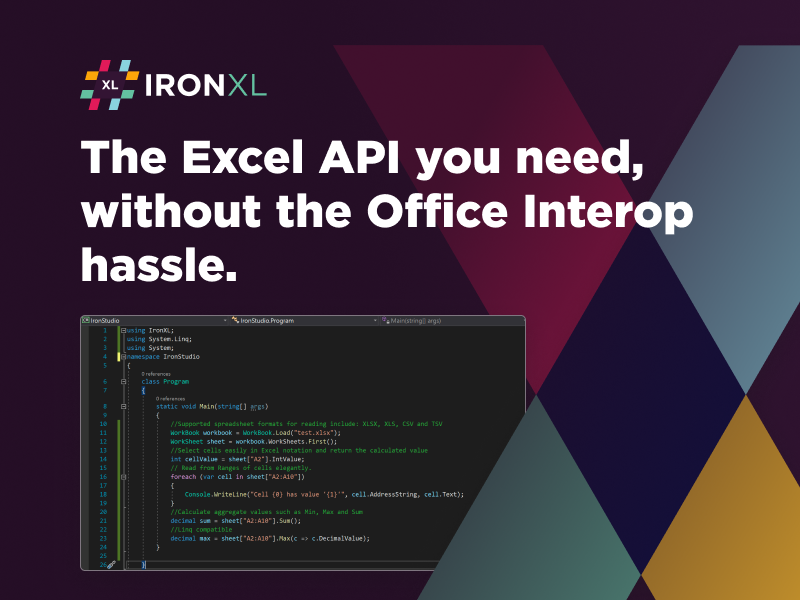
In today’s fast-paced, consumer-driven market, you need products that offer as much value to the individual or business as possible. That may include integrating powerful spreadsheet capabilities with all the same formatting as Excel, but none of the upfront costs. So, instead of using Microsoft Excel or Excel Interop, trust the team at IronSoftware. The new EPPlus Excel C# offers a flexible alternative to easily manipulate, edit, create, and format spreadsheets.

The feature-rich benefits of EPPlus Excel C# are maintained inside the native project build. That is a timesaving feature your users will appreciate instead of constantly swapping between various third-party apps to make things work. This means users can enjoy the same formatting, like coloring cells, adding patterns, introducing formulas, and using text and numbers in a wide array of styles.


Using this EPPlus read Excel C# alternative is free to integrate while in your project build development phase. IronSoftware only asks for a reasonable licensing fee once you have reached active deployment. You can download a copy for yourself at https://www.nuget.org/packages/IronXL.Excel to try out the powerful enhancement today.

This tool supports .NET 5, Core, Standard, Framework, and Azure. It allows end users to import file types in .xls, .xlsx, .csv, .tsv, and more. Then, they can also export data forms, reports, and other critical items into various formats that are easily sharable to improve inter-team communication.

IronSoftware was sure to include lengthy supportive documentation for integration of EPPlus Excel C# at https://ironsoftware.com/csharp/excel/blog/compare-to-other-components/epplus-read-create-excel-alternative/. Stop wasting time with expensive, complex solutions that often have buggy results when open-sourced or cost-prohibitive features. Instead, rely on the expertise of a well-known development team and pick up a copy of EPPlus Excel C# today.

Vidmore Screen Recorder for Mac

Product Page: https://www.vidmore.com/screen-recorder/

screenshot.jpg

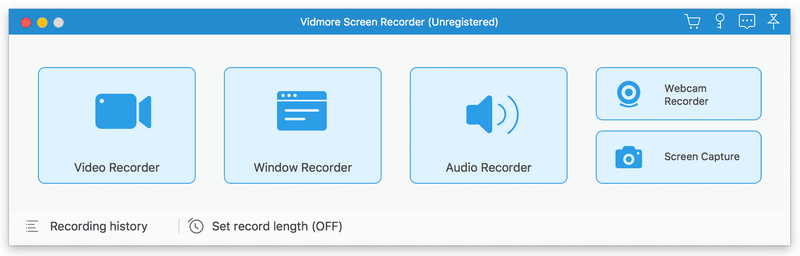
Vidmore Screen Recorder for Mac is an easy-to-use screen recording program, with it, you could record the video and audio files you want to save. Key functions: 1. Record video and audio files With Vidmore Screen Recorder for Mac, you could save any precious media files you want to use in the future. It is able to record media files without any hassle. It also allows you to record the system and microphone sound. In addition, you could record the full screen or select the area you want to record as you like. 2. Record webcam and trim recordings Vidmore Screen Recorder for Mac could record and save high-quality video content from your webcam. If you just want to save a part of your recordings but you do not want to record it again, Vidmore Screen Recorder for Mac could help you solve this easily. You just need to choose the start and end time of your clip after recording, then you could save the part you want. 3. Record GIF, window recording Do you want to save media files as GIF? With Vidmore Screen Recorder for Mac, the output video or screenshot format could be saved as GIF files. Furthermore, the window recording function allows you to record single window or multiple windows. In addition, you are able to add mouse click and mouse area effects while recording. 4. Powerful editing functions You could set the output video format, video codec and video quality according to your need. Moreover, you are able to add text, arrows and shapes to your recording files. If you want to set hotkeys to start and pause recording or screen capture, all of this could be achieved with Vidmore Screen Recorder for Mac.