BootIt Collection 1.36/1.84

Product Page: https://www.terabyteunlimited.com/bootit-collection/
lightning-base.jpg

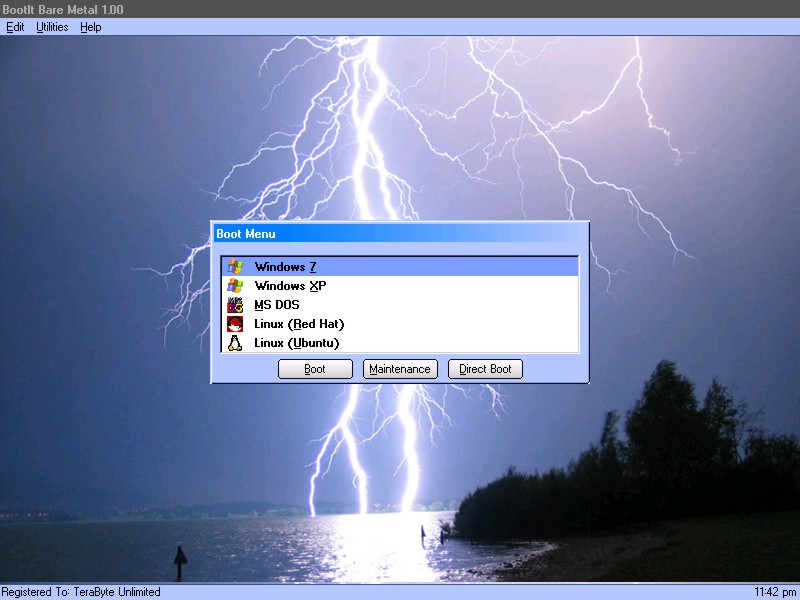
BootIt Collection contains both BootIt Bare Metal and BootIt UEFI providing a high-quality partition manager, boot manager, and disk imaging program for both legacy BIOS and UEFI systems in single package, further enforcing TeraByte’s position as a leading innovator of advanced multi-booting software.

Some of the many partition operations include non-destructive resizing, converting, creating, copying, moving, deleting, and undeleting on hard drives beyond 16 exabytes in size. Standard MBR, EMBR, and GPT type disks are all supported, as is safely converting between them. The built-in BCD editor provides an easy way to fix Windows BCD booting problems. Users can easily enable Windows partition alignment standards and more advanced users will appreciate the full control over drive geometry.


Boot operating systems from any partition on any hard drive (up to 16) or boot multiple operating systems from a single partition. With a host of options available for each boot item, BootIt provides an unequaled level of flexibility in configuring a multi-boot system. When using EMBR type disks (which support over 200 primary partitions), load only the partitions needed for that operating system – great when OS isolation is required. The system can be further customized and secured with user IDs and passwords.

Create and restore backup images of partitions or entire drives using the included full version of TeraByte’s Image for DOS and Image for UEFI – accessible directly from the BootIt desktop. Easily migrate to a larger drive or recover from hard drive failure or corruption. Image files can be saved to internal or external drives and have full compatibility with Image for Windows and Image for Linux.

BootIt features a simple, mouse-driven graphical interface, and is entirely self-contained, requiring no operating system to install and run. In addition, partitioning and disk imaging functions can be easily implemented from the boot media – no installation required.

Graphcat<

Antamedia HotSpot Software 7.5.5.1

Product Page: http://www.antamedia.com/hotspot/

hotspotsoftware.png

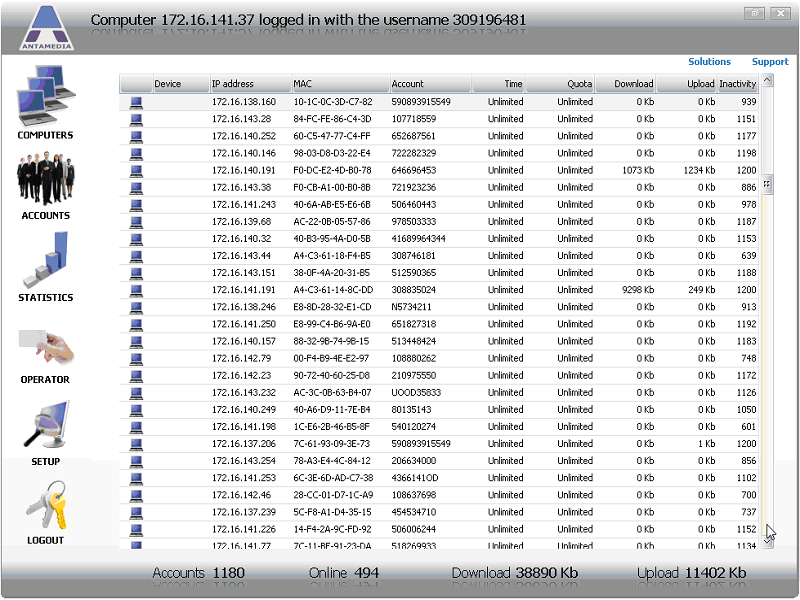
Hotspot software by Antamedia is the Industry leading software to manage and sell Guest WiFi Hotspot access and Hotel WiFi Internet. It helps you control and bill Internet usage by redirecting customers to login with username and password, social account, email or watch ads. It is suitable for Hotel WiFi, Social marketing, ISPs, Hotspots, Airports, Hotels, and for all purposes where customers should be redirected to the login page to sign in or pay for the Internet access. Upon the successful login, customer will see remaining time and bandwidth, browse the Internet until account expires, and refill the account when needed.

Our HotSpot solution works with any active and passive network hardware. You are not required to buy specific access point models and in many cases not even required to reconfigure your network. HotSpot software acts as a gateway – it will accept traffic to one network card, analyze it, and if customer is allowed to browse, it will pass traffic to second network card connected to Internet using preferred line (ADSL, Cable, WiFi…). It is suitable for ISPs, Hotspots, Airports, Hotels, Internet and Cyber cafes. Automate your hotspot by accepting credit card payments with PayPal or one of the 70 supported payment gateways.

FaxTalk FaxCenter Pro 10.0.1638.2

Product Page: https://www.faxtalk.com/faxtalk-faxcenter-pro-fax-software/

screenshot-faxtalk-faxcenter-pro.gif

Easy to use Windows fax software to send, receive, view and print faxes. FaxTalk manages your incoming and outgoing fax communications quickly, efficiently, and reliably. Whether you’re a small business or an individual, FaxTalk’s advanced send and receive fax features turn your computer into sophisticated fax machine and eliminates the need for a stand-alone fax machine. From a single application you can send, receive, view and print faxes, organize fax documents, create and manage contacts and phonebooks and control all fax operations.
Whether you are sending a fax to a single recipient or broadcasting faxes to multiple recipients the FaxTalk fax software provides the features you need. Regardless if you’re using a fax modem to fax over a telephone line, or T.38 Internet fax support to fax over the Internet, FaxTalk provides a solution. In both cases, your confidential fax and contact data is kept on your computer where it belongs. Produce professional looking faxes, even combine multiple documents into a single fax, and broadcast faxes to multiple recipients with just a few mouse clicks. With the FaxTalk fax software you can fax directly from Windows applications and utilize powerful features such as color fax, broadcast faxing, delayed scheduling, high-speed V.34, fax to email, access to contacts stored in Microsoft Outlook, export to TIFF or PDF, fax markup and annotation tools, custom designed cover pages, scanner support and resend previously sent faxes.
Receive faxes on your computer with features that save you time and money. Avoid printing unwanted faxes and view received faxes on screen, print a copy, or save the fax for future review. Automatically forward received faxes to an email address or another fax number. You can even have received faxes automatically forwarded to your Microsoft Outlook Inbox to create a unified messaging solution. You can also block the reception of unwanted, unsolicited “junk faxes”.