TSplus Server Monitoring 5.2.10

Product Page: https://tsplus-servermonitoring.com/

Server-Monitoring-Graph-1-800x600.png

Server Monitoring is the smart monitoring and reporting solution to set up on your server(s). It tracks, records and analyzes users activity in every application, over Remote Desktop and Terminal Services connection method. With session recording, Server Monitoring records all user activity from the moment a user logs into a Windows machine via RDP or Terminal Server. It captures all activity taking place in the opened session over the time. Server Monitoring performance and applications’ analytics instantly alert IT teams to abnormal or suspicious user activity. It delivers an enterprise-scale porting of all terminal servers sessions, Citrix session and other standard remote control software in a compressed and searchable format. It checks websites performance, visits and stability and send real-time alarms in case of suspicious event that could lead to a failure. The result is a complete solution for identifying and managing your production’ environment. You can see the details of all Windows sessions, sorted and grouped according to each server. In many cases, this report list is already enough information for your auditing and troubleshooting needs. You can set customizable alerts regarding any sensitive, unusual, suspicious threshold you fixe and get proactive warnings to troubleshoot important issues faster. By making important events visible in real time, it is possible to quickly and effectively respond to any deliberate or inadvertent threats to IT security, system integrity, regulatory compliance or company policies. Overcome employee idleness with user activity monitoring. Never find yourself over- or under-licensed with license usage reports. Understand, Predict and avoid incident on yout servers at a glance: download Server Monitoring now for free!


Graphcat<

Media Player Codec Pack 4.5.8.310

Product Page: https://www.mediaplayercodecpack.com/standard/

screen_shot_1_large.jpg

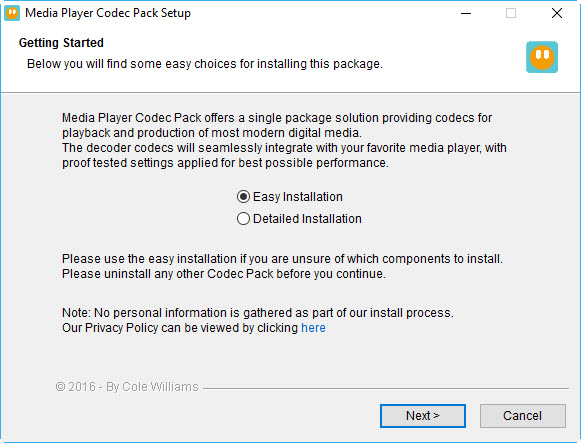
The Media Player Codec Pack is a free simple to install package of codecs/filters/splitters used for playing back movie and music files. After installation you will be able to play 99.9% of files through your media player, along with XCDs, VCDs, SVCDs, and DVDs.
Additional file associations are applied to make Windows Media Player play BDMV (unencrypted BluRay/AVCHD), EVO (unencrypted HD-DVD), MKV, M2TS, MP4, VOB, OGM, WEBM, FLV, and NUV movie files, as well as AC3, DTS, FLAC, APE, OGG, WV, TTA, OFR, SHN music files, and finally MO3, IT, XM, S3M, MTM, MOD, and UMX tracker audio files. Compression types supported include AVC, H.264, x264, H.263, H.261, DivX, XviD, Flash Video, VP3-8, Morgan JPEG, MJPEG, MPEG4, MPEG2, along with many more.
The package detects the best proof tested settings with additional options for CPU, GPU, and DXVA compatibility. Audio options during install allow users to set output from basic 2.0 channel stereo, right up to 7.1 channel output. Digital audio S/PDIF / HDMI passthrough for home theatre systems can be set by the user to output Dolby Digital AC3, Dolby Digital Plus E-AC3, Dolby TrueHD, DTS, DTS-HD, even multichannel non-AC3/DTS audio (for example 5.1 channel FLAC) can be set to encode as AC3 and output to digital S/PDIF / HDMI.
Included in the package are a number of encoder codec’s, allowing you to encode files in formats such as DivX and XviD in your favourite encoding application.
Please note that protected formats may require a specific player. 32-bit and 64-bit version of Windows Media Player are supported as well as most other players. The package supports 32-bit and 64-bit versions of Windows.

Internet Cafe Software 10.1.0.5

Product Page: http://www.antamedia.com/cafe/

screen-internet-cafe-software.png

Antamedia Internet Cafe controls, secures, and enhances the running of your Internet cafe, gaming center, library, school or hotel public computers.

The software helps you bill your customers for limited browsing, playing games, using Office applications, WiFi HotSpot usage, VOIP calling, printing, point of sale products. It restricts access to the system, desktop, drivers, folders and programs, protects your client PCs from customer misuse, blocking access to the sensitive files, OS, Registry tools, Run and Find command, Windows control panel, Printers and Faxes, network neighbour, minimizing maintenance time.


Internet Cafe software is an integration of all Antamedia products: Internet Cafe, HotSpot, Print Manager, Bandwidth Manager and the Point of Sale. It is the next-generation software that can control desktop computers, WiFi laptops and devices, mobile phones, PS3, Nintendo Wii, Xbox and other consoles. Customer usage and statistics is tracked for user logins, tickets, free usage, refills, self-service signups.

Advanced POS helps you bill your customers while keeping track of your inventory and reminding you on low stock. Loyalty features with smart cards support brings promotions and rewards, increasing profit from existing customers.

HotSpot module limits download and upload rate, bandwidth data transfer, maintains URL log of the pages visited by customers.

Printed pages are tracked and the cost can be deducted from account balance, customer time, or added to the customer bill. VoIP billing brings cheap calls for your customers and additional revenue.

Some of the many features are logo and receipt customization, skins, detailed application setup, API integration, remote client computers on different networks behind firewalls, user account sharing between multiple Internet Cafes.

That’s why Antamedia is the most popular software for Internet or cyber cafes, in 170 countries across the world. Download the fully-functional demo now!