
C# Digital Signature PDF 2022.10.9532

Product Page: https://ironpdf.com/examples/digitally-sign-a-pdf/
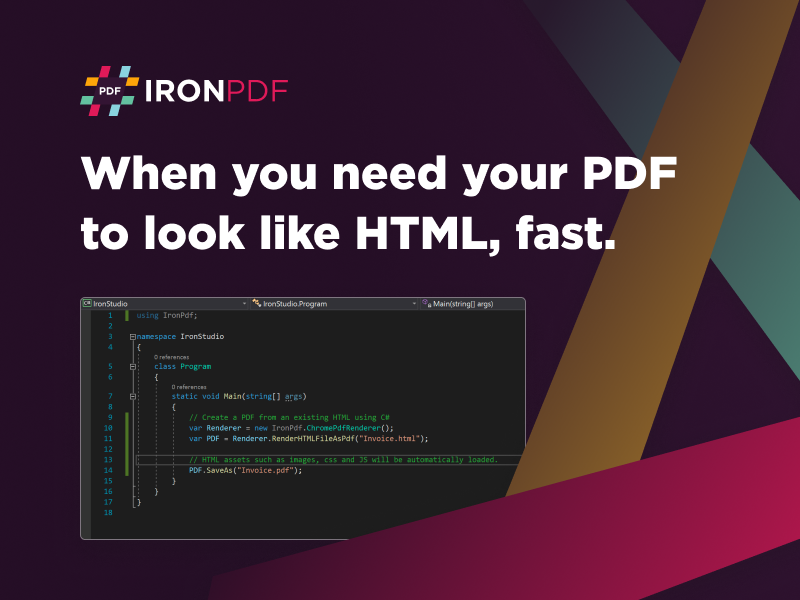
csharp-digital-signature-pdf-screenshot.png

Love it or hate it, business has changed forever. The advent of more streamlined workplace tools that allow team members, clients, and end users to communicate online only will continue to grow. That is why you need to offer real value to your clients by integrating the powerful tool C# Digital Signature PDF by IronSoftware. This allows you to add PDF functions to your project without the bulky software from Adobe or the often buggy open-sourced solutions your competitors use.

C# Digital Signature PDF includes many of the security features industries like healthcare, education, law enforcement, and government work require for their documentation. Like the tool’s name, you can easily add digital signatures to your documents using only a single line of code. There are also features like permissions, password protection, and metadata management to further ensure only the authorized recipient is viewing your PDFs.


This new tool fully supports .NET 5 Core, Standard, Framework, and Azure. It uses Pixel Perfect Chromium Rendering from sources like images, text, URLs, HTML, ASPX, and more. This creates a stunning copy of things like website layouts to add to your client’s portfolios or clean versions of docs used to purchase a car.

You do not have to fork over a high upfront cost to use C# Digital Signature PDF because it is free while you are in development. That way, your team has less pressure trying to learn a different system while streamlining your final MVP product. The only time you will need to make a purchase is when you are finally ready for deployment. Then you can pick up a license from IronSoftware by visiting https://ironpdf.com/.

There is plenty of support available to learn to use C# Digital Signature PDF. Check out https://ironpdf.com/examples/digitally-sign-a-pdf/, and you’ll see active examples of how to integrate the code work into your project build. It is incredible how even a single line of code can transform your project.

Graphcat<

CADopia 22 Professional 21.2.1.124427

Product Page: http://www.cadopia.com/

render.jpg

CADopia 22 Professional (Perpetual license) is a full-featured CAD solution. The advanced features in this edition include ACIS 3D solid modeling, customization tools, PDF to DWG conversion, voice notes, and support for DGN files as underlays in addition to all standard drawing and drafting functions. Available in 12 languages. Visit www.cadopia.com for details.

The following new features and refinements are included in CADopia 22 in addition to the complete set of standard drafting features of previous releases of CADopia.

Drawing Comparision
Stereolithography support
Data Extraction Wizard
Improved batch printing
Layer support in PDF import

The major features supported in CADopia Professional are:

Powerful CAD functionality:
AutoCAD 2.5-2018 DWG Support
Microstation DGN file Underlays
A comprehensive suite of drafting, design, and detailing tools
Supports standard CAD commands
Supports standard menu (.MNU) files
Optional Dark User Interface
Support for Digital Signature
New Layer Manager and Palette
3D solid modeling
Push & Pull for editing solid models
Filleting & Chamfering solid models
2D Spiral and 3D Helix
Redefine base point of a block
Edit block attribute properties
Dynamic custom coordinate system
Formulas in tables and export to Excel
Multileaders
Export Adobe Acrobat (PDF) files from your drawings
Import PDF files and save as DWG file
Import/export DWF files for viewing drawings on the Internet
Raster Image insertion and editing
Clipping support for references, images, and viewports
Quick input
Annotation scaling
Pattern hatch
Curved text
Drawing tab
Heads-up display toolbar
Layer state manager
Polar tracking
Ribbon interface
Design Resources
Quick grouping and ungrouping
Drawing standards verification and support for DWS files
Complex Linetype
Boundary hatching
Dimensioning and annotations
Smart Dimensions
Dimensions on Sheets to Model Geometry
Template files
Optional Network License & more.

ACDSee Gemstone Photo Editor 12.1.0.353.2

Product Page: https://www.acdsee.com/en/products/gemstone-photo-editor/

screenshot.png

A new photo editor is on the prowl
The powerful image creator you’ve been waiting for is finally here. ACDSee Gemstone Photo Editor 12 has all the artistry and layered prowess you need to satisfy your photo editing desires, no matter how complex the composition. For maximum productivity, the MDI (Multi-Document Interface) layered editor allows you to carve your images into full spectrum splendor. Let sultry tone curves and spinning color wheels feed your imagination as you whip through Gemstones non-destructive RAW image processor, ACDSee RAW, and layered graphic editor. With an intuitive design, and presets for everything from creating files to fine-tuning colors, the Gemstone Photo Editor will polish your design workflow.

Limitless layered editing
Build the magical image compositions you’ve been dreaming of using Gemstones GPU-accelerated layered editor.

Graphic Design Tools
Layer Effects, Masks, Adjustment Layers, Text Tools, Lasso & Shape Tools, Liquify, Frequency Separation, Pixel Targeting, Distortion & Perspective Correction, Layer Blend Modes & Opacity

Color Tools
Color Wheel, Tone Wheels, Color EQ, White Balance, Color LUTs

Efficiency Tools
Edit History, Snapshots, Navigator, Histogram

Photography Tools
High-Dynamic Range (HDR), Focus Stacking, AI Background & Subject Selection, Advanced Lighting Correction, Watermarks

Repair & Restoration Tools
Smart Erase, Skin Tune, Blended Clone, Heal, Dehaze, Noise Reduction, Sharpen

Artificial intelligence meets artistry
Let Gemstones AI-powered selection tools do the heavy lifting so you can focus on the delicate details.

Select your subjects with a click
Quickly remove unwanted backgrounds in photos
Blur image backgrounds with ease
Instantly turn the background of your photo Black and White

Pixel perfect ACDSee RAW power
Flex your editing muscle using ACDSee RAW; a non-destructive RAW photo editor built right into Gemstone.