TSplus Advanced Security 6.3.11

Product Page: https://tsplus-advancedsecurity.com/
Advanced-Scurity-Graph-800x600.png

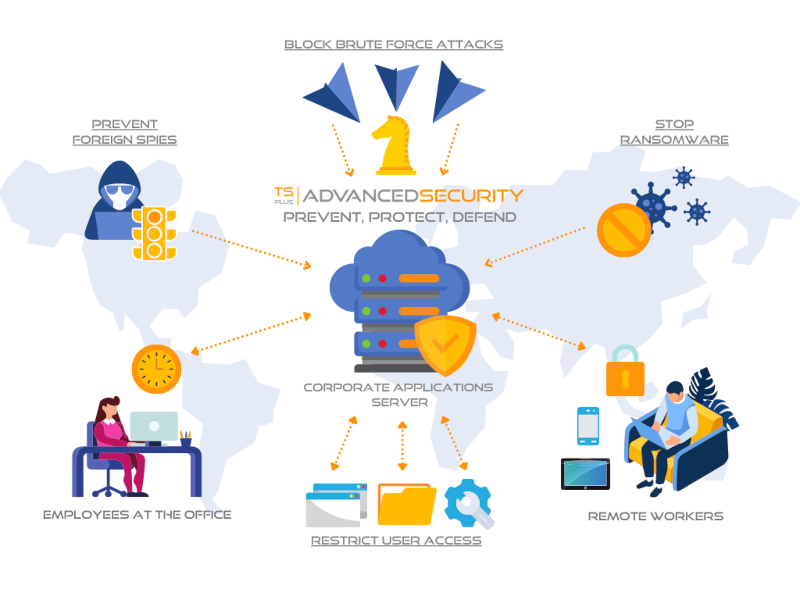
TSplus Advanced Security is the must-have cybersecurity software to detect attacks on remote connections, protect servers and improve your network security. Cyber criminals know you use Remote Desktop Protocol to work remotely. And you need to know your network vulnerabilities to mitigate your risks. The TSplus approach combines smart cybersecurity technologies and the expertise of our remote desktop security specialists to deliver advanced threat protection for your servers and remote workers. Try it now for free! TSplus Advanced Security Ultimate Protection will be your secret shield against the increasing number of cyber criminals who try to take advantage of home office workers. Easy-to-use and comprehensive antivirus, it is extremely efficient from the start. It will provide a solid protection for your RDS Servers and sensitive data by fighting against hackers and malicious people with seven powerful security features:

Prohibit employees to connect at night with time-based control access: with Working Hours Restriction, you can specify what times and days each of your users or groups can open sessions.


Use Homeland Protection to block any IP address which is not in your list of allowed countries and thus protect your servers from potential foreign attack.

Block brute-force attacks thanks to a powerful Defender.

Inspect Windows files permissions at one sight and modify them in a click.

Detect and stop Ransomware on time and back-up data in a safe place.

Restrict access to specific devices.

Review all security events in real-time and durably improve your network defense system. Step into a more secure world! TSplus Advanced Security makes it so easy to reenforce your security policies and allow safe remote working.

Moreover, it can be used as a partly integrated, fully compatible add-on to TSplus Secure Remote Access for a complete remote office solution. Download the right shield for your servers now!

Graphcat<

CSharp Create PDF LinkedIn 2022.10.9532

Product Page: https://www.linkedin.com/pulse/how-create-pdf-file-c-developer-tutorial-charlie-speller/

csharp-create-pdf-linkedin-screenshot.png

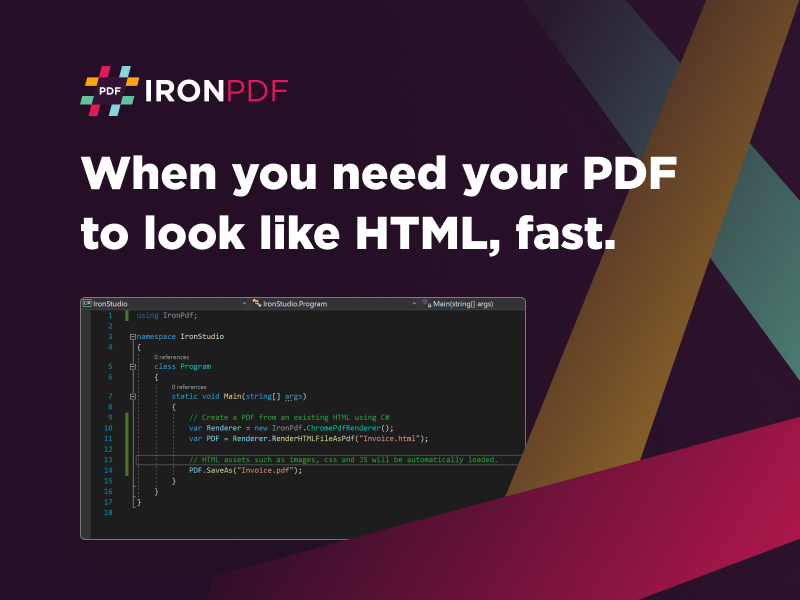
CSharp Create PDF LinkedIn improves project development by adding PDF capabilities to your current system. This improves the value and versatility of your project that your end-users will appreciate. So many people rely on PDF to perform their professional and personal processes that it is highly beneficial to add this same ability to your project. For example, everyone from police officers to the workers picking up trash requires documentation.

With the C# create PDF enhancement of CSharp Create PDF LinkedIn, your end users can merge, add, combine, and split PDF files into whatever configuration they wish without leaving your project’s native environment. With this enhancement, you save time and money trying to make bulky programs like Adobe fit into your current project model. It also means less problem solving as this create PDF C# structure already has the bugs and errors worked out by the expert team at Iron Software.

CSharp Create PDF LinkedIn fully supports development in C# and .NET 5 Core, Standard, and Framework. The advanced Chromium rendering allows you to Generate PDFs in C# with HTML, MVC, ASPX, and images. This is a highly useful attribute as many of today’s workforce are based online across the globe coming together. You need a universal PDF system that they can all use to understand the various documentation and reports necessary for their roles.

You can use this C# create PDF system with the passwords, metadata, permissions, and digital signatures you would want to ensure the protection of all PDF documents. So if you are a law firm sending a brief to a client or the courts, only the correct users will be able to read the contents thanks to the security measures.

You can download CSharp Create PDF LinkedIn for free at https://ironpdf.com/. You only need a license when in deployment. Learn more at https://www.linkedin.com/pulse/how-create-pdf-file-c-developer-tutorial-charlie-speller/.

Luxea Video Editor 6.1.0.1859.3

Product Page: https://www.acdsee.com/en/products/luxea-video-editor/

screenshot.png

your world is moving, lets share it
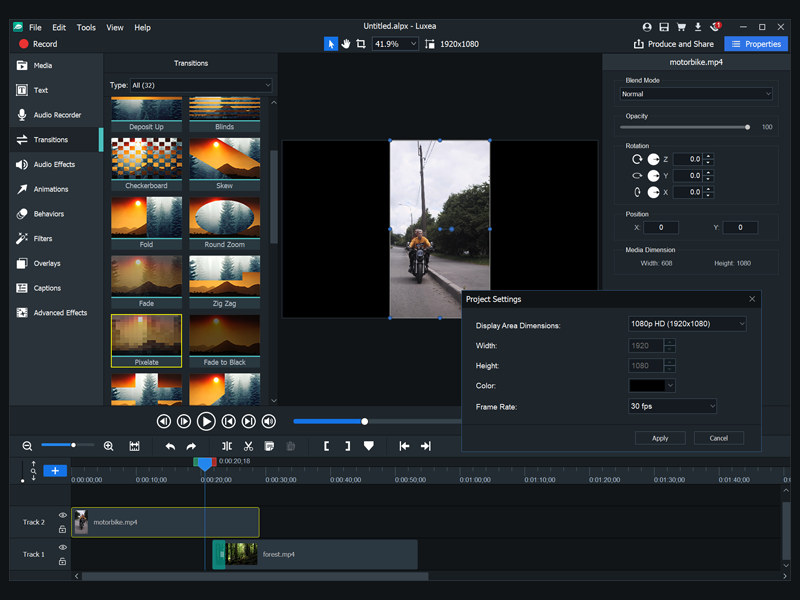
In a world where everyone is a creator create better. Luxea Video Editor gives you the power to turn your visions into reality. Produce your smoothest work with support for up to 60 frames per second. Be creative with new features including a text tool, added transitions and extended editing capabilities. Let Luxea Video Editor take you to the next level of video content.

record
Import your own footage, work with existing media, or generate your own. Record your webcam, microphone, or screen and add it to your project.

edit
Arrange, edit, split, trim, and merge audio, video and still images. Add effects, captions, filters and transitions that make your video stand out.

produce
Finalize and render your video in a variety of formats and sizes, including 4K. Then share your masterpiece on social media straight from the application.

step up
With support for up to 60 frames per second, your video and transitions will be smoother, providing richer viewing experiences.

save time and effort
Easily manage gaps between media when you change the duration of clips.

customized for your needs
You can now scale the Timeline to fit your media to take a look at the bigger picture.

see clearly
Take control of the deck for a clearer view of the project you are editing by detaching the viewing area and moving it to your other monitor great for viewing edits in full screen.

take control from your timeline
New shortcuts make editing easier. Rotate your media in two clicks. Copy and paste perfected filters from media to media.

manage your experience
Reduce the quality of your playback to expedite editing and to maximize processing power, without affecting the quality of the output.

tell the story
Enrich your video by adding text in one of 20 different styles. Customize fonts, colors, alignments, directions, and formats for the look you want.