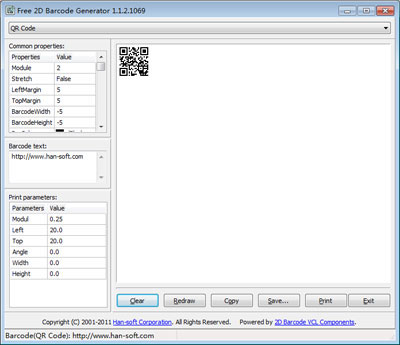
Free 2D Barcode Generator

Product Page: http://www.han-soft.com

barcode2dgen.jpg

The programe generates and prints most popular matrix and stacked 2D barcode symbologies including Aztec Code, Aztec Runes, Data Matrix(ECC 0-140, ECC 200), QR Code, PDF417, Micro QR Code, MicroPDF417, MaxiCode, Code 16K, RSS family(RSS-14 Standard, RSS-14 Truncated, RSS-14 Stacked, RSS-14 Stacked Omnidirectional, RSS Limited, RSS Expanded, RSS Expanded Stacked), etc.

Graphcat<

Windows 10 Codec Pack 2.2.0.309.1

Product Page: https://www.windows10codecpack.com/

screen_shot_2_large.jpg

The Windows 10 Codec Pack is a free easy to install bundle of codecs/filters/splitters used for playing back movie and music files. After installation you will be able to play 99.9% of files through your media player, along with VCDs, SVCDs, and DVDs.
Additional file associations are applied to make Windows Media Player play BDMV (unencrypted BluRay/AVCHD), EVO (unencrypted HD-DVD), MKV, M2TS, MP4, VOB, OGM, WEBM, FLV, and NUV movie files, as well as AC3, DTS, FLAC, APE, OGG, WV, TTA, OFR, SHN music files, and finally MO3, IT, XM, S3M, MTM, MOD, and UMX tracker audio files. Compression types supported include AVC, H.264, x264, H.263, H.261, DivX, XviD, Flash Video, MJPEG, MPEG4, MPEG2, along with many more.
The package detects the best proof tested settings with additional options for CPU, GPU, and DXVA compatibility. Audio options during install allow users to set output from basic 2.0 channel stereo, right up to 7.1 channel output. Digital audio S/PDIF / HDMI passthrough for home theatre systems can be set by the user to output Dolby Digital AC3, Dolby Digital Plus E-AC3, Dolby TrueHD, DTS, DTS-HD, even multichannel non-AC3/DTS audio (for example 5.1 channel FLAC) can be set to encode as AC3 and output to digital S/PDIF / HDMI.
Included in the package are a number of encoder codec’s, allowing you to encode files in formats such as DivX and XviD in your favourite encoding application.
Please note that protected formats may require a specific player. 32-bit and 64-bit version of Windows Media Player are supported as well as most other players. The package supports 32-bit and 64-bit versions of Windows.

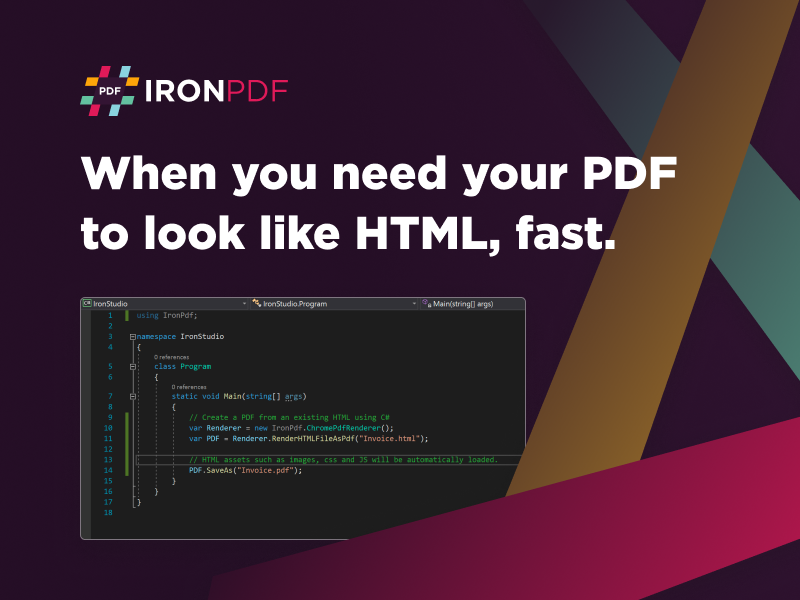
C# Create PDF Programmatically 2022.11.10347

Product Page: https://ironpdf.com/blog/using-ironpdf/csharp-create-pdf-file-programmatically/

csharp-create-pdf-programmatically-screenshot.png

Being able to adjust and innovate with your project build requires tools that offer compatibility and streamlined efficiencies. While some open-source options are available, they often require deploying your team for extended periods while repairing any errors or bugs. Of course, you can always select off-the-shelf solutions, but those tend to be restricted by price or versatility.

The best solution for your PDF integration is using the new tool from IronSoftware: C# Create PDF Programmatically. This massive .NET library fully supports .NET 6, .NET 5, Core, Standard, and Framework for Azure, Windows, macOS, Linux, Docker, and AWS. That includes being able to add custom headers, footers, signatures, attachments, images, text, and more.


Startups and SMEs working with limited resources will appreciate the free-to-use features of C# Create PDF Programmatically while in the development phase. There is no need to make a purchase until your project is finally ready for live deployment. You can get started now by downloading a copy of C# Create PDF Programmatically at https://www.nuget.org/packages/IronPdf.

There are robust benefits like security features. This allows end users to comply with oversight regulators by adding password protection, permissions, digital signatures, and metadata management. This ensures documents are not mishandled or viewed by anyone without proper authentication. Given how much of today’s business world and communication is handled via online methods, it makes sense to have enhanced security.

C# Create PDF Programmatically makes it easy to read, create, edit, and manipulate documents. Users will be able to source information from URLs, HTML, ASPX, images, text, and numerous other file types. There is extensive documentation about leveraging this tool available at https://ironpdf.com/blog/using-ironpdf/csharp-create-pdf-file-programmatically when your team is ready to give it a try.