Tesseract OCR Windows 2022.12.10830

Product Page: https://ironsoftware.com/csharp/ocr/blog/ocr-tools/tesseract-ocr-windows/

tesseract-ocr-windows-screenshot.png

Integrating barcode technology into a business is incredibly important given the current demands of digital record keeping and inventory management in the marketplace. With Tesseract OCR Windows by the team at IronSoftware, you can leverage this tech into your next project build. This way, a school needing more bespoke library management to a private retail shop can gain a competitive advantage through OCR enhancements.

Tesseract OCR Windows fully supports .NET 5, Core, Standard, Framework, and Azure project builds working C#, VB, and more. It saves you time trying to make open-source integrations work, often involving bug fixing or error resolution before working smoothly. It also does not require a vast financial investment upfront. IronSoftware offers the Tesseract OCR tool for free while you are still in the development project phase. You only need to spend a small investment once you hit active project deployment.


Your end users will be able to rapidly scan thousands of images for documentation that can be output into structure data, readable plain text, or searchable PDFs. This frees up valuable time from your human assets trying to muddle through mundane, repetitive tasks. Instead, they can spend their time on far more critical needs like customer service and business growth.

Tesseract OCR Windows is built to manage more than 125 international languages. This works with multi-page TIFFs and other popular image file formats. The tool has built-in auto-correction for distorted images and clean-up noise, giving you a far more readable outcome. You can learn more about the capabilities of Tesseract OCR Windows at https://ironsoftware.com/csharp/ocr/blog/ocr-tools/tesseract-ocr-windows/.

When you are ready to download the new tool from IronSoftware, simply visit https://www.nuget.org/packages/IronOcr/. You will be able to integrate the enhancement in little to no time, offering many benefits to your team and end users.

Graphcat<

UFS Explorer Network RAID 9.11

Product Page: https://www.ufsexplorer.com/ufs-explorer-network-raid.php

3.png

UFS Explorer Network RAID is an advantageous software product suitable for both local and distributed data recovery over LAN from a linear storage medium or complex RAID system. The program allows restoring files from any storage attached to another remote computer, even if it is running a different operating system, and makes it possible to assemble RAID from drives connected to two or more PCs. RAID sets of various complexity are supported, including standard RAID patterns, nested/hybrid RAID levels and custom RAID configurations. A flexible RAID builder with an embedded script handler makes it easy to define and modify RAID configurations, while a hexadecimal viewer allows analyzing raw data of partitions and drives. In addition to RAID, the application works with PCs, laptops, USB flash drives, memory cards, external hard drives, virtual disks of VMware, Hyper-V, VirtualBox, QEMU, XEN, Parallels and disk image files of various formats. The software supports a wide range of file systems of Windows (NTFS, FAT, FAT32, exFAT), macOS (HFS+, APFS), Linux (Ext2, Ext3, Ext4, XFS, JFS, ReiserFS, UFS/UFS2, Btrfs), BSD/Solaris (ZFS) and is capable of handling a variety of modern storage technologies, like mdadm and LVM, Windows dynamic disks and MS Storage Spaces, Apple Software RAID and Fusion Drive, Drobo BeyondRAID, Synology Hybrid RAID and Btrfs-RAID, BitLocker and APFS encryption, etc. UFS Explorer Network RAID provides direct access via LAN and allows recovering data from drives containing bad sectors connected via a DeepSpar Disk Imager device. In addition to that, the software features various options for work with damaged drives. It allows configuring parameters for access and usage of a storage device, creating a full or partial disk image with various settings and rules for processing bad blocks. Drives and arrays with bad blocks can be handled using bad sector maps generated during imaging, through recognition of a given pattern or created by third-party tools.

My Print Screen 4.2.0

Product Page: https://myprintscreen.com/

img.png

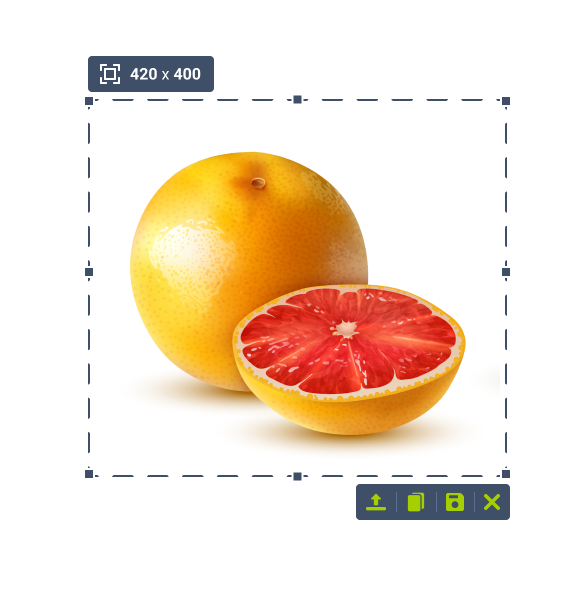
MyPrintScreen is free image capturing software. Using MyPrintScreen you can take high-quality screenshots by pressing the Prt Scr button. Integration with Windows OS allows to simplify the screenshot making process which greatly saves your time. You can download a captured screenshot or upload it to our server. If you choose to upload a screenshot to the server, youll get a shareable URL to your screenshot.