ttdsoft Android Video Encryption Tool 5.0

Product Page: https://copyprotect.in/how-to-copy-protect-video-win-android-mac-ios.html
video_encrpytion_tools_snapshot.png

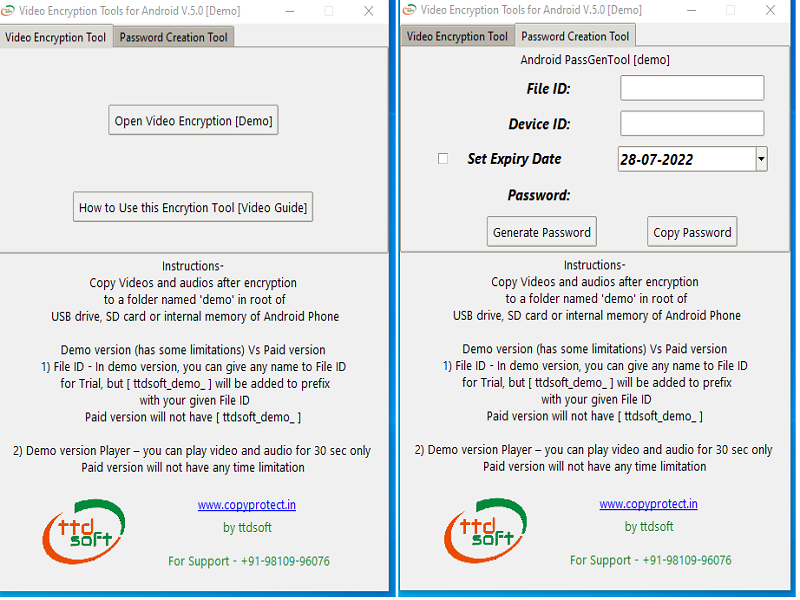
ttdsoft Video Encryption Tools for Android is a solution program to prevent all your video files from unauthorized copy and distribution. Once protected (encrypted) using this software ,encrypted (protected) videos can be played from many medias such as SD Card .USB & OTG flash drive (FAT32 formatted) and Mobile internal storage .Android Encrypted (protected) videos can be played in all types of android devices such as Mobile , TAB , Smart TV & Android Projector
This software can encrypt ( Copy Protect) a wide range of video file formats such as MP4 , MOV , WMV, AVI,FLV , MPEG , HTML MP4 ,and all other video files format ,It has high level encryption technology for your video files, which cannot be illegally copied & played into another android device as android encrypted video(s) is/are hardware bind with one Android device at a time ,It has very strong Anti capturing technology for your videos files, by which your videos cannot be recorded/captured , screenshot , by any software or app in android devices
Main Features:
Copy protection: Prevent any unauthorized access to the Videos files, stop illegal play, anti recording, anti screenshot, and other modification of the video files.
Multi videos format supported: Android video Copy Protection can copy protect almost all main videos media formats, namely MP4 , MOV , WMV, AVI,FLV , MPEG , HTML MP4 and so on.
Set Valid period: It is possible to set the videos files access for valid period and If the limits are exceeded, the user cannot access the video(s) contents any more
User authentication The user can not access protected (encrypted) video files without the password. The publisher can directly set up the password with valid period
Set different File ID(s): Different File ID(s) can be set for different set(s) of Video files, so that one only password is required for one android device, for one set of video files
Compatibility:
Support Windows ( 32 & 64 bits) Windows 7 and more


Graphcat<

Aiseesoft Video Converter Ultimate 10.5.28

Product Page: https://www.aiseesoft.com/video-converter-ultimate/

vcu-rip-dvd-new.png

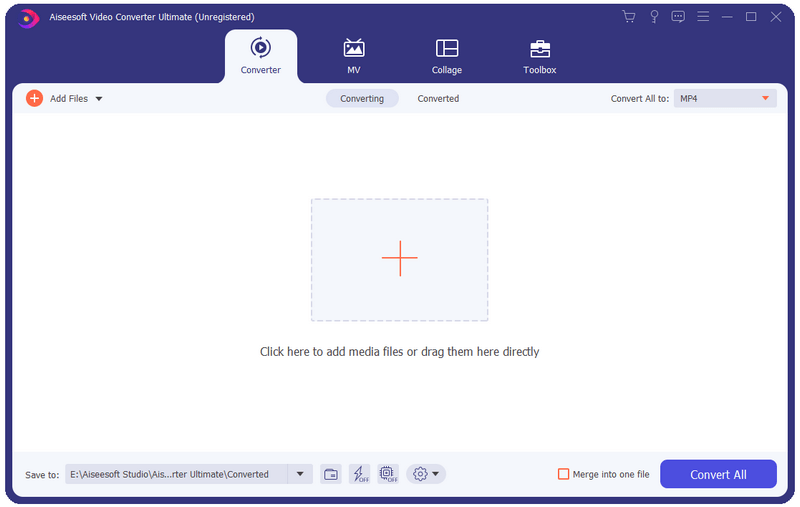
Aiseesoft Video Converter Ultimate is a comprehensive video converter. It can convert any video, audio files to over 1,000 formats including AVI, WMV, MOV, MP4, MP3, FLAC, etc.

Key functions:
1. Convert media files to various formats
This software can convert video/audio files to almost all popular media formats including 8K/5K/4K and 3D files.


2. Powerful editing functions
You can trim video length, enhance video quality, adjust video effects and add text or picture watermark as well as remove watermark from videos with its powerful editing features. There are a bunch of stunning filters for you to use in one click, including whirlpool, Hong Kong movie, orange dots, etc.

3. MV Maker
The MV feature enables you to produce a cool video in minutes even though you have little skills. It provides many profiles for you to export video in the right size for different platforms, like Facebook, Twitter, Instagram, YouTube, TikTok, etc.

4. Create split screen videos
The feature, split-screen video editor, allows you to put 2 different videos side by side, clarify the relationship between one thing and the other, add reactions to YouTube videos, and make your video more engaging. Meanwhile, it comes with various split-screen layouts, filters, and other video-editing features.

5. More functions available in Toolbox
There are a bunch of popular tools in the Toolbox, including Media Metadata Editor, Video Compressor, 3D Maker, Video Enhancer, Video Trimmer, Video Merger, Video Cropper, Video Watermark, Color Correction, Video Reverser, and more. It can deal with almost all video processing demands with only one Aiseesoft Video Converter Ultimate.

WinGPG 1.0.1.2

Product Page: https://scand.com/products/wingpg/

wingpg02.jpg

WinGPG developed by Scand Ltd. is a tray-based classical Windows application and a classic GPGv2 distribution (we use the cryptography from the official site without making any modifications).

It supports the following operations:
Encryption/Decryption (we offer automatic zipping at encryption time, so your files are ready to be transmitted via email or any instant messenger immediately)
Signature/Verification
Key management (create, import, export, revoke)

WinGPG main operational features are:
WinNT Explorer support via context menus
Global shortcuts working from the active explorer window or clipboard
Clipboard support for both texts and files
No complicated setup, you only run a batch file
WinGPG is a fully functional tool, which offers the user an opportunity to manage keys and files easily. Password protected keys, default keys, and other useful tricks are available with WinGPG.