Aiseesoft iPhone Password Manager for Mac 1.0.10

Product Page: https://www.aiseesoft.com/iphone-password-manager/
screenshot.png

Nowadays, more and more people use mobile phones, that is to say, we have more and more passwords saved on our phones. As is known to all, it is hard to remember the long password clearly. Sometimes, we will forget the password of our e-mail accounts, credit card, etc. In this case, Aiseesoft iPhone Password Manager for Mac could do you a favor as it can keep all the passwords under your control.

Key functions:


1. View various kinds of passwords
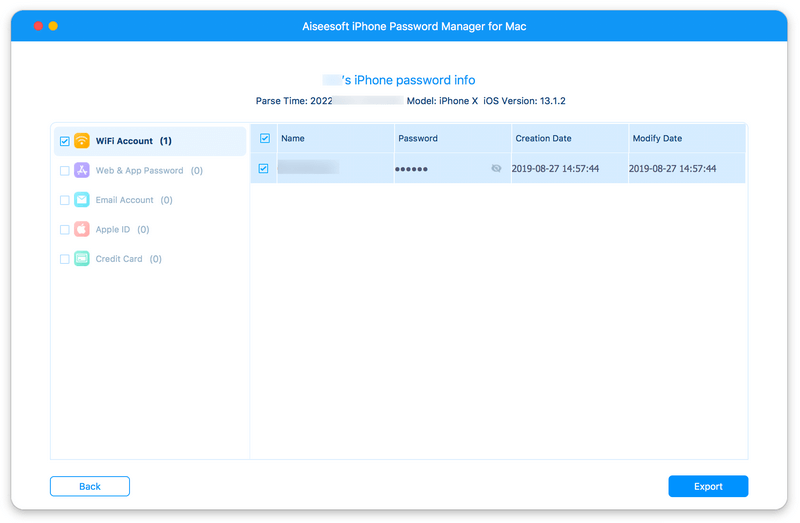
Aiseesoft iPhone Password Manager for Mac allows you to view the saved password information on your iOS devices. It can scan and find the important password information, such as Wi-Fi accounts, Web/app passwords, e-mail accounts, credit card info, Apple ID, screen time password, Google passwords and more. In addition, the passwords will be classified so you can manage them easily.

2. Export all password information
With Aiseesoft iPhone Password Manager for Mac, you will save more time to find and organize your passwords. Besides viewing passwords on iOS devices, you can export the scanned passwords to your computer and save as CSV file for backup or share with others.

3. Check the scan history
If you have more than one iOS device, Aiseesoft iPhone Password Manager for Mac allows you to check the scan history records of any device as you like so you will not lose your passwords information when changing phones.

4. Easy and safe to use
With the simple interface, this product is easy to use even if you are not familiar with computer. Furthermore, it protects your privacy greatly and we will not keep your private data after scanning.

Graphcat<

GlassWire Firewall 2.3.444

Product Page: https://www.glasswire.com

pad_UI.png

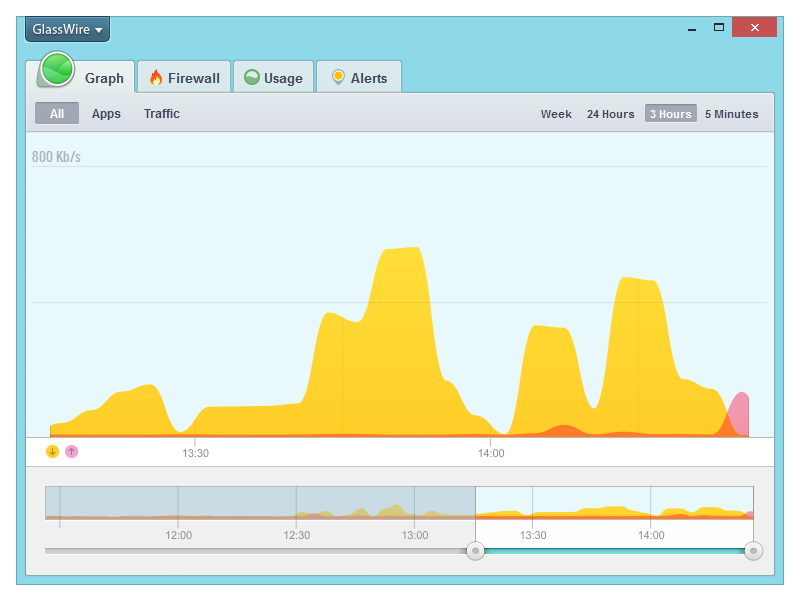
GlassWire’s free firewall software helps protect your privacy & security by monitoring your network activity for suspicious activity. You’ll be shocked by how many applications on your computer are sending your private data over the Internet without you knowing. Once suspicious activity is detected you can block the potential threat with GlassWire’s built in firewall management tool. GlassWire visualizes all your network activity on an easy to use graph. Click anywhere on the graph to see what applications and hosts are accessing the network from your computer. Our software automatically resolves host names so it’s easy to see who or what your computer is communicating with over the Internet.Go to the Firewall tab to see what applications have accessed the Internet and block any that are suspicious, violating your privacy, or wasting your bandwidth. GlassWire uses Windows built in firewall so no instability is introduced into your system by third party firewall drivers. Download GlassWire now to start adding extra protection and privacy to your computer, plus potentially save money by avoiding bandwidth fees.

Apeaksoft iPhone Transfer

Product Page: https://www.apeaksoft.com/iphone-transfer/

add-photos-from-pc-to-ios-800.jpg

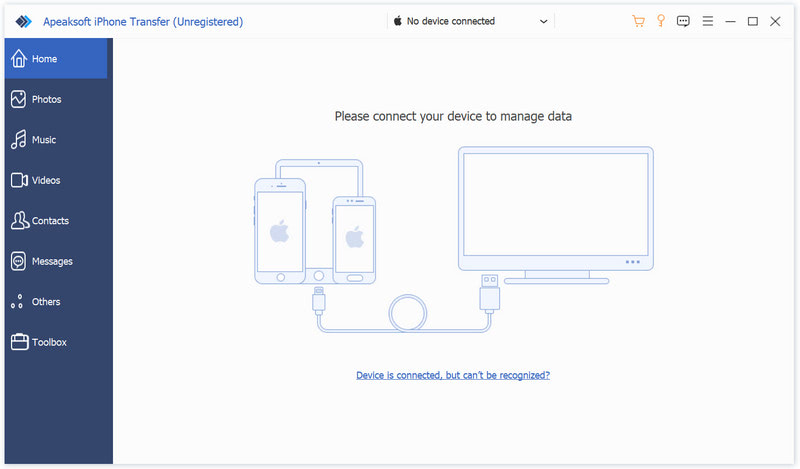
Apeaksoft iPhone Transfer is the first-granted data transfer software which does well in file transfer between iOS devices and computer. It can transfer videos, music, photos and any other multimedia files from computer to iOS device, including iPhone/iPad/iPod, etc. Even if the video/audio files are incompatible with your devices, it can convert these video/audio files automatically before transferring. In addition, it enables you to back up contacts and SMS to your computer and transfer files between any two iOS devices.

Key functions:

1. Transfer files
It is flexible file transfer software which not only transfers files from iOS to computer, but also transfers data between two iOS devices. Moreover, it lets you manage data between iTunes and iOS devices.

2. Best iTunes alternative
Apeaksoft iPhone Transfer is the best iTunes replacement, which enables you to organize your iTunes library in clicks. You can manage your media files separately on Music, Movies, TV Shows, Podcasts, iTunesU, Ringtones, Audio Books and Voice Memos.

3. Manage iOS files
This powerful iOS data transfer software is superior to iTunes, because it does more than iTunes. You can manage your iOS music, videos, ringtones, single contact or group contacts, etc. You can also edit media files like deleting, renaming, creating playlists, etc.

4. Make ringtone and convert HEIC pictures
Apeaksoft iPhone Transfer could not only transfer various data but also make ringtones easily. You could make your own ringtones and add the created ringtone to device directly. In addition, it is able to convert the HEIC pictures to other common formats.