DBX Converter

Product Page: https://www.mailconvertertools.com/dbx-to-pst/

mail-converter-tool.png

DBX converter is able to perform swift conversion of the picked DBX files into Outlook PST format in a secure mode. The utility gives a choice to combine resultant PST file(s) to the Outlook profile which is configured on the system. The DBX Converter can carry single as well as bulk conversion of files at a time.It does not cause any differences or modifications to the real files, thereby preserve from data loss while executing the conversion. And plus point is users can even use free demo version before buying the software. Its effective, easy, and highly trusted DBX converter software. The DBX converter can assist a single as well as the bulk conversion of files at a time. It preserves the newly converted PST file(s) at the user-defined location. The software gives an option for encrypting the new PST files by using a password on it. The software does not overwrite any earlier stored emails of Outlook. It does not cause any differences or modifications to the real files, thereby preserve from data loss while executing the conversion. And plus point is users can even use the free demo version before buying the software.


Graphcat<

Vivaldi for Windows 32 5.5

Product Page: http://vivaldi.com

win001.jpg

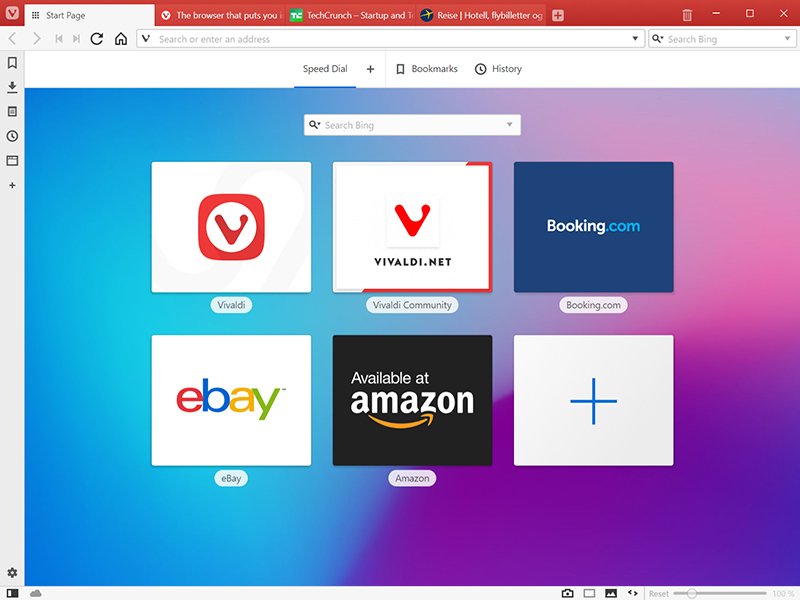
The Vivaldi browser does not track its users and offers more features than any other modern browser. Steered by Jon von Tetzchner (co-founder of Opera browser), Vivaldi is driven by the real needs of users today and ensures that they have the best tool to browse and do the job.

Users can tailor Vivaldi to suit their browsing needs with no limit to customization options. Vivaldi takes browsing to the next level with its numerous features that give users a more dynamic experience of the web. Vivaldi demonstrates that a browser can be the most useful tool to enhance time spent online and not just a means of accessing web pages.


Some of the highlight features that make Vivaldi a personal, do-it-your-way browser include:

Advanced tab management ability to group, tile, move and pin tabs.
Private and Secure Syncing across computers with end to end encrypted Synchronization.
Side Panel with easy access to bookmarks, downloads, tree-style tab manager, notes, browsing history and websites of users choice.
Built-in functionality such as the screenshot Capture tool, Notes and Image Properties.
Powerful History overview that lets users explore their browsing patterns.
Unique and customizable look and feel of the browser interface with custom Themes and more.
Keyboard Shortcuts and Mouse Gestures for quick browser commands.
Built in e-mail client and calendar.
Built in ad-blocker

For more details, visit https://vivaldi.com

Apeaksoft iPhone Data Recovery1.1.58

Product Page: https://www.apeaksoft.com/iphone-data-recovery/

interface.png

Apeaksoft iPhone Data Recovery can recover lost Messages, Contacts, Call History, Calendar, Notes, Voice memos, QQ/WeChat data, Photos, etc. from iOS devices or from iTunes/iCloud backup files. It supports many portable iOS devices, including iPhone, iPad, iPod Touch, etc. And it allows you to preview your lost data before recovery. Key functions: 1. Recover lost data from iOS devices Apeaksoft iPhone Data Recovery is able to recover lost data such as Contacts, Text Messages/iMessages, Call history, Calendar, Notes, Reminder, Safari bookmark, Safari history, Photos, Voice memos from iPhone/iPad/iPod, etc. 2. Recover data from iTunes/iCloud backup files No matter what type of your device is, Apeaksoft iPhone Data Recovery can recover lost data as long as your device has been backed up with iTunes/iCloud. So if your data was deleted incautiously or intentionally, you can get them back. 3. iOS System Recovery function iOS System Recovery function can help you fix your iOS system back to normal in various situations including stuck in recovery/DFU mode, white Apple logo, black screen, looping on start, etc. In addition, with this function, you are able to upgrade or downgrade the iOS devices system. 4. iOS Data Backup and Restore function iOS Data Backup and Restore function allows you to back up your iOS data to computer in one click and you could also restore the backup files to iOS devices or computer. 5. WhatsApp Transfer function With the WhatsApp Transfer function, you could transfer WhatsApp data between iOS devices. In addition, you are able to back up your WhatsApp data and restore the backed up data to computer or iOS devices.