QXPMarkz 2.0.21.739.0

Product Page: https://markzware.com/products/qxpmarkz/
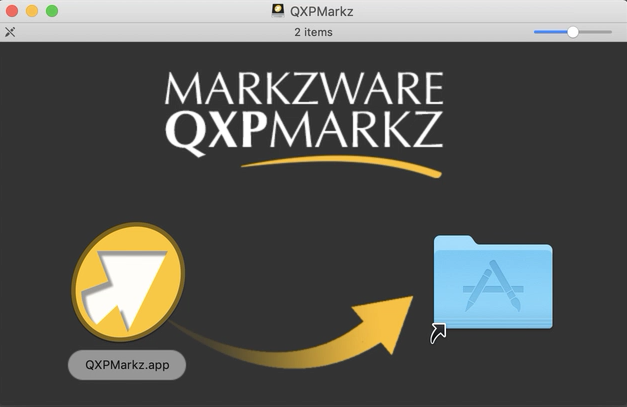
1a-qxpmarkz-dmg-drag-n-drop-install-window.png

QXPMarkz is a standalone software to preview, convert, and open QuarkXPress documents in Adobe InDesign, Affinity Publisher, Adobe Acrobat, Adobe Illustrator, older QuarkXPress versions, and many other applications. You no longer need to recreate documents from scratch – QXPMarkz gives you a big head-start on QuarkXPress to InDesign data conversion.

QXPMarkz gives you the ability to open and then convert native QuarkXPress files (.qxp, .qxd files) to different formats – all without QuarkXPress being loaded on your computer. It allows you to export QuarkXPress files to IDML, PDF, TIFF, PNG, JPEG, GIF, and other non-proprietary file types. Also, you’ll be able to open .QXP files in previous versions of QuarkXPress.


Main features:

Open an IDML version of your Quark file in InDesign, or Affinity Publisher 1.8 or greater

Export your QuarkXPress document as IDML. PDF, TIFF, PNG, JPEG or GIF

Extract the text out of your Quark file as TXT (plain text), RTF (Rich Text Format) or HTML

Open multiple files at one time

Select an application to open your converted file, either manually or as a more permanent workflow feature.

Graphcat<

ACDSee Photo Studio Ultimate 16.0.0.3162

Product Page: https://www.acdsee.com/en/products/photo-studio-ultimate

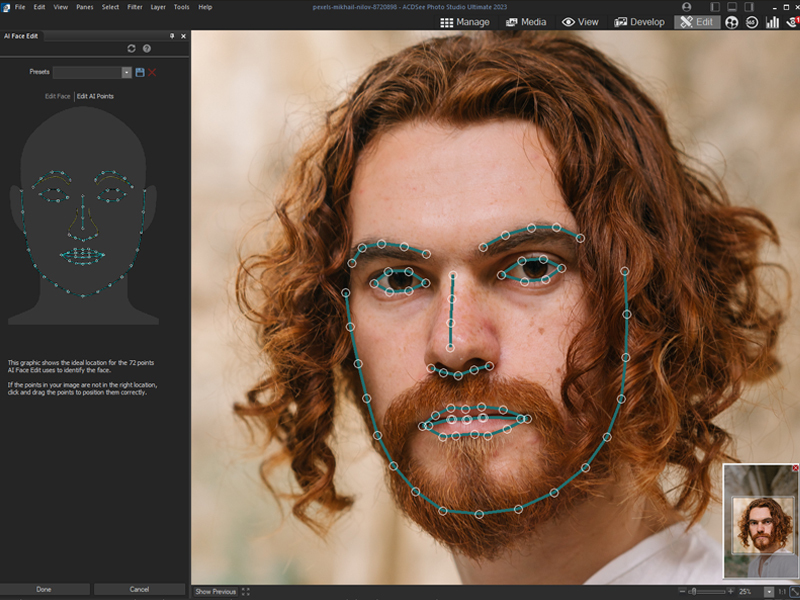
screenshot.jpg

The ultimate file manager, RAW photo editor & layered editor.
ACDSee Photo Studio Ultimate 2023 is the all-in-one solution for anyone who takes and edits a lot of photos, and wants to keep them organized.

Easily Retouch Faces
There is no one-size-fits-all when it comes to portrait retouching everyone is unique. That is why Ultimates new Artificial Intelligence (AI) powered Face Edit analyzes faces and gives you full control over the edits. You can adjust the shape of facial features and much more to enhance your subjects natural beauty. Turn up the drama and push the sliders to the max, or add makeup. Are you retouching the same person on multiple photos? No problem! Save your adjustments as a custom preset and apply it to multiple images at the same time to speed up your workflow.

Simplified Photo Merging
Utilize the Photomerge tools to effortlessly combine multiple images into one. Use the new Panorama Stitching tool to make wide panoramic shots, run High-Dynamic Range (HDR) to produce highly detailed photos, or apply Focus Stack to create an image with unparalleled depth of field.

Select Your Subject, Sky, and More
Photo Studio Ultimate 2023s new AI Actions allow you perform complicated procedures like removing or blurring the background, selecting the subject or the sky, or giving your subject a black and white background with a single click.

Selections, Evolved
With curves like these, what other tool could you need? The Polygon Selection tool has evolved into the Shape Selection tool, giving you more refined selections. Youll be able to perfect curved and cornered selections, making it easier than ever to select and tweak your favorite images.

A Painless Search Pane
Make the challenge of hunting for files a thing of the past with the new Advanced Search feature. Choose from numerous search criteria, including ACDSee Metadata and EXIF & IPTC fields. Built-in logic for AND/OR states let you narrow down results to a microscopic level.

FaxTalk FaxCenter Pro 10.0.1638.1

Product Page: https://www.faxtalk.com/faxtalk-faxcenter-pro-fax-software/

screenshot-faxtalk-faxcenter-pro.gif

Easy to use Windows fax software to send, receive, view and print faxes. FaxTalk manages your incoming and outgoing fax communications quickly, efficiently, and reliably. Whether you’re a small business or an individual, FaxTalk’s advanced send and receive fax features turn your computer into sophisticated fax machine and eliminates the need for a stand-alone fax machine. From a single application you can send, receive, view and print faxes, organize fax documents, create and manage contacts and phonebooks and control all fax operations.
Whether you are sending a fax to a single recipient or broadcasting faxes to multiple recipients the FaxTalk fax software provides the features you need. Regardless if you’re using a fax modem to fax over a telephone line, or T.38 Internet fax support to fax over the Internet, FaxTalk provides a solution. In both cases, your confidential fax and contact data is kept on your computer where it belongs. Produce professional looking faxes, even combine multiple documents into a single fax, and broadcast faxes to multiple recipients with just a few mouse clicks. With the FaxTalk fax software you can fax directly from Windows applications and utilize powerful features such as color fax, broadcast faxing, delayed scheduling, high-speed V.34, fax to email, access to contacts stored in Microsoft Outlook, export to TIFF or PDF, fax markup and annotation tools, custom designed cover pages, scanner support and resend previously sent faxes.
Receive faxes on your computer with features that save you time and money. Avoid printing unwanted faxes and view received faxes on screen, print a copy, or save the fax for future review. Automatically forward received faxes to an email address or another fax number. You can even have received faxes automatically forwarded to your Microsoft Outlook Inbox to create a unified messaging solution. You can also block the reception of unwanted, unsolicited “junk faxes”.