NetCrunch 12.1.1

Product Page: http://www.adremsoft.com/
screenshot.png

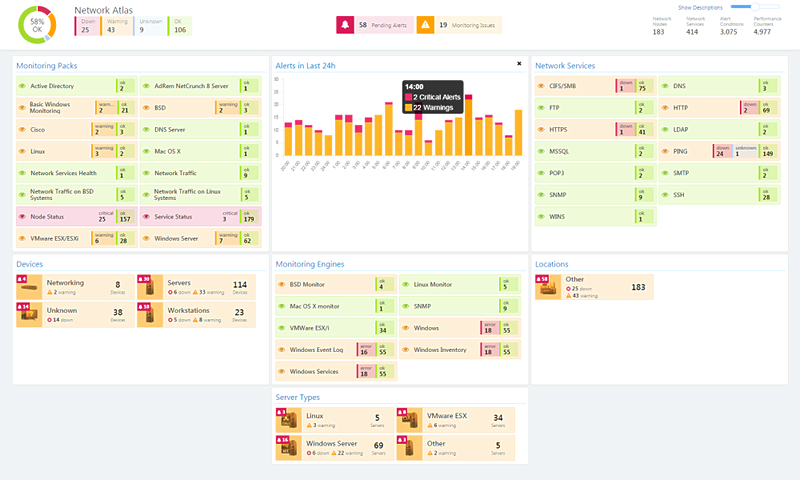
NetCrunch Suite is an all-in-one and agentless network monitoring and management system, capable of monitoring every device in your network. Monitor bandwidth, availability, performance, services, NetFlow and more. Automatically generate views and maps and real-time displays. Receive alerts via email, SMS, pop-up, or configure NetCrunch to take automatic corrective actions like restarting a service or running a script.

NetCrunch monitors all leading operating systems like Windows, Linux, VMware ESX/ESXi, Mac OS X, and BSD. All without requiring agents or SNMP.


It also monitors the performance and availability of 70 network services, including Ping, HTTP/HTTPS, SSH, FTP, DNS, SMTP, and more.

A Netflow traffic server is included, that integrates network traffic flow data from a range of devices using all popular protocols like: IPFix, NetFlow (v5 & v9), JFlow, netStream, CFlow, AppFlow, sFlow, rFlow and Cisco NBAR.

NetCrunch Suite supports all SNMP versions including version 3 with support for version 3 traps. It uses the SNMP protocol to monitor routers, switches, printers, firewalls, sensors, and other network devices. Along with over 8500 included MIBs, NetCrunch also features a MIB compiler so you can easily add new MIBs to the program library.

Open Monitor gives you easy way to connect data from any source, be it an application or a device. It allows for the easy delivery of any counter data to NetCrunch Suite. It can be a script (i.e, VBScript, PowerShell, Javascript) running on the NetCrunch Server or an application. Data can also be sent to NetCrunch from any remote system simply using REST API.

With over 160 predefined Monitoring Packs for operating systems and SNMP manageable network devices, NetCrunch can identify, configure, and begin monitoring your network’s devices out of the box. Baseline thresholds and range triggers learn your network and alert you to unexpected changes. Monitoring dependencies prevent alert floods.

Graphcat<

UFS Explorer Professional Recovery 9.9

Product Page: https://www.ufsexplorer.com/ufs-explorer-professional-recovery.php

3.png

UFS Explorer Professional Recovery combines advanced reading and data recovery techniques with extensive means for processing defective storage media and manipulations with binary data. The application offers access to the available content and enables highly configurable extraction of lost data from the file systems applied in Windows (NTFS, FAT32, exFAT, ReFS/ReFS3), macOS (HFS+, APFS), Linux (Ext2-Ext4, XFS, JFS, ReiserFS, UFS, Btrfs, F2FS), BSD (ZFS) and VMware (VMFS, VMFS6). Besides stand-alone local storages and network drives, the software works with RAID-based devices, including such specific types as Drobo BeyondRAID, Synology SHR, RAID-Z and Btrfs-RAID, providing tools for both virtual assembly and decomposition of the RAID configuration. Embedded decryption techniques make it possible to unlock volumes encrypted with BitLocker, LUKS, TrueCrypt/VeraCrypt, FileVault2, APFS and other security solutions. Moreover, the utility supports many other storage technologies, including Windows LDM, Storage Spaces, deduplication, Fusion Drive, Linux mdadm and LVM with thin provisioning, as well as various disk image formats and virtual disks. The program allows specifying different parameters as to the access and usage of a storage device aimed at the extension of its lifespan. Drives connected to DeepSpar Disk Imager can be operated by the application via LAN; Interaction with other third-party solutions is supported as well. A disk image can also be created directly in the software, with adjustable settings, omission of bad blocks and optional deployment of a bitmap. Reading errors occurring in the imaging process are reflected in a defects map, which can also be created on the basis of occupied file system space or by external compatible systems. The built-in hexadecimal viewer and editor provide the opportunity to analyze the raw content of files or storages and perform the necessary corrections relying on many supplementary tools and functions.