
Aiseesoft Mac Video Converter Ultimate

Product Page: https://www.aiseesoft.com/mac-video-converter-ultimate/
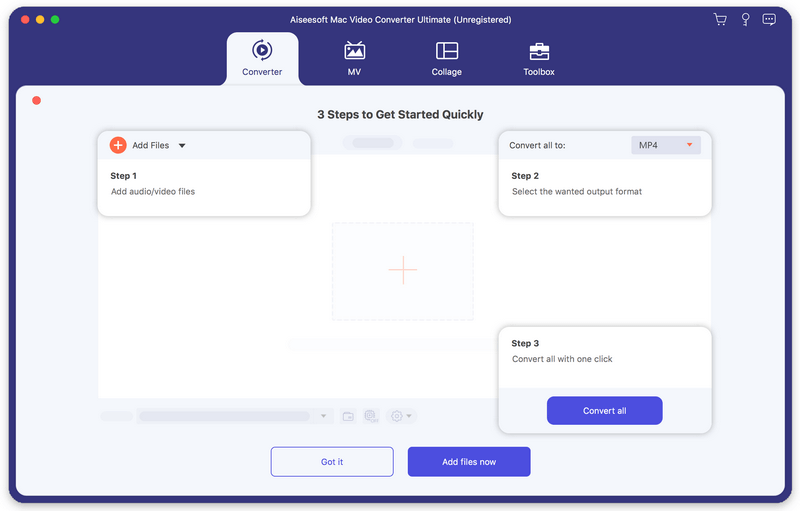
screen.png

Aiseesoft Mac Video Converter Ultimate allows Mac users to convert and edit videos in fast speed and high quality. It provides various video processing tools for beginners and experts to convert and edit video.

Key features:


1. Convert video/audio to almost all popular formats on Mac
Aiseesoft Mac Video Converter Ultimate can convert video and audio files to all popular formats like MOV, AVI, MP4, MPG, FLV, VOB, MKV, HD MP4, HD MOV, MP3, AAC, AC3, AIFF, FLAC, OGG, WAV, etc. Even 8K/5K/4V converting is supported.

2. Various video editing features
Aiseesoft Mac Video Converter Ultimate is more than a video converter. It can also work as a powerful video editor, which allows you to rotate/crop video, add video effects and filters, clip/merge video, add audio track and subtitles, remove video noise and reduce video shaking, add watermark, etc.

3. Make MV
This video converting tool can help you turn plain photos or videos into stunning film. Just import the videos and photos to Aiseesoft Mac Video Converter Ultimate, choose a suitable theme from dozens of free themes and add your favorite music as the background music. You can also crop, rotate, apply effects, add your own logo, and add subtitle for your movie.

4. Create video collage
Aiseesoft Mac Video Converter Ultimate is also equipped with a light-weight video collage maker. There are a bunch of layouts for you to choose from, you can make a choice according to the way that you want to show your photos and videos on the screen. More ever, you can filter, resize and add music to the video collage to make it more attractive.

5. Built-in Toolbox with full features.
In the Toolbox, there are lots of tools that enable you to compress video/audio, merge video files, make GIFs, edit ID3 tags, add watermark, adjust volume, control video speed, trim video, and more. Explore this video tool now, it will bring more surprise to you!

Graphcat<

Turbo VPN Download for Windows 2.18.0

Product Page: https://turbovpn.com/?channel=pad

turbo_bg.png

Distinctive features of using Turbo VPN:

The best privacy guard
Protect your online privacy from online identity theft while using public Wi-Fi hotspots in airport, hotel, office and any place. Surf anonymously and securely without being tracked.

High performing premium servers
Special servers for streaming and downloading. Enjoy high-speed access to streaming content. Protect your privacy and speed up during online downloading.

Easy of Use
One tap to connect to VPN proxy server. Access your favorite content easily. Enjoy smooth and private web browsing. Enjoy your entertainment content unlimited.

Safe And Smooth Web Surfing
Access websites, apps and videos privately. Surf the web anonymously. Protect your internet connection.

Stable Web Surfing
Unlimited VPN proxy ensures super fast VPN speed to access websites

Basic Free VPN Service
Turbo VPN Windows provides a basic free VPN service, you can automatically connect to the optimal server. But if you want to enjoy more servers and functions, welcome to use our Premium.

Download Turbo VPN now! Enjoy smooth and private web surfing at your fingertips now! Protect your online privacy by surfing anonymously now!

imyPass iPhone Password Manager

Product Page: https://www.imypass.com/iphone-password-manager/

connect-iphone.jpg

People may need a password management tool to help them deal with multiple accounts passwords, like Wi-Fi accounts, email accounts, Apple ID, web/app passwords and credit card information etc. imyPass iPhone Password Manager will meet your need if you want to save your passwords in a secure way.

Key functions:

1. View various kinds of passwords
imyPass iPhone Password Manager is able to check all kinds of passwords saved on your iOS devices, including Wi-Fi accounts, web/app passwords, email accounts, credit card information, Apple ID, screen time password, etc.

2. Export all password information
With imyPass iPhone Password Manager, you are able to manage your passwords. It enables you to scan all your passwords, so that you can organize and choose to export them to a .csv file for backing up or sharing.

3. View the scan history
imyPass iPhone Password Manager will record all the scanning histories, you are able to view the scan histories to check the previous scanned passwords so you will not lose your passwords information when changing devices.

4. Easy and safe to use
imyPass iPhone Password Manager comes with a humanized interface, you can manage, view, export, and share your passwords in one click, it will also protect your passwords saved on your iPhone securely.