FolderMill 4.9.2109.21190

Product Page: https://www.foldermill.com
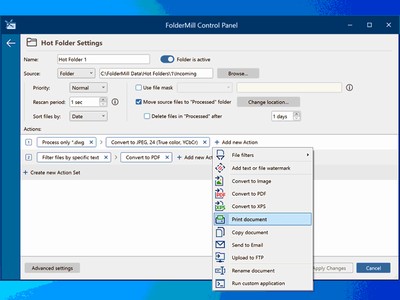
foldermill-control-panel-interface400X300.jpg

FolderMill monitors a folder and automatically prints or converts all new documents and image files to PDF, JPG, PNG, or TIFF. The system administrator defines special ‘Hot folders’ for monitoring and sets Actions to be performed. After this, all employees in the office can print documents or create PDFs as simple as copying files!

FolderMill supports all popular types of office documents including Microsoft Office Word files, RTF and plain text documents, Excel files, PowerPoint presentations, Visio drawings and charts, Microsoft Office Publisher and Adobe PDF files, XPS, JPG, PNG, PCX, DCX, Bitmap, GIF, TGA, TIFF images, and other documents.


FolderMill streamlines the conversion of all incoming files to PDF, JPG, PNG, or TIFF with very few efforts – simply place the files into one folder and take them out from another one!

To print or convert the documents all the company employees need to do is to place them into one of the ‘Hot Folders’. There is no need to open every file individually, just select the desired Action and configure its parameters.

What’s new in FolderMill 5.0:

– New Multitasking mode – to process many files at a time
– Task Manager – a convenient way to monitor tasks
– New Action: ‘Upload to FTP’
– New Action: ‘Send to Email’
– New Action: ‘Convert to XPS’
– New Action: ‘Filter by number of pages’
– Processing of XLS, XLSX, CSV Excel files without Microsoft Office
– Processing of EML, MSG message files without Microsoft Outlook
– Faster (much faster) processing of files
– Ability to change Color/Grayscale mode by page range for ‘Print Document’ Action
– Ability to change opacity for image watermark
– Ignoring attachments of unknown type (by default)
– Support for eDrawings Viewer 2022
– Support for Windows 11 and Windows Server 2022 OS
– New supported file types: VCF, ICS, EMLX, HEIC
– Other fixes and improvements

Graphcat<

SentiMask SDK Trial 2.0.193121.3

Product Page: http://www.neurotechnology.com/sentimask.html

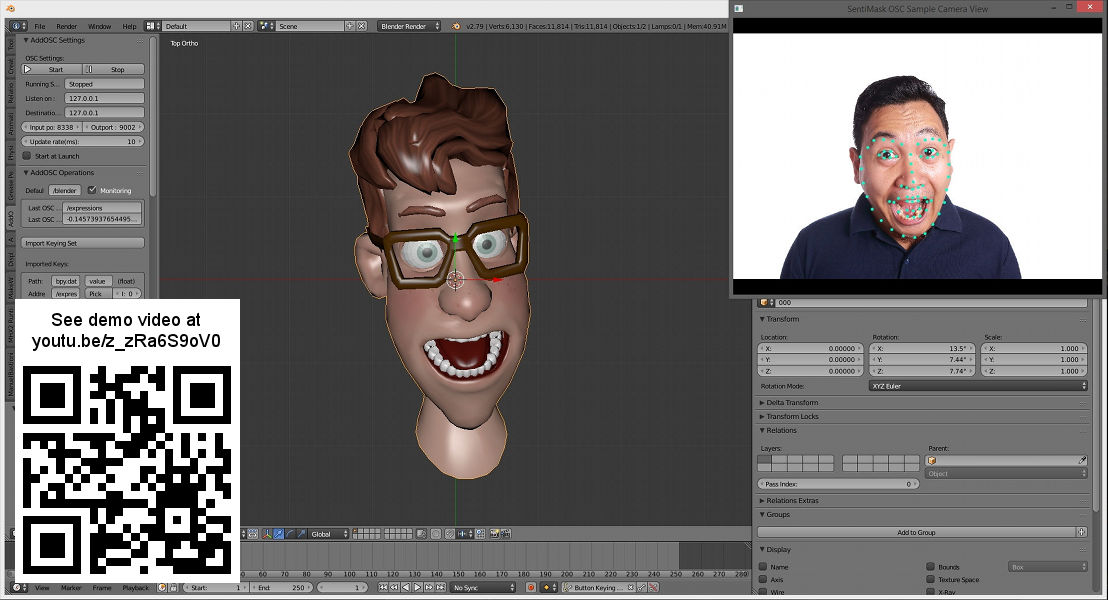
sentimask-character-animation-640.jpg

Real-time 3D face tracking SDK for development of applications like motion capture for 3D character face animation in entertainment applications (games, animated emoji), augmented reality apps (virtual makeup, mapping animated avatars on a face), facial pose, landmarks, shape and expression estimation and analytics. Gender and age evaluation. Glasses, hat, beard and mustache detection. Easy integration with other software like 3D modelling software or game engines. Works on PC or Mac with webcam or Android smartphone or iPhone.

Tag That Photo 3.3.22132

Product Page: http://www.tagthatphoto.com

main-screen-ttp-small400X300.jpg

Tag That Photo truly automates the task of photo organization with its patented face recognition technology that tags faces with fewer errors and faster than industry leaders, including Microsoft and Google. Automating the face tagging process saves tons of time.

Tag That Photo starts by scanning each photo to find every face. With some face recognition wizardry, a unique facecode is generated for each one. As you add face tags to each unique face, Tag That Photo quickly & accurately matches it to other photos of the same person. Finding favorite treasured photos is infinitely easier with Tag That Photo’s powerful search function. Choose to search by date, person’s name, keyword tags, file name, file type or a combination.

Concerned about the number of photos you have? Tag That Photo adds order to your super-sized photo library. Its processor is designed to scan hundreds, or hundreds of thousands of images with speed and accuracy. This is especially important upon the initial scan. Fewer photos take less time, more photos take a bit more. Either way, Tag That Photo is an industry leader, indexing your photos quickly and more accurately than others in the face recognition space.

For importing, you’ve probably discovered many photo management apps are unable to import existing tags. Tag That Photo values the countless hours you’ve spent tagging your favorite photos. It simply doesn’t make sense to us to lose such an investment of time and effort. Tag That Photo’s Personal and Family Plan subscriptions process and import existing Picasa, Windows Photo Gallery and Fotobounce tags accurately. Future releases will enable easy importing from other photo organization applications.

Your online privacy is our priority. Tag That Photo keeps everything local on your computer by default. This includes people, faces, keywords – you name it. We do not collect identifiable subscriber data, outside of your email address and we are not selling any data to third parties.