Apeaksoft iPhone Eraser for Mac

Product Page: https://www.apeaksoft.com/iphone-eraser/
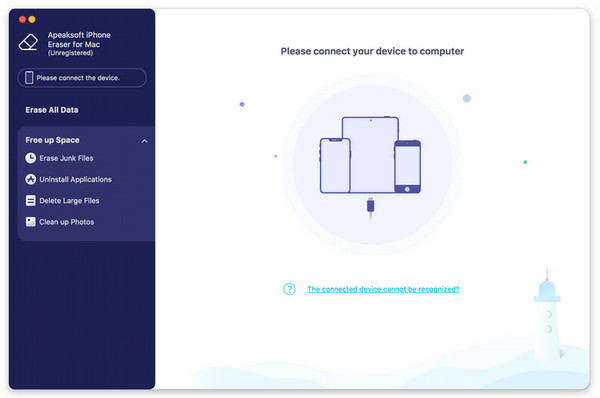
screenshot.jpg

If you want to delete data in your iOS devices, Apeaksoft iPhone Eraser for Mac could help you clean up your iOS devices quickly and simply. It supports almost all the current iOS devices.

Key functions:


1. Delete large files and junk files
Apeaksoft iPhone Eraser for Mac could delete junk files, like image cache, iTunes cache, invalid files, crash log files, etc. for you. It is also able to scan your large files and you could choose to delete the one you do not need. Just in few minutes, your iOS device will have larger space.

2. Uninstall applications
The Uninstall Applications function will scan out all the applications you have installed and you could check the applications you no longer use to uninstall them.

3. Manage photos
Generally speaking, we all like to save beautiful photos in our phones, but this will occupy large space of phones. So we need a powerful program to manage these photos. Apeaksoft iPhone Eraser for Mac could not only back up and compress the photos, but also export and delete the photos.

4. Erase all the data permanently
If you want to wipe all the data in your iOS devices permanently, Apeaksoft iPhone Eraser for Mac could do you a favor. It provides three levels of erasing for you, you could select one according to your need. Moreover, you are able to erase more than one iOS device simultaneously to save time.

Graphcat<

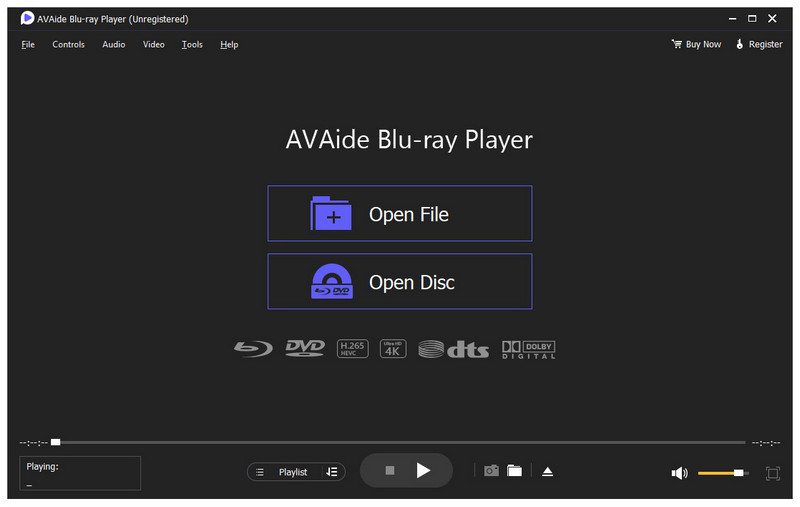
AVAide Blu-ray Player

Product Page: https://www.avaide.com/blu-ray-player/

screenshot.jpg

Do you want to play Blu-ray discs/ISO files/folders? Do you want to play DVD discs ISO files/folders? Do you want to play common videos up to 4K videos? AVAide Blu-ray Player could provide useful solution for you and help you play Blu-ray/DVD discs/ISO files/folders with high quality.

Key functions:

1. Play Blu-ray discs/ISO files/folders
AVAide Blu-ray Player is able to play Blu-ray discs/ISO files/folders with original resolution. It uses hardware decoding and advanced technology, such as AMD, Intel, and NVIDIA to let you enjoy smooth and stable image quality.

2. Play DVD discs/ISO files/folders
If you want to play your collected DVD discs, AVAide Blu-ray Player is powerful in playing DVD discs/ISO files/folders. In addition, you are able to select audio track and subtitle according to your need. It supports DVD-VR, DVD+VR, DVD-format disc and more.

3. Play common videos
AVAide Blu-ray Player is also a media file player which allows you to play videos, including 720p, 1080p, and Ultra HD (4K) with formats like AVI, MP4, MKV, MOV, WMV, etc. Moreover, it supports various audio formats and plays audio in Dolby Digital or DTS with super audio quality.

4. Adjust video effects
AVAide Blu-ray Player enables you to adjust video effects, like hue, brightness, contrast, saturation, gamma. You can play, stop, forward, backward the playback, and adjust volume easily. It provides users with a simple navigation menu, you could navigate to the menu you want just in few clicks. Furthermore, you could capture screenshot and save it while watching your movies.

BootIt Collection 1.33-1.81

Product Page: https://www.terabyteunlimited.com/bootit-collection/

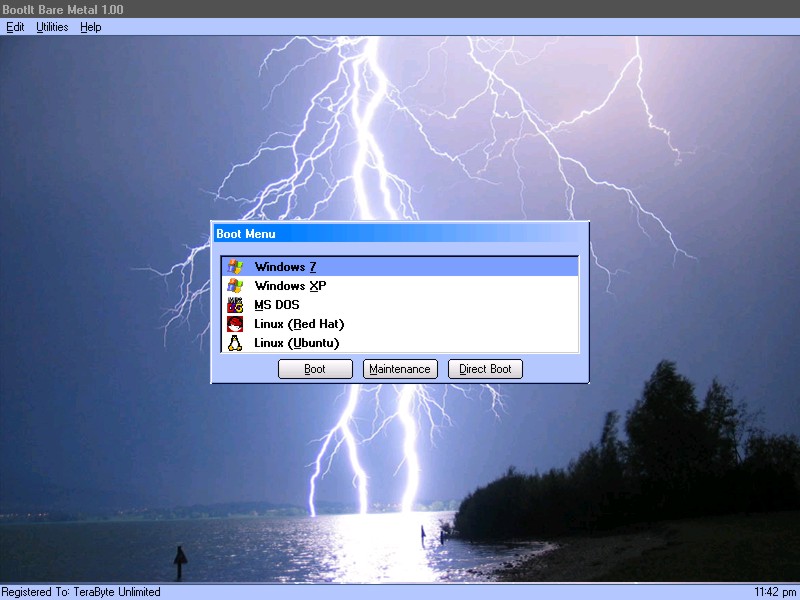
lightning-base.jpg

BootIt Collection contains both BootIt Bare Metal and BootIt UEFI providing a high-quality partition manager, boot manager, and disk imaging program for both legacy BIOS and UEFI systems in single package, further enforcing TeraByte’s position as a leading innovator of advanced multi-booting software.

Some of the many partition operations include non-destructive resizing, converting, creating, copying, moving, deleting, and undeleting on hard drives beyond 16 exabytes in size. Standard MBR, EMBR, and GPT type disks are all supported, as is safely converting between them. The built-in BCD editor provides an easy way to fix Windows BCD booting problems. Users can easily enable Windows partition alignment standards and more advanced users will appreciate the full control over drive geometry.

Boot operating systems from any partition on any hard drive (up to 16) or boot multiple operating systems from a single partition. With a host of options available for each boot item, BootIt provides an unequaled level of flexibility in configuring a multi-boot system. When using EMBR type disks (which support over 200 primary partitions), load only the partitions needed for that operating system – great when OS isolation is required. The system can be further customized and secured with user IDs and passwords.

Create and restore backup images of partitions or entire drives using the included full version of TeraByte’s Image for DOS and Image for UEFI – accessible directly from the BootIt desktop. Easily migrate to a larger drive or recover from hard drive failure or corruption. Image files can be saved to internal or external drives and have full compatibility with Image for Windows and Image for Linux.

BootIt features a simple, mouse-driven graphical interface, and is entirely self-contained, requiring no operating system to install and run. In addition, partitioning and disk imaging functions can be easily implemented from the boot media – no installation required.