MICR E13B Match font 6.1.2

Product Page: http://micr-fonts.com/MICRfont/micrfont.html
micr400X300.jpg

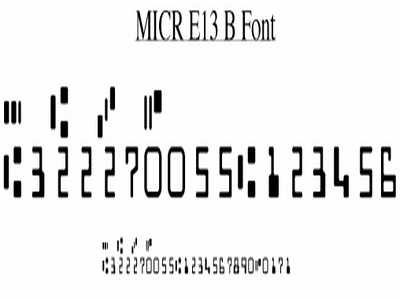
This MICR e13b font (also often called MICR font, or E-13B font) is necessary to print numbers and special symbols at the bottom of checks so they can be recognized by the OCR/magnetic ink reader systems used by banks in North America (US and Canada).

To install a font, double click on it, and in the window that appears, click Install.


Because applications may be looking for different font names, there are three different font files :

MICREBMatch
MICRE13B
MICR

You may install all files or only the one you need. They are technically identical, but the name will differ in the font menu.

To create the proper magnetic stripe, you need numbers, and separator symbols.

The separators are ABCD. For compatibility with some programs, you can also use single quote, sharp, dollar and percent.

Below is an example of the data one would enter in a plain font, to get the same as the bottom of a check :

9 ‘#$% 0123456789

10 ‘#$% 0123456789

#122000661#0545’03739’19299%

#322270055#0148202801%

12 ‘#$% 0123456789

Here is how it looks, when the MICR E13B Match font is used (the font must be installed to show the result) :

9 ‘#$% 0123456789

10 ‘#$% 0123456789

#122000661#0545’03739’19299%

#322270055#0148202801%

12 ‘#$% 0123456789 (12, This is is the proper size)

If you need Unicode encoded separator characters, they are supported as well, compliant to Unicode page U2440
http://www.unicode.org/charts/PDF/U2440.pdf

MICR (Magnetic Ink Character Recognition) strips are used by U.S. bank systems to automate check processing, around 68 Billion last year.

The MICR techology has been invented around the mid-fifties to help processing the growing number of checks that took much too long to handle by hand.

The MICR E13B Match font has been created with extremely accurate positioning, and tested with the finest benchmark systems. It is used daily by major corporations, as well as regional and national banks.

Graphcat<

System Mechanic Trial 22.5

Product Page: https://www.iolo.com/downloads/download-system-mechanic/

SM-20-dashboard-screenshot.png

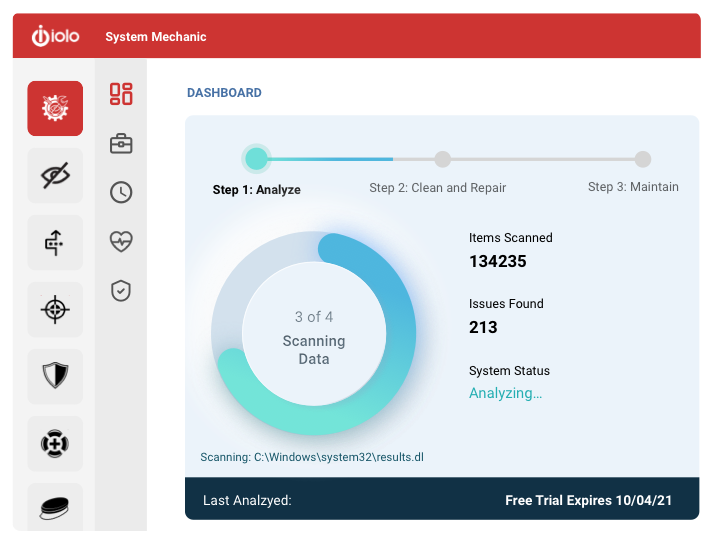
System Mechanic Trial keeps your PC running at peak performance and stability with advanced PC optimization, repair and maintenance features. Its exclusive patented technology fixes registry problems, defrags hard drives, cleans up junk files, accelerates downloads, boosts Windows speed and ensures maximum ongoing system stability. Consistently top-rated since 1998, this award-winning performance solution has been used to keep over 75 million PCs worldwide problem-free and running like new.

System Mechanic Trial delivers essential features that automatically resolve errors, slowdowns and crashes:

– Registry Tuner: A safe, effective, and highly advanced problem solver and error repair tool, Registry Tuner can diagnose and resolve many common root causes of mysterious freezes, slowdowns, and crashes.
– Startup Optimizer: Automatically eliminates startup bottlenecks that can choke the life out of a PC and make Windows take ages to start. Supercharges boot-times and frees up resources for improved overall performance.
– Memory Mechanic: Reclaims system RAM orphaned by memory leaks and sloppy programs for improved system responsiveness. Optimizes and defragments memory for snappier programs, downloads, and gaming experience.
– PC Cleanup: Performs a system-wide scan for junk and obsolete files left over from messy apps and unexpected restarts. Safely cleans out hazardous system-clogging clutter that accumulates over time through everyday use.
– Drive Accelerator: Performs advanced hard drive defragmentation for accelerated Windows load times, program startup, and overall system speed.
– Shortcut Repair: Finds and automatically fixes broken or corrupted Windows shortcut icons that can represent the root of frustrating problems on an otherwise stable PC.
– Internet Connection Repair: Automatically heals broken and chronically unstable internet connections to get you back online and keep you connected when you most need to be.

nanoCAD Plus 22.0

Product Page: https://nanocad.com/products/nanocad-platform/

3D20constraints.png

nanoCAD Plus – easy-to-use low cost CAD software delivering great user experience by providing classic interface and native .dwg support. Being the ultimate in 2D design tools, nanoCAD Plus has been built to deliver design and project documentation regardless of the industry or enterprise.

nanoCAD Plus has been specifically designed to help enterprises experience a seamless transition to emerging cost effective model of using a simple all-inclusive subscription program. Any engineer or designer who has previously used popular CAD applications will find it very easy to start using nanoCAD Plus from the very first run.

nanoCAD Plus is a full featured, fast, lightweight and reliable 2D design tool. nanoCAD Plus has been designed with ease of use in mind. Migration to nanoCAD Plus will hardly take you more than 10 minutes since nanoCAD Plus delivers:

– Classic CAD interface. Any engineer could easily master nanoCAD Plus since everything is in their right places: menu, button icons, panels, command line, and the commands themselves are easily recognizable. This makes nanoCAD Plus migration extremely easy.

– Native *.dwg support. The world’s most popular file format for technical documentation – *.dwg – is the nanoCAD Plus native file format. Projects created using nanoCAD Plus and saved as *.dwg file can be easily opened and edited in any CAD application supporting *.dwg which in turn makes nanoCAD Plus the perfect tool for project collaboration and sharing.

– Ultimate design tool. nanoCAD Plus includes all necessary tools required for basic design and allows creating and editing 2D and 3D vector primitives, texts, tables, blocks, graphical technical documentation display and print settings using either a model or a sheet.

– Open API and application development. nanoCAD Plus has a traditional CAD application programming interface (API) that allows developing independent nanoCAD Plus based applications and additional automation modules.