Apeaksoft Screen Recorder

Product Page: https://www.apeaksoft.com/screen-recorder/
screen-recorder-main-interface.jpg

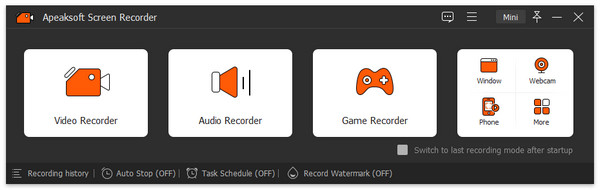
Apeaksoft Screen Recorder could capture almost any video played on your computer. You can use it to record various kinds of videos, like video conference, video tutorials, game play and other videos you want to save.

Key functions:


1. Record videos on your computer
Apeaksoft Screen Recorder is professional video recording software. With it, you could record various media files, including video tutorials, video meetings, etc. If you are a game lover, it could record your game play smoothly with high frame rate, then you could share it on Twitter or Facebook. In addition, you could record your webcam with it conveniently.

2. Record any audio source
When you record a video, you can choose to record the voice of the video itself by using the system audio, or record your own voice by enabling microphone voice. You can save the captured audio in MP3, WMA, AAC, M4A, FLAC, etc. for easy playback.

3. Mirror phone recording, take snapshot quickly
Apeaksoft Screen Recorder is able to mirror your Android phone or iPhone to computer, then capture the content on your phone easily. You can adjust the resolution to 4K, 2K, 1080p, and so on before recording. In addition, this software enables you to take snapshot and edit it or add watermark to it.

4. Various settings and highlight the mouse cursor
With Apeaksoft Screen Recorder, you could customize recording area, set scheduled task, make audio settings, etc. Moreover, you could preview the recorded files before saving. It also allows you to highlight the mouse cursor to make your action easier to be tracked on screen. Furthermore, you can define the color and the shape of the highlight.

Graphcat<

Aiseesoft AnyCoord

Product Page: https://www.aiseesoft.com/location-changer/

screenshot.png

If you want to change your GPS location while playing AR games due to bad weather, you could achieve this with Aiseesoft AnyCoord and you do not need to walk around. Importing or exporting a GPX file are also supported.

Key functions:

1. Set virtual location for iDevices
Aiseesoft AnyCoord enables you to change the actual GPS location of your iDevices to a virtual location according to your need. Just fill in the location you want, you will get a new location immediately.

2. Move iDevices with customized routes
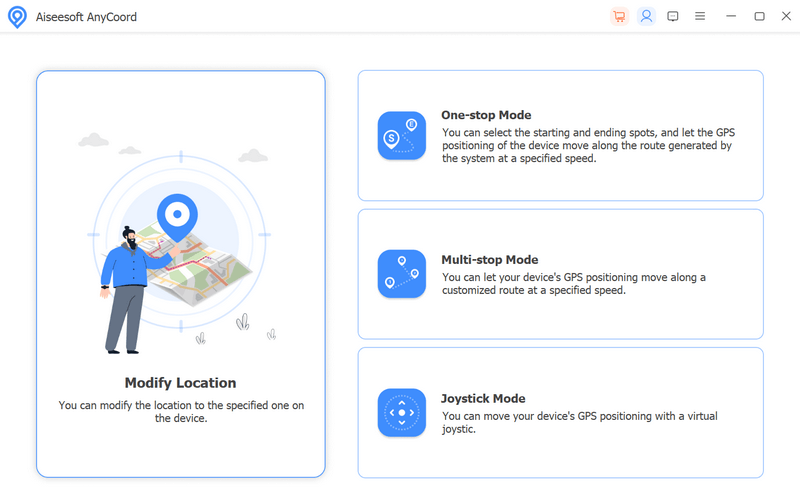
If you would like to make your iDevices move along with a specific track, Aiseesoft AnyCoord can help you. It provides three modes: One-stop Mode, Multi-stop Mode, and Joystick Mode for users. Moreover, each route record will be saved and you could check it at any time. Furthermore, it lets you customize the speed from 1m/s to 50m/s.

3. Play AR games on iDevices easily
Sometimes, due to bad weather, we cannot play AR video games smoothly, under this situation, Aiseesoft AnyCoord could help us solve this issue. It can plan the moving route for us and we do not need to move by ourselves. In addition, it supports almost all the current iOS devices.

4. Safe and easy-to-use
Aiseesoft AnyCoord is safe and private, so you do not need to worry about the privacy issue. It is also easy to use, even if you are not familiar with computer, you can use it without any hassle.

DataNumen PDF Repair 3.1

Product Page: https://www.datanumen.com/pdf-repair/

dpdfrssl.jpg

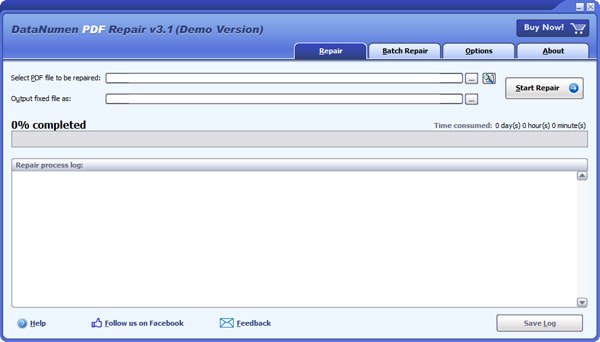
DataNumen PDF Repair (formerly Advanced PDF Repair) is a powerful PDF recovery tool. It uses advanced technologies to scan the corrupt or damaged Acrobat PDF files and recover your data in them as much as possible, so to minimize the loss in file corruption.

Main Features:

1. Support to recover all versions of Acrobat PDF files.

2. Support to recover pages as well as images in the PDF documents.

3. Support to repair different PDF file format errors.

4. Support to repair PDF files that do not comply with the PDF specification.

5. Support to repair PDF files on corrupted medias, such as floppy disks, Zip disks, CDROMs, etc.

6. Support to repair a batch of PDF files.

7. Support to find and select the PDF files to be repaired on the local computer.

8. Support integration with Windows Explorer, so you can repair an Acrobat PDF file with the context menu of Windows Explorer easily.

9. Support drag & drop operation.

10. Support command line parameters.