EDGE Diagrammer 7.02.2172

Product Page: http://www.pacestar.com/edge/index.html

screen.jpg

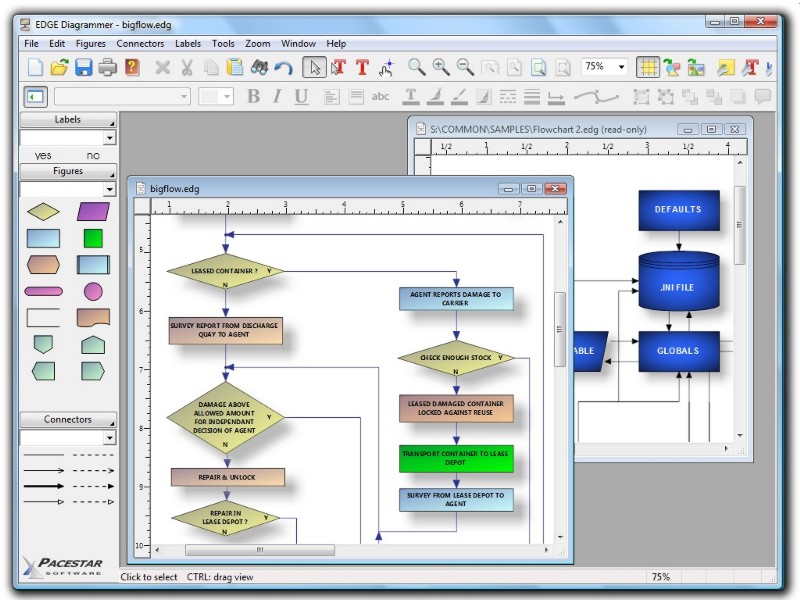
Professional diagramming, flowcharting, and design tool. Uniquely tailored for easy use with little or no training required. Create any type of block or flow diagrams. Use built in shapes and arrowheads or create your own. Contains all the features of expensive packages such as full zoom, OLE connectivity, poster printing, graphics import and export. Creates diagrams by stamping out shapes on your layout, adding any of a variety of text styles, and connecting the shapes with smart connecting lines that maintain flows and relationships. Also includes high end features such as full pan and zoom, poster printing, linking diagrams into documents, curves, importing clip art, and exporting web graphics. Powerful grid and alignment aids keep your diagram attractive. Everything from shapes to styles to diagram templates to the user interface is highly customizable so you can design your own diagram types.

Graphcat<

Luxea Video Editor 6.1.0.1859.1

Product Page: https://www.acdsee.com/en/products/luxea-video-editor/

screenshot.png

your world is moving, lets share it
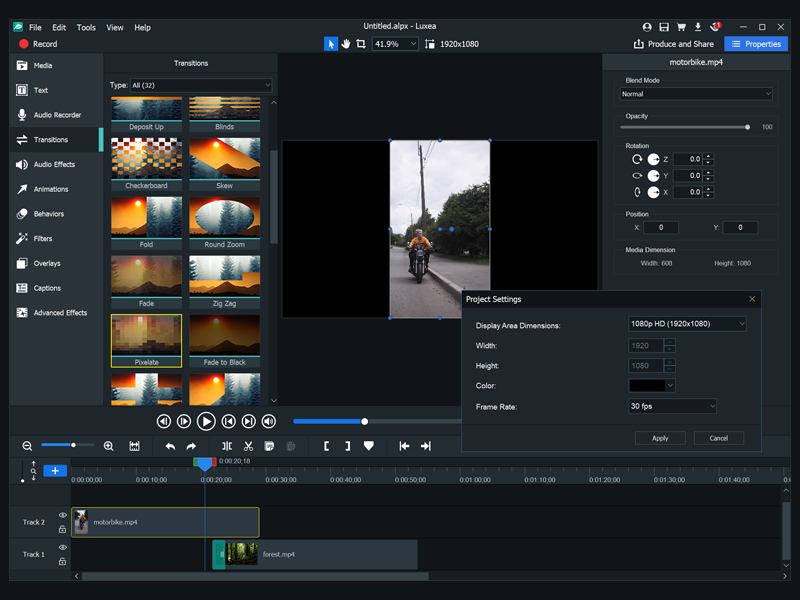
In a world where everyone is a creator create better. Luxea Video Editor gives you the power to turn your visions into reality. Produce your smoothest work with support for up to 60 frames per second. Be creative with new features including a text tool, added transitions and extended editing capabilities. Let Luxea Video Editor take you to the next level of video content.

record
Import your own footage, work with existing media, or generate your own. Record your webcam, microphone, or screen and add it to your project.


edit
Arrange, edit, split, trim, and merge audio, video and still images. Add effects, captions, filters and transitions that make your video stand out.

produce
Finalize and render your video in a variety of formats and sizes, including 4K. Then share your masterpiece on social media straight from the application.

step up
With support for up to 60 frames per second, your video and transitions will be smoother, providing richer viewing experiences.

save time and effort
Easily manage gaps between media when you change the duration of clips.

customized for your needs
You can now scale the Timeline to fit your media to take a look at the bigger picture.

see clearly
Take control of the deck for a clearer view of the project you are editing by detaching the viewing area and moving it to your other monitor great for viewing edits in full screen.

take control from your timeline
New shortcuts make editing easier. Rotate your media in two clicks. Copy and paste perfected filters from media to media.

manage your experience
Reduce the quality of your playback to expedite editing and to maximize processing power, without affecting the quality of the output.

tell the story
Enrich your video by adding text in one of 20 different styles. Customize fonts, colors, alignments, directions, and formats for the look you want.

UFS Explorer Network RAID 9.9

Product Page: https://www.ufsexplorer.com/ufs-explorer-network-raid.php

3.png

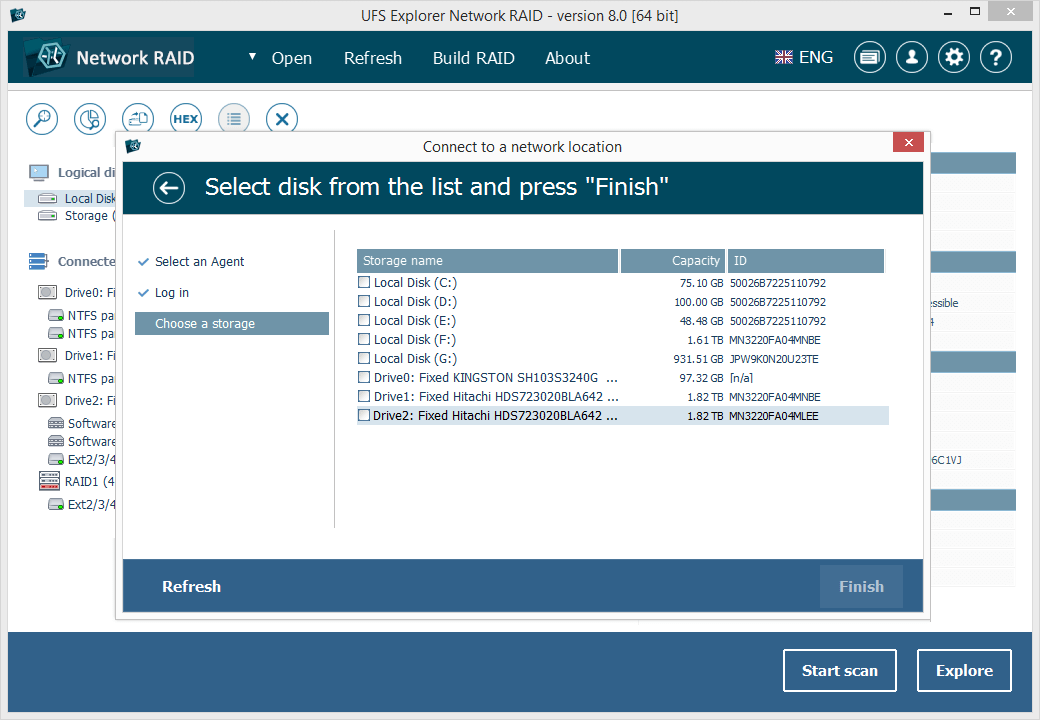
UFS Explorer Network RAID is an advantageous software product suitable for both local and distributed data recovery over LAN from a linear storage medium or complex RAID system. The program allows restoring files from any storage attached to another remote computer, even if it is running a different operating system, and makes it possible to assemble RAID from drives connected to two or more PCs. RAID sets of various complexity are supported, including standard RAID patterns, nested/hybrid RAID levels and custom RAID configurations. A flexible RAID builder with an embedded script handler makes it easy to define and modify RAID configurations, while a hexadecimal viewer allows analyzing raw data of partitions and drives. In addition to RAID, the application works with PCs, laptops, USB flash drives, memory cards, external hard drives, virtual disks of VMware, Hyper-V, VirtualBox, QEMU, XEN, Parallels and disk image files of various formats. The software supports a wide range of file systems of Windows (NTFS, FAT, FAT32, exFAT), macOS (HFS+, APFS), Linux (Ext2, Ext3, Ext4, XFS, JFS, ReiserFS, UFS/UFS2, Btrfs), BSD/Solaris (ZFS) and is capable of handling a variety of modern storage technologies, like mdadm and LVM, Windows dynamic disks and MS Storage Spaces, Apple Software RAID and Fusion Drive, Drobo BeyondRAID, Synology Hybrid RAID and Btrfs-RAID, BitLocker and APFS encryption, etc. UFS Explorer Network RAID provides direct access via LAN and allows recovering data from drives containing bad sectors connected via a DeepSpar Disk Imager device. In addition to that, the software features various options for work with damaged drives. It allows configuring parameters for access and usage of a storage device, creating a full or partial disk image with various settings and rules for processing bad blocks. Drives and arrays with bad blocks can be handled using bad sector maps generated during imaging, through recognition of a given pattern or created by third-party tools.