AVAide MP4 Converter

Product Page: https://www.avaide.com/mp4-video-convert/
screenshot-1.png

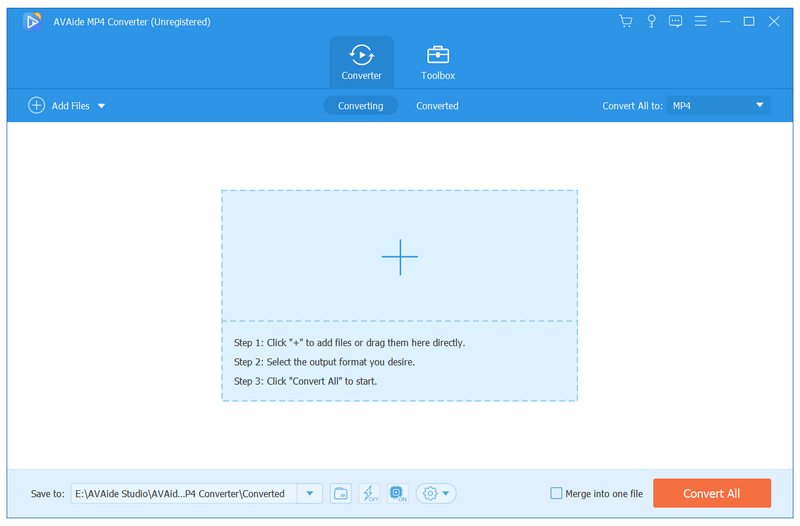
AVAide MP4 Converter makes it easy to convert video and audio files. It enables you to convert various video files like WMV, MOV, 3GP, FLV, RM, SWF, AVI to MP4 or vice versa. It also provides numerous editing functions for you.

Key functions:


1. Convert various video files to MP4
As a professional MP4 converter, AVAide MP4 Converter has the ability to convert various video files like WMV, MOV, 3GP, FLV, RM, SWF, AVI to MP4. It supports various input and output formats. You could play the output files on iPhone, iPad, iPod, Samsung, Zune, Apple TV, PSP, and more devices.

2. Extract audio
If you only want to get the audio from video files, AVAide MP4 Converter could do you a favor. It can help you extract audio from video files and save in audio formats like MP3, WAV, WMA, OGG, etc. It also supports batch conversion for saving your time.

3. Various editing functions
AVAide MP4 Converter is not only a video converter but also a video editor. With it, you can cut, merge, crop, rotate, trim your videos just in a few clicks. Furthermore, you are able to edit video effects including contrast/saturation/brightness/hue, add filters/watermark/subtitles to videos or remove watermark from videos.

4. Make GIFs and 3D files, enhance videos, compress files, edit media metadata
AVAide MP4 Converter allows you create interesting GIFs and 3D files for future playback. It also lets you improve your video quality easily. Compressing large videos files or edit media metadata could be achieved with it.

Graphcat<

imyPass Windows Password Reset

Product Page: https://www.apeaksoft.com/windows-password-reset/

screenshot.png

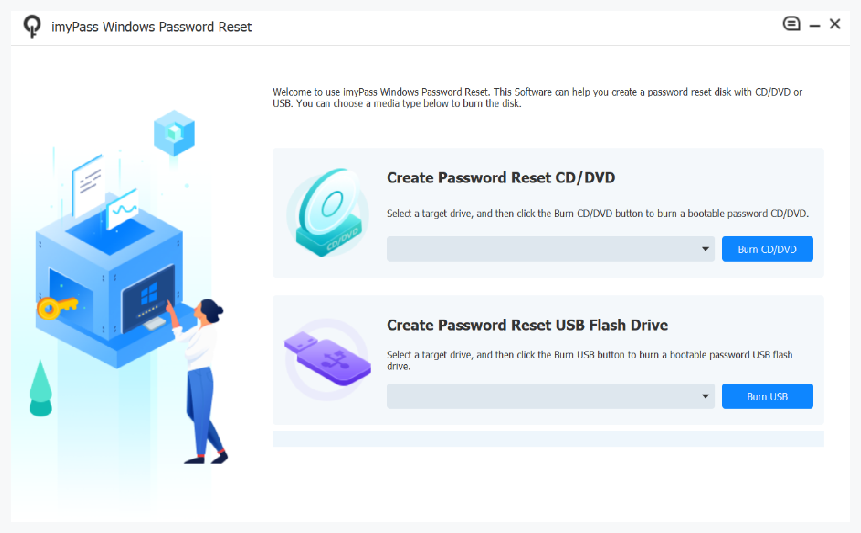
Do you want to remove your Windows password? Do you want to create a new admin account? If yes, please have a look at professional imyPass Windows Password Reset.

Key functions:

1. Reset/remove Windows password
Sometimes, if you forgot/lost the login password of your Windows computer or you log out of your computer and cannot log in without a password, you need to reset or remove your Windows password. In this case, imyPass Windows Password Reset could reset/remove the Windows password for you even if you do not own the original password. It provides two working ways: create with CD/DVD or create with USB Flash Drive, you could choose the one you like.

2. Create a new admin account
If you forgot the admin password and cannot make some changes on your Windows computer, imyPass Windows Password Reset could create a new admin account for you even if you are a standard user without administrator access.

3. Support various Windows types
imyPass Windows Password Reset supports various Windows computers, such as Dell/HP/Sony/Samsung/Lenovo, etc. In addition, it supports all kinds of Windows operation systems such as Windows 11/10/8.1/8/7/Vista/XP (SP2 or later) and so on. It is also compatible with many file systems like FAT16, FAT32, NTFS, NTFS5, etc.

4. Simple to use, safe and keep data
imyPass Windows Password Reset is easy to use, with it, you could reset/remove your Windows password just with several steps. Moreover, it is safe and it will not format or reinstall the operation system of your computer, so your original data will not lose after resetting the Windows password.

Apeaksoft Slideshow Maker

Product Page: https://www.apeaksoft.com/slideshow-maker/

interface.jpg

If you want to change your videos, photos and audio files into slideshow, absolutely, Apeaksoft Slideshow Maker is your best choice. With it, you can load your files from videos (MP4, MOV, AVI, FLV, WMV, MTS, M2TS, TS, M4V, RMVB, ASF, VOB, etc.), photos (JPG, JPEG, PNG, TIF, TIFF, BMP, GIF, etc.), and audio (MP3, AIFF, FLAC, AAC, WAV, WMA, M4A, etc.) and make your own slideshow videos without any hassle.

Key functions:

1. Make slideshow easily
With Apeaksoft Slideshow Maker, you only need to load your own videos, photos, audio files, and you could also add the background music if you want. Then click the Export button, you will get your wonderful slideshow videos.

2. Support all kinds of media formats
Apeaksoft Slideshow Maker supports various video formats, such as M4V, RMVB, ASF, VOB, DAT, 3GP, MOD, TOD, WebM, etc. For the photo formats, it supports JPG, JPEG, PNG, TIF, TIFF, BMP, GIF, etc. It also supports various audio formats, such as FLAC, AAC, WAV, WMA, M4A, OGG and so on.

3. Provide various themes
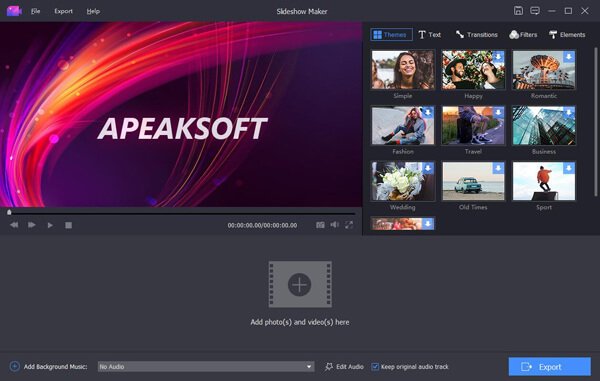
All kinds of slideshow themes such as Romantic, Fashion, Business, etc. are provided to create slideshow. You can choose the theme according to your demand. Besides the built-in slideshow themes, Apeaksoft Slideshow Maker has many text effects, transitions modes, filters and other elements to help you customize existing themes or make new themes.

4. Powerful editing functions
Apeaksoft Slideshow Maker also helps you to edit your videos and you can rotate/crop/clip videos, adjust contrast/saturation/hue/brightness, speed up or slow down videos, adjust audio volume, etc.