Retail Man POS 2.7.65

Product Page: https://ezisolution.net/

Rmanpos800.jpg

Retail Man POS is used internationally to create a computer system with powerful Point of Sale and Inventory, Accounting features included. Resellers in more than 50 countries. Support is included for most leading brands of POS hardware :- docket printer, bar code scanner, cash drawer, pole display, touch screen, scales. Retail Man features a simple user interface with powerful security. Ideal for most shops and retail outlets. Manage the inventory of stock to maximise the return. Quick Menu Buttons for commonly sold items.

Retail Man is the easy to use POS solution purchased with no annual licence fees for purchase. Options for rental are available for more flexibility. Download with a free full function evaluation for 9 + 30 days. Multi-location features for multi-store use.


Retail Man POS includes reports with stock control, inventory and accounting functions. Invoicing and debtors control, purchasing and creditors control, double entry accounting. Pricing for Retail, Wholesale and other levels. Support for POS stations and workstations running Windows 10, 8, 7, Vista and Windows Server 2012, 2016. Facilities for export or import of data for interfaces with other software. Sending of invoices, statements and quotes to customers by E-Mail is included.

Retail Man screens and reports can be can be customised. Currency, sales taxes (one or two) and setup can be localised to suit most countries. Menus can be installed in Arabic, Chinese, Dutch, French, Portuguese, Spanish which allow operation in many countries around the world. Support is included for integration with web stores including OpenCart.

Integrated credit and debit card processing with ITEX and Xpress Payments in Nigeria, PaymentSense in UK, Ireland, PC EFTPOS in Australia, ChargeItPro for customers in USA, Canada.

Upgrade to add POS stations or another store to expand with your business. The first user in a store costs USD349, each extra user in a store cost USD130.

Graphcat<

ACDSee Gemstone Photo Editor 12.1.0.353

Product Page: https://www.acdsee.com/en/products/gemstone-photo-editor/

screenshot.png

A new photo editor is on the prowl
The powerful image creator you’ve been waiting for is finally here. ACDSee Gemstone Photo Editor 12 has all the artistry and layered prowess you need to satisfy your photo editing desires, no matter how complex the composition. For maximum productivity, the MDI (Multi-Document Interface) layered editor allows you to carve your images into full spectrum splendor. Let sultry tone curves and spinning color wheels feed your imagination as you whip through Gemstones non-destructive RAW image processor, ACDSee RAW, and layered graphic editor. With an intuitive design, and presets for everything from creating files to fine-tuning colors, the Gemstone Photo Editor will polish your design workflow.

Limitless layered editing
Build the magical image compositions you’ve been dreaming of using Gemstones GPU-accelerated layered editor.

Graphic Design Tools
Layer Effects, Masks, Adjustment Layers, Text Tools, Lasso & Shape Tools, Liquify, Frequency Separation, Pixel Targeting, Distortion & Perspective Correction, Layer Blend Modes & Opacity

Color Tools
Color Wheel, Tone Wheels, Color EQ, White Balance, Color LUTs

Efficiency Tools
Edit History, Snapshots, Navigator, Histogram

Photography Tools
High-Dynamic Range (HDR), Focus Stacking, AI Background & Subject Selection, Advanced Lighting Correction, Watermarks

Repair & Restoration Tools
Smart Erase, Skin Tune, Blended Clone, Heal, Dehaze, Noise Reduction, Sharpen

Artificial intelligence meets artistry
Let Gemstones AI-powered selection tools do the heavy lifting so you can focus on the delicate details.

Select your subjects with a click
Quickly remove unwanted backgrounds in photos
Blur image backgrounds with ease
Instantly turn the background of your photo Black and White

Pixel perfect ACDSee RAW power
Flex your editing muscle using ACDSee RAW; a non-destructive RAW photo editor built right into Gemstone.

Modern CSV for Windows 1.3.36

Product Page: https://www.moderncsv.com

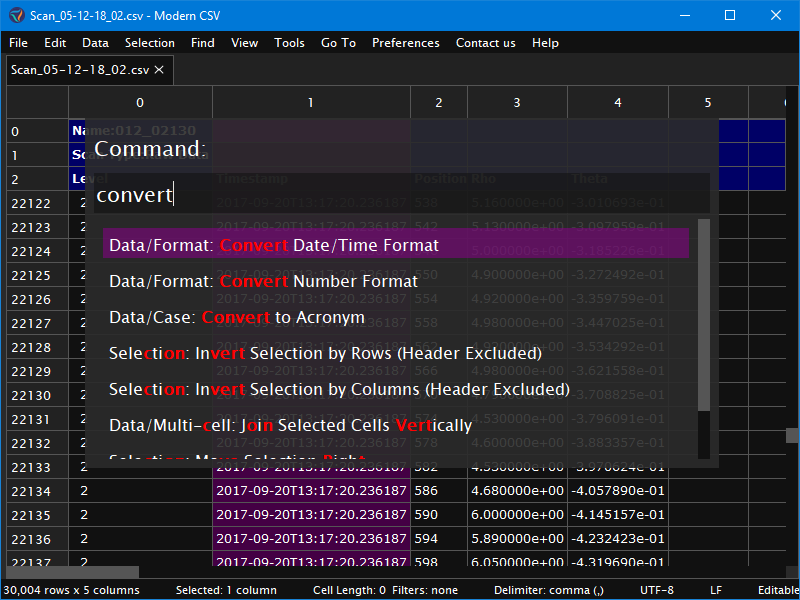
screenshot1.png

Modern CSV is a tabular file editor/viewer with advanced editing features and large file handling. It makes up for the weaknesses of spreadsheet programs in handling CSV files while incorporating the strengths of the best text editors.

Modern CSV makes it easy to quickly edit your files. If you need to move a column, duplicate a row, split cells, convert date/time formats, or any number of other operations, you can do so with a single command. Furthermore, most commands work on multiple rows, columns, or cells at once. You can call any command with a keyboard shortcut which you can customize.

Modern CSV has powerful features for finding and arranging your CSV data. The find/replace feature has options for searching with regular expressions, highlighting matches, limiting search to a range of cells, or previewing replace operations before you perform them. The sort feature uses stable sort so the order of other columns is preserved as much as possible. The filters use a powerful syntax that is clearly described in the filter query. You can also manually hide whichever rows or columns you want.

Modern CSV comes with a read-only mode that loads large files quickly and with a small memory footprint just a fraction of the file size. It can load up to 11 times faster than Excel.

Modern CSV has many customization options to make it comfortable to use. You can set the theme (light or dark), change cell sizes, or shade every other row or column. For the keyboard ninjas, we gave most commands keyboard shortcuts that you can set to your liking. You can also tell it how to handle files of different extensions. For instance, if your .csv files have semi-colon delimiters in ANSI character encoding with CRLF newline characters, you can have it open and save files accordingly every time.