Aiseesoft Video Converter Ultimate 10.3.32

Type: Shareware
Cost: $23.20
Size: 2.25 MB
Release date: Mar 25 2022
Platform: Win2000,WinXP,Win7 x32,Win7 x64,Windows 8,Windows 10,WinServer,WinOther,WinVista,WinVista x64
Publisher’s Site:  https://www.aiseesoft.com/
Publisher’s Product Page:  https://www.aiseesoft.com/video-converter-ultimate/
Country: China
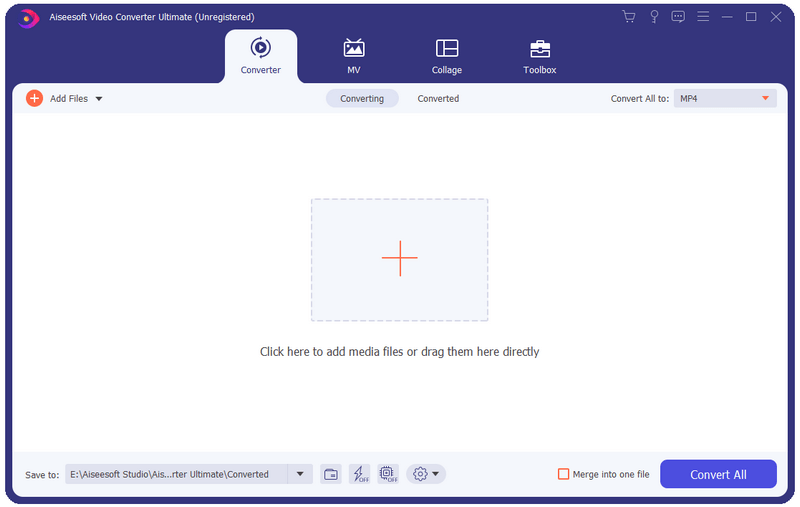

Aiseesoft Video Converter Ultimate

Aiseesoft Video Converter Ultimate is a comprehensive video converter. It can convert any video, audio files to over 1,000 formats including AVI, WMV, MOV, MP4, MP3, FLAC, etc.


Key functions:

1. Convert media files to various formats
This software can convert video/audio files to almost all popular media formats including 8K/5K/4K and 3D files.

2. Powerful editing functions
You can trim video length, enhance video quality, adjust video effects and add text or picture watermark as well as remove watermark from videos with its powerful editing feature. There are a bunch of stunning filters for you to use in one click, including whirpool, HongKong movie, orange dots , etc.

3. MV Maker
The MV feature enables you to produce a cool video in minutes even though you have less skills. It provides many profiles to help you export video in the right size of different platforms, like Facebook, Twitter, Instagram, YouTube, TikTok, etc.

4. Create split screen videos
The feature, split-screen video editor, allows you to put 2 different videos side by side, clarify the relationship between one thing and the other, add reactions to YouTube videos, and make your video more engaging. Meanwhile, it comes with various split-screen layouts, filters, and other video-editing features.

5. More functions available in Toolbox
There are a bunch of popular tools in the Toolbox, including Media Metadata Editor, Video Compressor, 3D Maker, Video Enhancer, Video Trimmer, Video Merger, Video Cropper, Color Correction, and more. It can deal with almost all video processing demands with only one Aiseesoft Video Converter Ultimate.

Graphcat<

ACDSee Professional 14.0.1.1721.0

Type: Shareware
Cost: $99.99
Size: 1.17 MB
Release date: Sep 23 2020
Platform: Win2000,WinXP,Win7 x32,Win7 x64,Windows 8,Windows 10,WinServer,WinOther,WinVista,WinVista x64
Publisher’s Site:  http://www.acdsee.com
Publisher’s Product Page:  https://www.acdsee.com/en/products/photo-studio-professional
Country: Canada


ACDSee Professional

The Professionals All-in-One
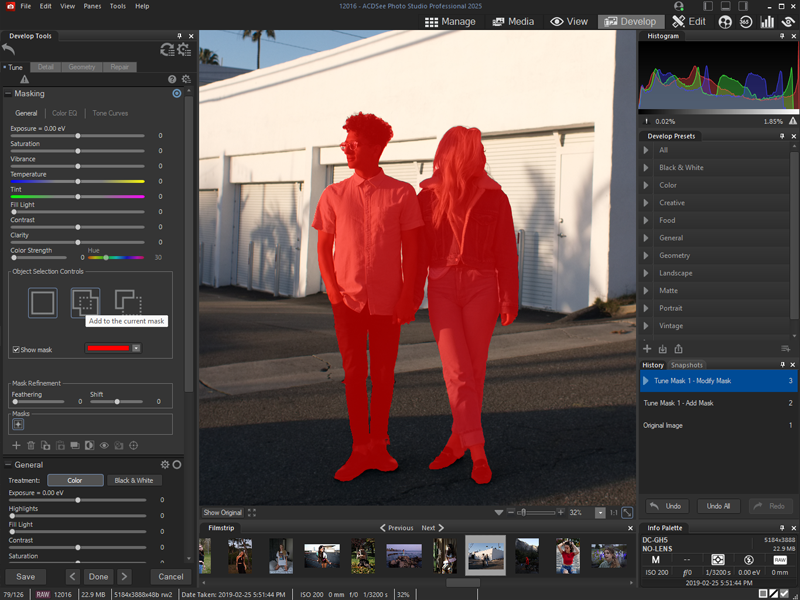
ACDSee Photo Studio Professional 2021 is for photography professionals who want to perfect their imagery, save time with seamless batch processes, and conquer their image organization. Choose ACDSee and take the limit off your editing and organizational capabilities.

Our Fastest Version Yet
We’ve made some huge performance enhancements this year to let you focus on the task in hand and perfect your images.

Refine Selection
You can now use Refine Selection to shift or soften edges which can maximize the effect of tools like Smart Erase.

Color Wheel
Focus on precise colors throughout your image to manipulate with a new level of precision.

New Develop Mode UI and Panes
New panes enhance your editing process. Create and categorize a library of presets. Take snapshots and view your full edit history.

Improved Quick Search
New toggle options for Quick Search makes finding images in large databases much faster.

Improved Watermark
Add watermarks with more accuracy particularly beneficial for applying watermarks to a batch of images.

Tone Wheels
User-friendly tone wheels make split-toning highlights, midtones, and shadows easy.

New & Improved Batch Rename
An improved process for renaming multiple images in response to customer feedback. The options are almost endless.

New & Improved Batch Resize
Relaunched with a huge capability expansion, our Batch Resize tool lets you resize multiple images to any dimension, following pixels or percentages, along either edge, or as a print size.

GoPro Support
Work directly with GoPro RAW images, and perfect your adventures.

Improved Crop
Improved crop tool with relative positioning functionality allows you to crop multiple images in seconds.

Face Detection & Facial Recognition
Import face data from Lightroom and Picasa and save the effort of renaming everyone in your images. Facial Recognition will then find any matching faces in your ACDSee database.

CSV Editor Pro 23.0

Type: Shareware
Cost: $27
Size: 10.88 MB
Release date: May 10 2022
Platform: Win2000,WinXP,Win7 x32,Win7 x64,Windows 8,Windows 10,WinServer,WinOther,WinVista,WinVista x64
Publisher’s Site:  http://www.Gammadyne.com
Publisher’s Product Page:  http://www.Gammadyne.com/csv_editor_pro.htm
Country: United States of America


CSV Editor Pro

CSV Editor Pro is the professional choice for working with CSV files. Packed with an arsenal of features and tools, it can save you a tremendous amount of time and effort. Rows and columns can be created, deleted, rearranged, and searched at will. CSV Editor Pro supports sorting, filtering, multiline editing, search and replace, deduplication, unicode, and much more. Although the interface is simple and intuitive, a detailed help file is provided. Download the fully functional 30-day trial today!