Cyberlab 5.3.0.14

Type: Freeware
Cost: $0
Size: 12.00 MB
Release date: May 06 2022
Platform: Win2000,WinXP,Win7 x32,Win7 x64,Windows 8,Windows 10,WinServer,WinOther,WinVista,WinVista x64
Publisher’s Site:  https://cyberlab.com
Publisher’s Product Page:  https://cyberlab.com
Country: United States of America

Cyberlab

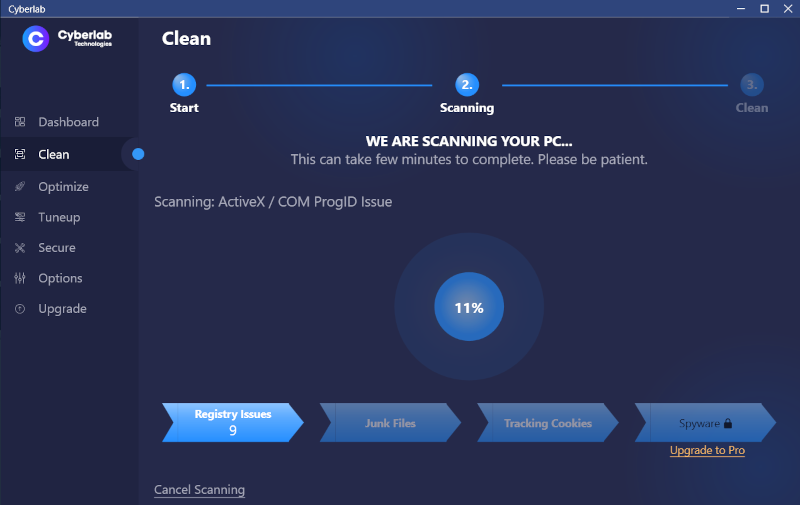
Cyberlab scans for tracking cookies and junk files in Windows, Chrome, Firefox, Edge, Internet Explorer, Opera and 22 applications making your PC and internet faster, safer and error free.


Plus Optimizer, Tuneup and Tools sections are 100% free forever with tools to secure and optimize your PC to its peak performance. Monthly updates with new features and bug fixes are free forever to all users.

Optimizer shows your detailed PC Specs to help easily diagnose your computer issues or help optimize it for critical applications such as gaming. Find and remove unwanted browser programs in Chrome, Firefox, Edge, Internet Explorer and Opera with ratings for good, unknown and unwanted programs.

Tuneup helps tuneup your computer with tools like a registry defragment, a feature not built into Windows. Defragmenting your registry can help solve errors and make your computer run faster.

Tools is the advanced section with features like System Report that shows you everything running on your PC with one click disable function which is useful for finding and removing unknown spyware problems. View your Windows Services and Processes or securely shred files using military grade deletion so they are gone forever.

Upgrade to Cyberlab Ultimate to clean junk files, tracking cookies and spyware. Plus, automates everything, daily U.S. based support and backed by a 60 day money back guarantee!

Cyberlab Technologies is securing and cleaning computers worldwide since 2004.

Graphcat<

FastMove 1.2022.114.44

Type: Shareware
Cost: $29.95
Size: 9.63 MB
Release date: Jan 17 2022
Platform: Win2000,WinXP,Win7 x32,Win7 x64,Windows 8,Windows 10,WinServer,WinOther,WinVista,WinVista x64
Publisher’s Site:  http://www.webminds.com
Publisher’s Product Page:  http://fastmove.com/
Country: United States of America


FastMove

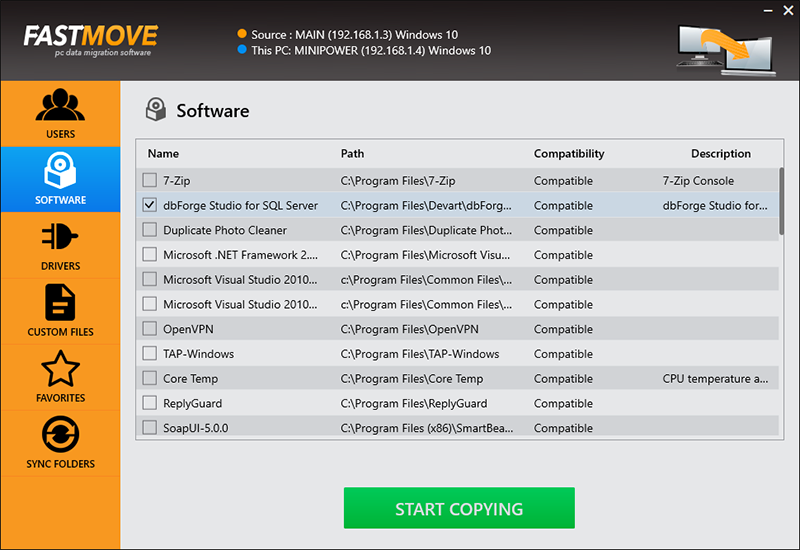
Move your files, folders, software, drivers and settings to your new Windows computer. Whether you’re transferring data between computers sharing the same OS version, moving files and settings from a Windows 7 to a Windows 10 PC, or migrating from a 32-bit to a 64-bit system, FastMove is here to do the job. Using FastMove to transfer data is very easy – all it takes is three simple steps: connect both PCs to the network, select what you want to transfer, let FastMove do the rest!

Got a new computer and want to transfer all your files, folders, software and settings to it? While you can use a simple USB drive to move files between two computers, transferring all your settings, software and drivers without any data loss is a different matter. Whether you’re moving data to a new computer or upgrading to an SSD, FastMove makes data migration fast, easy and reliable.

If you have a feeling that you’ve lost track of your files and folders, FastMove’s Sync Folders tool will put things right. With its help, you can sync and merge folders between PCs and locally. Simply select two locations, let FastMove scan them and find which files are different or missing from one location. You can then select the files you want to copy between the two folders.

With FastMove, you can transfer all your data between PCs in a quick, hassle-free way!

BootIt Collection 1.31-1.79

Type: Shareware
Cost: $39.95
Size: 9.29 MB
Release date: Mar 24 2022
Platform: Win2000,WinXP,Win7 x32,Win7 x64,Windows 8,Windows 10,WinServer,WinOther,WinVista,WinVista x64
Publisher’s Site:  http://www.terabyteunlimited.com
Publisher’s Product Page:  https://www.terabyteunlimited.com/bootit-collection/
Country: United States of America


BootIt Collection

BootIt Collection contains both BootIt Bare Metal and BootIt UEFI providing a high-quality partition manager, boot manager, and disk imaging program for both legacy BIOS and UEFI systems in single package, further enforcing TeraByte’s position as a leading innovator of advanced multi-booting software.

Some of the many partition operations include non-destructive resizing, converting, creating, copying, moving, deleting, and undeleting on hard drives beyond 16 exabytes in size. Standard MBR, EMBR, and GPT type disks are all supported, as is safely converting between them. The built-in BCD editor provides an easy way to fix Windows BCD booting problems. Users can easily enable Windows partition alignment standards and more advanced users will appreciate the full control over drive geometry.

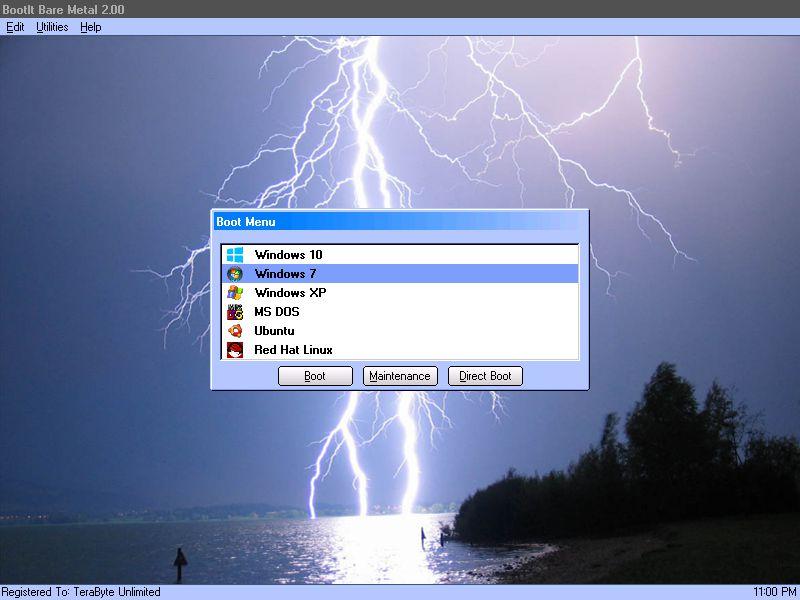
Boot operating systems from any partition on any hard drive (up to 16) or boot multiple operating systems from a single partition. With a host of options available for each boot item, BootIt provides an unequaled level of flexibility in configuring a multi-boot system. When using EMBR type disks (which support over 200 primary partitions), load only the partitions needed for that operating system – great when OS isolation is required. The system can be further customized and secured with user IDs and passwords.

Create and restore backup images of partitions or entire drives using the included full version of TeraByte’s Image for DOS and Image for UEFI – accessible directly from the BootIt desktop. Easily migrate to a larger drive or recover from hard drive failure or corruption. Image files can be saved to internal or external drives and have full compatibility with Image for Windows and Image for Linux.

BootIt features a simple, mouse-driven graphical interface, and is entirely self-contained, requiring no operating system to install and run. In addition, partitioning and disk imaging functions can be easily implemented from the boot media – no installation required.