AnyMP4 Screen Recorder for Mac 2.1.6

Type: Shareware
Cost: $26.25
Size: 24.89 MB
Release date: May 12 2022
Platform: Mac OS X,
Publisher’s Site:  https://www.anymp4.com/
Publisher’s Product Page:  https://www.anymp4.com/screen-recorder/
Country: China

AnyMP4 Screen Recorder for Mac

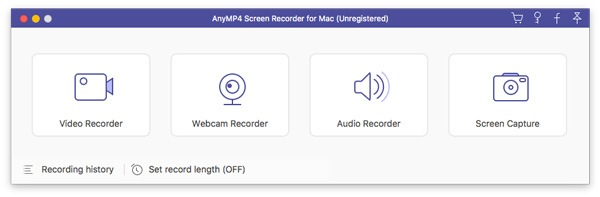
AnyMP4 Screen Recorder for Mac helps to capture almost any video that played on your computer, including 4K videos. You can use this screen capture software to record various kinds of videos, like video conference, video tutorials, game play and other videos you want to save. When you record the screen, you can choose to record the sound of the video itself or record your own voice through microphone.


Key features:

1. Record any videos on Mac.
AnyMP4 Screen Recorder for Mac can help you capture screen videos, and they are saved in MP4 or WMV formats for easy playback. You can capture videos, record live game videos, etc. Also, if you attend a meeting, or make a Skype call, you can also record the video from webcam for further use.

2. Record audio for playback on Mac.
AnyMP4 Screen Recorder for Mac makes it easy for you to record audio. And you can also record microphone audio to save the conversation in a business talk in case. The recorded audio will be saved as MP3, M4A, AAC and WMA formats.

3. Operate easily with simple interface.
AnyMP4 Screen Recorder for Mac enables you to capture screen videos and audio on Mac. The user-friendly hotkey gives you a quick operation. You can follow or change the hotkey to stop/start or pause/resume capture according to your preference. If you are busy in other things, you could set the duration time to start/stop capturing screen automatically. Also, you can highlight the mouse cursor to show it in your recordings.

Graphcat<

BestCrypt Container Encryption 9.07

Type: Shareware
Cost: $59.95
Size: 100.34 MB
Release date: Mar 31 2022
Platform: Win2000,WinXP,Win7 x32,Win7 x64,Windows 8,Windows 10,WinServer,WinOther,WinVista,WinVista x64
Publisher’s Site:  https://www.jetico.com
Publisher’s Product Page:  https://www.jetico.com/data-encryption/encrypt-files-bestcrypt-container-encryption
Country: Finland


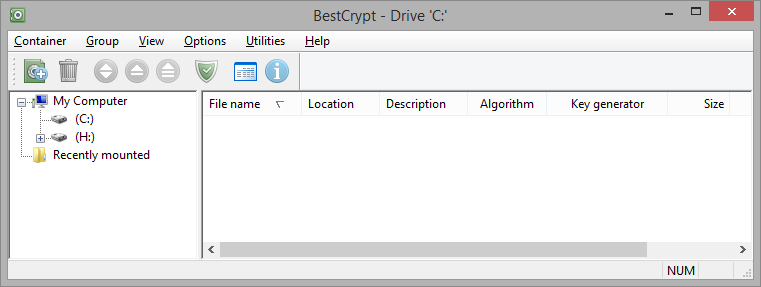
BestCrypt Container Encryption

To protect your privacy, comply with regulations, such as HIPAA or PCI, and prevent data breaches, BestCrypt Container Encryption delivers ‘on-the-fly’ data encryption that’s easy to use for virtual drives and selected files or folders. BestCrypt encrypts files and folders on Windows, Mac OS X and Linux by utilizing a wide variety of algorithms (AES, Blowfish, Twofish, CAST, GOST 28147-89, Triple-Des, Serpent) and the largest possible key sizes with XTS, LRW and CBC encryption modes. By featuring deniable encryption and dynamic containers Jetico’s file encryption is the best TrueCrypt alternative. BestCrypt Container Encryption includes a full version of BCWipe a Jetico solution to permanently delete files, wipe free space and data remanence.

To protect the data you keep, BestCrypt Container Encryption features:
– Store and access encrypted files easily via virtual drives
– Create and manage multiple containers
– Adjust size of container files (from megabytes to entire drive)
– Enhanced Hidden Containers (deniable encryption)
– Encrypt headers of container files
– Support Public Key Encryption
– Support Secret Sharing Schemes
– Compress one or more files in an encrypted self-extracting archive
– Encrypt Windows Swap File
– Container-level compatibility across Windows, Linux and Mac operating systems
– Includes full version of BCWipe for military-grade file wiping
– Central management for deployment, monitoring and password recovery (Enterprise Edition only)

RPM Remote Print Manager Elite 64 Bit 6.2.0.526.1

Type: Shareware
Cost: $750
Size: 64.42 MB
Release date: Mar 22 2021
Platform: Win2000,WinXP,Win7 x32,Win7 x64,Windows 8,Windows 10,WinServer,WinOther,WinVista,WinVista x64
Publisher’s Site:  http://www.brooksnet.com/
Publisher’s Product Page:  https://www.brooksnet.com/content/virtual-print-server
Country: United States of America


RPM Remote Print Manager Elite 64 Bit

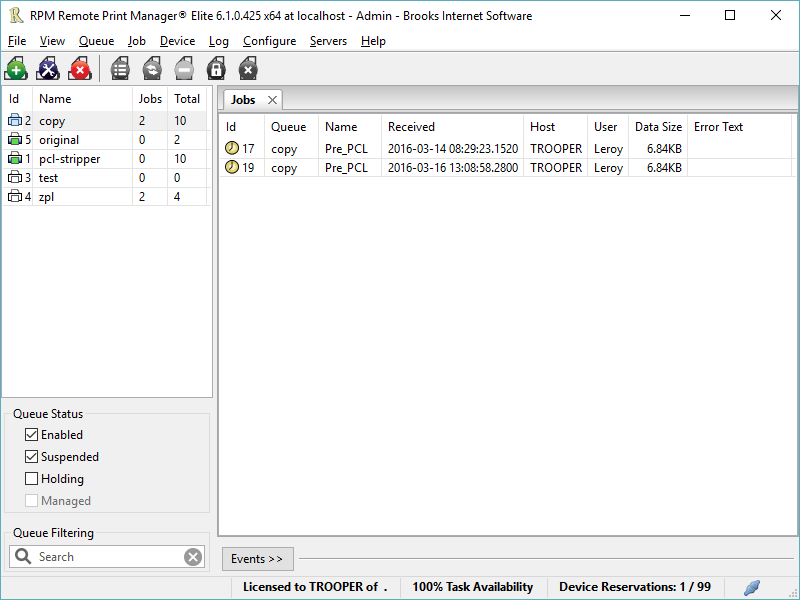
Printing should be one click away. but there are so many problems which make printing difficult if not impossible. RPM Remote Print Manager (RPM) has grown through the years from all the print problems our customers have brought to us. We are here to help you solve your printing problems.

RPM is our virtual printer product. Our customers have been using RPM for 20 years!
RPM as virtual printer

RPM does what you expect a virtual PDF printer to do, and more:

convert incoming print jobs to other formats, such as PDF, TIFF and PCL
save multiple documents into a single document
print the same job to multiple printers
in one pass, send to a printer and save to disk
print the same job multiple times, using separate paper trays

RPM as print server

RPM is implemented as a Windows print server. Its core capabilities include:

managing your print workflow
send print jobs to any Windows printer
send print jobs to any printer on your network using core Windows print protocols, or LPR, or direct with port 9100
archive print jobs to local folders, shared folders, or anywhere via FTP
run any local application on your print job
send your print job via email as an attachment or in the message body

RPM also provides extensive data editing, manipulation and translation.

Windows version support

RPM 6.1 supports these versions of Windows: Vista, 7, Server 2008 (including R2), Windows 8 and 8.1, Server 2012 (including R2), and Windows 10. Support for Windows XP and Server 2003 has been dropped, so we no longer test new RPM versions on these older versions of Windows.