AnyMP4 Blu-ray Ripper for Mac 9.0.10

Type: Shareware
Cost: $29.25
Size: 118.69 MB
Release date: Apr 28 2022
Platform: Mac OS X,
Publisher’s Site:  https://www.anymp4.com/
Publisher’s Product Page:  https://www.anymp4.com/blu-ray-ripper-for-mac/
Country: China

AnyMP4  Blu-ray Ripper for Mac

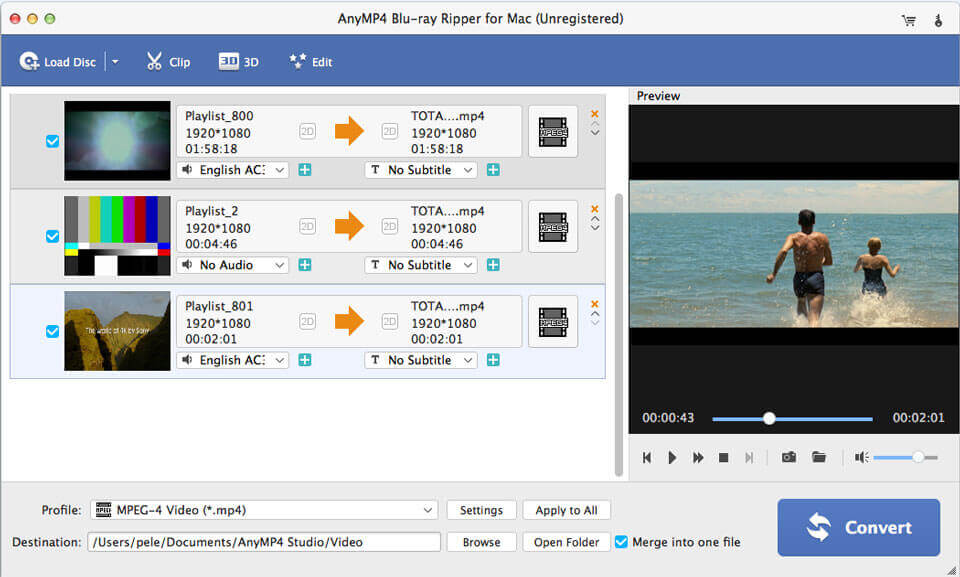
AnyMP4 Blu-ray Ripper for Mac can easily rip homemade Blu-ray disc, Blu-ray folder, and Blu-ray ISO image file to video files and play on multiple digital devices like iPhone, Samsung, LG, Sony, HTC, HUAWEI, and others. This software also lets you rip homemade Blu-ray to other devices like Apple TV, Samsung TV, LG TV, Xbox 360, PS4, Final Cut Pro, iMovie, and more for playing or editing easily.


Key Features:

1. Edit Blu-ray and adjust video effects.

The professional Blu-ray Ripper for Mac is equipped with many useful editing features to help you customize video effects before ripping the Blu-ray. For instance, you can rotate video position, cut the video length to only save the necessary part, crop video to remove the black edge, add personal text and image watermark, adjust output video effects like brightness, contrast, saturation, and hue.

2. Fast Blu-ray ripping speed and high quality.

Thanks to the latest hardware acceleration technology, AnyMP4 Blu-ray Ripper for Mac can rip homemade Blu-ray disc, Blu-ray folder, and Blu-ray ISO image file at a super-fast speed. Also, it can rip Blu-ray to HD video format like MP4, MOV, MKV, AVI, WebM, TS and more. Now, it supports converting Blu-ray to 4K and 1080p HD video. After ripping, you can enjoy the fantastic image and sound quality. In profile settings, you are allowed to set parameters, such as video codec, resolution, bitrate, frame rate, audio codec, audio channels, and so on.

3. Choose desired audio tracks/ subtitles before ripping.

If the original Blu-ray contains multiple audio tracks and subtitles, this Blu-ray ripper will show you all audio tracks and subtitles. Then you can select your preferred audio track and subtitle for the output video. The built-in player helps you preview the Blu-ray, and you can quickly check the desired titles of the Blu-ray.

Graphcat<

Drawtify LogoMaker 1.12.16

Type: Shareware
Cost: $29.99
Size: 83.45 MB
Release date: Dec 12 2020
Platform: Win2000,WinXP,Win7 x32,Win7 x64,Windows 8,Windows 10,WinServer,WinOther,WinVista,WinVista x64
Publisher’s Site:  https://app.drawtify.com
Publisher’s Product Page:  https://app.drawtify.com/logo-maker-and-animator/
Country: United States of America


Drawtify LogoMaker

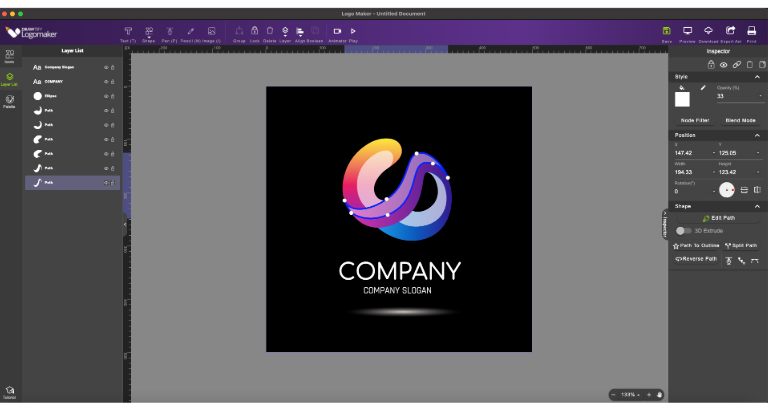
Drawtify Logo Maker & Animator is an Easy-to-use & Full-featured logo design software and animation tool. It has almost no learning curve and provides a lot of built-in editable logo design templates and animation design templates.
Therefore, it can not only help beginners become excellent logo creators and animators but also help experienced logo designers complete logo design and animation design tasks more easily.
Start Now. You may only need to perform a few steps to get the most ideal vector logo and animated logo in a few minutes. Of course, you can also rely on your own creativity to easily create exclusive vector logos, business icons, marketing icons, and animated logos, animated icons, animated banners, etc., so as to meet your business needs in all scenarios.
Drawtify Logo Maker & Animation is suitable for any industry, brand, interest, and scene.
Built-in hundreds of Editable Logo Design Templates. Including Text Logo, Graphic Logo, Animated logo (icons, banners).
Built-in intuitive animation tools. Including 27 basic action presets, 14 text action presets, real-time preview animation.
Built-in easy-to-use 100% Vector Editor. Including Pen, Pencil, and Boolean Operation.
Built-in artistic printing tools. Including converting text into a path, typesetting along the path, text graphics, etc.
Built-in rich Special Effects Tools. Including Node Filter (Shadow, Inner shadow, Reflect, Glow, Inner Glow, Blur, Hue, Light, Torn, Emboss, Splash), Blending Mode, Image Filter, and powerful 3D effects.
Built-in complete Color Filling Tool. Including color, gradient, texture, and image for Fill & Stroke, and 200+ color schemes.
Built-in 9 basic shapes and 20K+ icon, shape libraries.
Unlimited Layer List.
Supports quick import of JPG, PNG, GIF, SVG format pictures.
Layer order adjustment and complete Layout function.
Real-time Save and editing again.
High-quality Output in JPG, PNG, PDF, and SVG formats.
SVG, GIF, APNG, Video format Output Animation.

AVAide Video Converter for Mac 1.2.8

Type: Shareware
Cost: $18
Size: 113.86 MB
Release date: Dec 08 2021
Platform: Mac OS X,
Publisher’s Site:  https://www.avaide.com/
Publisher’s Product Page:  https://www.avaide.com/video-converter.html
Country: Hong Kong


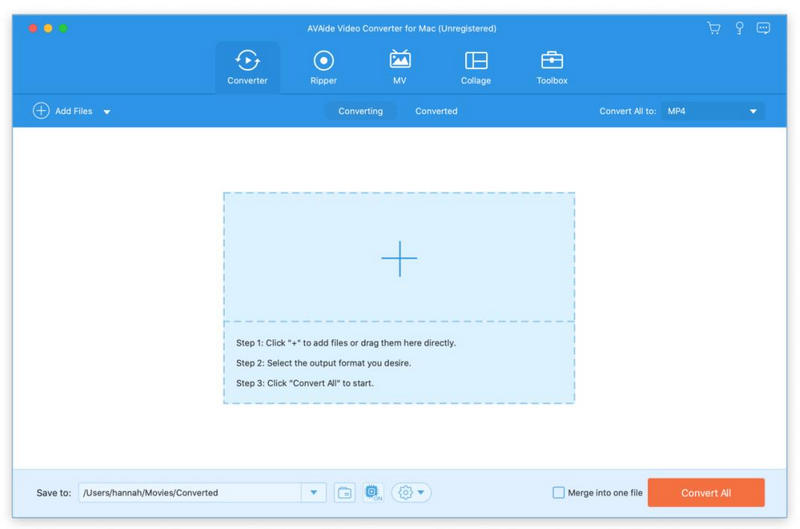
AVAide Video Converter for Mac

If you are a movie lover, AVAide Video Converter for Mac is your best choice. It could convert videos and home-made DVDs to other formats.

Key functions:

1. Convert video/audio files
AVAide Video Converter for Mac provides fast conversion speed for you to convert video/audio files to other popular formats so that you could view the movies on portable devices such as iPhone, iPad, Samsung, Sony, etc. You can rotate/crop/trim videos, add watermark/subtitles to videos before conversion and adjust video effects.

2. Convert home-made DVDs
If you have trouble in playing your DVDs, AVAide Video Converter for Mac could help you convert home-made DVDs to other common formats just in few minutes. Before conversion, you could edit the movies freely, such as rotating/cropping/trimming videos, adding audio track/watermark to videos, adding/editing subtitle, etc.

3. Make MV and Collage
The MV function provides many kinds of themes for you to create your own MV with videos and pictures. You could rotate/crop MV before exporting and adjust video effects. After exporting, you could share the MV you created on YouTube, Vimeo, etc. directly. In addition, you could make your own fabulous Collage with various templates.

4. Compress files and other useful tools
AVAide Video Converter for Mac allows you to edit media metadata. If you have large videos and want to compress them, the Video Compressor could help you compress videos to smaller size with high quality. It is also able to create fantastic GIFs and 3D files. Moreover, you are able to enhance your video via upscaling resolution, reducing video shaking, etc.