Yetishare File Hosting Script 5.3.1.0

Type: Shareware
Cost: $99
Size: 93.75 MB
Release date: Feb 18 2022
Platform: WinXP,Win7 x32,Win7 x64,Windows 8,Windows 10,WinServer,WinOther,WinVista,WinVista x64,Linux,Linux Console,Linux Gnome,Linux GPL,Linux Open Source,Mac OS X,,Android,iPhone,iPad,iOS
Publisher’s Site:  https://mfscripts.com
Publisher’s Product Page:  https://yetishare.com
Country: United Kingdom


Yetishare File Hosting Script

Yetishare is a PHP script that enables you to create your own professional file hosting service that you can earn a revenue from. The script has a wide range of features including over 50 supported payment gateways, a responsive admin area, file manager, user accounts, external file servers, multi-upload, a package manager, paid account upgrades, an admin file upload API and much more.


There is also a wide range of plugins available that can add additional functionality such as mobile and tablet app support, a media player, FTP upload, torrent download and more.

The software is well established, with the first release over 6 years ago and with over 3,000 active sites using it. The entire PHP code is supplied unencoded so users can make any customisations such as additional features or theme changes, as they require.

Graphcat<

SOS Click for Microsoft Office 1.0.0

Type: Demo
Cost: $20
Size: 3.23 MB
Release date: Feb 01 2020
Platform: Win2000,WinXP,Win7 x32,Win7 x64,Windows 8,Windows 10,WinServer,WinOther,WinVista,WinVista x64
Publisher’s Site:  https://www.sos-click.com
Publisher’s Product Page:  https://www.sos-click.com
Country: Israel


SOS Click for Microsoft Office

With SOS Click for Microsoft Office you can save your work across multiple locations in one click! Save your Word documents, Excel spreadsheets and PowerPoint presentations in more than one place with one action! Places can be both local on your computer like local folders, thumb/flash drives and remote like mapped network shares or drives, one or more e-mail addresses and cloud services for storing your files like Dropbox, Google Drive and Microsoft OneDrive.
With this add-in you can say goodbye to all technical issues as your work will always be available: a local hardware failure, lose of internet connection and other issues will be a thing you won’t have to be worry about as your work is saved in multiple places and is always available! Moreover, the add-in features several auto-save functions including saving automatically to the e-mail address of your choice so you never lose a single copy of your important work!

Apeaksoft DVD Creator 1.0.58

Type: Shareware
Cost: $44.76
Size: 1.80 MB
Release date: Feb 03 2021
Platform: Win2000,WinXP,Win7 x32,Win7 x64,Windows 8,Windows 10,WinServer,WinOther,WinVista,WinVista x64
Publisher’s Site:  https://www.apeaksoft.com/
Publisher’s Product Page:  https://www.apeaksoft.com/dvd-creator/
Country: China


Apeaksoft  DVD Creator

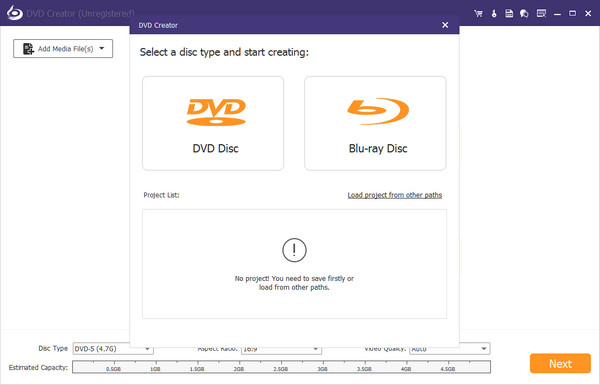
Apeaksoft DVD Creator can create DVD/Blu-ray disc/folder/ISO files with all kinds of popular videos. Therefore, you can burn MP4/AVI/MKV and other videos to DVD/Blu-ray. Moreover, it can also help you add the audio track and subtitle. In addition, you can choose your preferred menu templates, frames and button styles and add background music. Furthermore, you can trim the video length, crop the video frame and add watermark to the video as you like.

Key functions:

1. Create DVD/Blu-ray with any video formats
Apeaksoft DVD Creator can not only burn videos to DVD disc/folder/ISO files but also burn videos to Blu-ray disc/folder/ISO files. It supports various video formats including MP4, AVI, WMV, MKV, MOV, M4V, TS, MTS, etc.

2. Customize DVD/Blu-ray menu
With this DVD Creator, you can choose your favorite DVD/Blu-ray menu from various menu templates and you could also create your own templates. Moreover, you can add background music, change background picture, or add opening film according to your needs.

3. Edit video /audio, chapter and subtitles
Apeaksoft DVD Creator is able to help you rotate, flip, crop and adjust the videos as you want. You are allowed to add watermark to your videos. With the powerful tools, you are able to merge or split chapters. Meanwhile, you could add or edit subtitles/audio track.

4. Fast speed and super high quality
Apeaksoft DVD Creator can provide you with fast burning speed and high quality. You never need to wait for long time for the creation. Just a few minutes, you can enjoy your burned videos.