XLSTAT 2022.1

Type: Demo
Cost: $295
Size: 219.21 MB
Release date: Mar 23 2022
Platform: Win2000,WinXP,Win7 x32,Win7 x64,Windows 8,Windows 10,WinServer,WinOther,WinVista,WinVista x64
Publisher’s Site:  https://www.xlstat.com
Publisher’s Product Page:  https://www.xlstat.com/en/solutions
Country: United States of America

XLSTAT

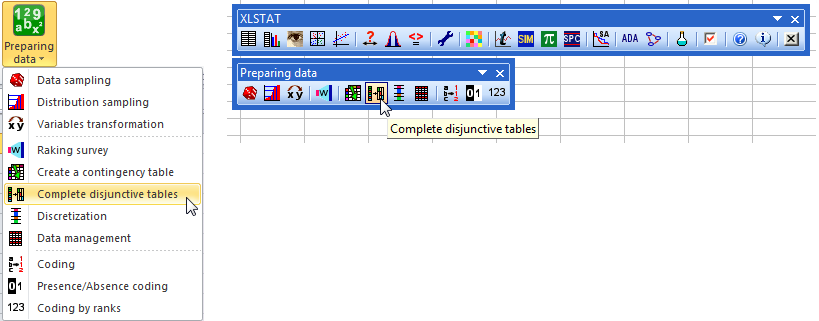
XLSTAT is a complete analysis and statistics add-in for Excel. It has been developed since 1993. XLSTAT includes more than 240 features in general or field-specific solutions. The use of Excel as an interface makes XLSTAT a user-friendly and highly efficient statistical and multivariate data analysis package.


It includes regression (linear, logistic, nonlinear), multivariate data analysis (Principal Component Analysis, Discriminant Analysis, Correspondence Analysis, Multidimensional Scaling, Agglomerative Hierarchical Clustering, K-means, K-Nearest Neighbors, Decision trees), correlation tests, parametric tests, non parametric tests, ANOVA, ANCOVA, mixed models and much more. Field-specific solutions allow for advanced multivariate analysis (RDA, CCA, MFA), Preference Mapping and other sensometrics tools, Statistical Process Control, Simulations, Time series analysis, Dose response effects, Survival models, Conjoint analysis, PLS modelling, Structural Equation Modelling, OMICS data analysis… Optional modules include 3D Visualization and Latent Class models.

The XLSTAT statistical analysis software is compatible with all Excel versions from 2003 to 2016. A Mac version is also available on the XLSTAT website, and works on Excel 2011 & 2016.

Graphcat<

PeaZip for Linux 8.6.0

Type: Freeware
Cost: $0
Size: 9.09 MB
Release date: Apr 12 2022
Platform: Linux,Linux Console,Linux Gnome,Linux GPL,Linux Open Source
Publisher’s Site:  https://peazip.github.io/
Publisher’s Product Page:  https://peazip.github.io/peazip-linux.html
Country: Italy


PeaZip for Linux

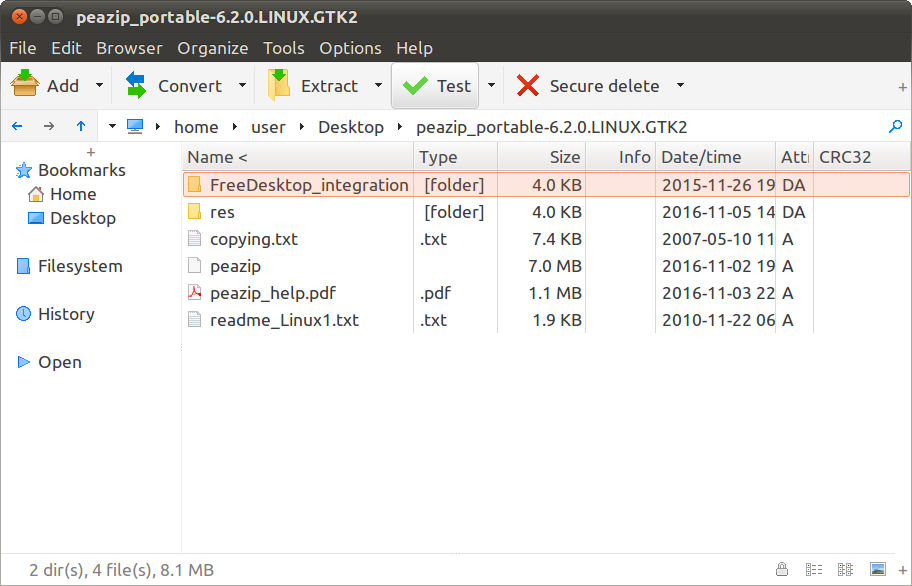
PeaZip is an Open Source archive manager and file manager tool for Linux.
Free Software alternative to WinRar, WinZip and similar utilities, it is structured as a frontend for multiple file compression and archiving tools like Ark and FileRoller.
Tasks created in the GUI can be easily saved as command-line scripts, in order to automate batch backup or restore operations, or for fine tuning, or for learning purpose, bridging the gap between the ease of use of GUI applications and power and flexibility of console.

Based on solid and proven technology of 7-Zip for handling mainstream archive formats, and other great Open Source tools (Brotli, FreeARC, PAQ, UPX, Zstandard) for supporting additional file formats and features, provides a general purpose zip / unzip / unrar utility with a powerful unified GUI, natively portable, cross-platform and desktop neutral (the same set of features, as well as look and feel, is provided in Gnome, KDE, and other desktop managers).

Create 7Z, ARC, BR, BZ2, GZ, PAQ/LPAQ/ZPAQ, PEA, QUAD/BALZ, TAR, UPX, WIM, XZ, ZIP, ZST format

Extract over 200 archive types: ACE, ARJ, CAB, DEB, DMG, ISO, LHA, RAR / RARv5, RPM, UDF, ZIPX files and many more…

PeaZip is localized in over 30 languages and is capable of handling all most popular archive formats, supporting a wide array of advanced file and archive management features (tabbed browsing, search, bookmarks, batch file rename, thumbnail viewer, graphic files editor and compressor, calculate hash, find duplicate files, edit archives, convert archives…), especially focused on security (strong encryption, two factor authentication, encrypted password manager, secure deletion…).

The distinctive trait of PeaZip is the innovative and easy to use compression/extraction interface, which makes extremely simple to check (and update) items set for compression and extraction, integrating a full featured file manager component.

WinNc 9.7.0.0

Type: Shareware
Cost: $36.41
Size: 9.72 MB
Release date: Jan 22 2021
Platform: Win2000,WinXP,Win7 x32,Win7 x64,Windows 8,Windows 10,WinServer,WinOther,WinVista,WinVista x64
Publisher’s Site:  https://ontwerpbureaudunes.nl
Publisher’s Product Page:  https://www.winnc.com/
Country: Netherlands


WinNc

Norton Commander Filemanager

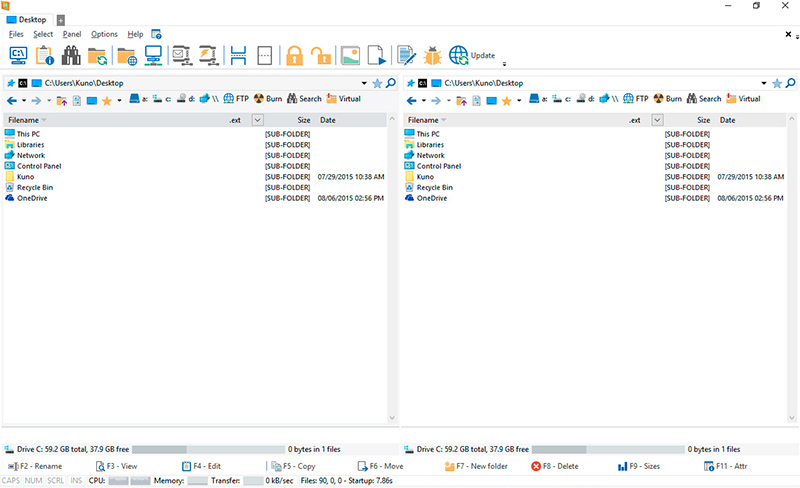
WinNc is a tabbed file manager especially developed for Windows 10. It also works on the older versions of Windows. This NC clone file manager is inspired on the dual panel concept of the old file manager Norton Commander. It has shortcuts to all the Windows special folders and the multiple tabbed interface allows you to organize your data by projects.

Projects can include files and folders from all over the disks that relate to the project tab and are stored virtually in the project folder as a link. With a new Windows 10 interface WinNc can do all the basic tasks you expect from a modern file manager like copy, move, delete, compress, uncompress and create links. WinNc uses logical colors for the file actions so you can quickly see if a file is being copied (green), being moved (orange) or being packed (yellow).

WinNc allows you to perform multiple tasks by setting the maximum parallel tasks to more than one task in the configuration panel. Otherwise WinNc will wait to start the new action until the previous action has finished. WinNc also converts audio, burns files on dvd and cd, creates and reads iso files, sets file attributes and you are able to keep you files synchronized using an internal sync module. From existing zip files it allows the creation of self extracting .exe files. It has a built in slideshow viewer, an audio preview player and a video player for quickly browsing and skipping through your media.

WinNc is available in the following languages:
English, German, Dutch, French, Spanish. (More languages available in beta version)